


New Participant
October 16, 2017
Answered

Unable to Connect ... (Trying to deactivate Acrobat Pro 9.3)

  • October 16, 2017
  • 1 reply
  • 3881 views

I am trying to deactivate Acrobat Pro 9.3 to reinstall it on another computer. I try to deactivate it, but then am presented with the following screen.
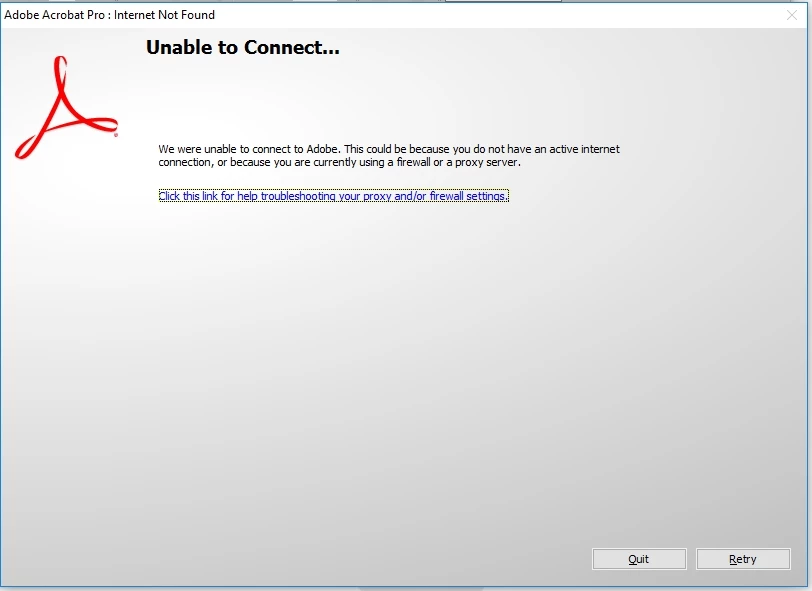
I have tried disabling my firewall. I do have an active Internet connection. I've restarted my computer. I've uninstalled and reinstalled the program. Nothing has worked. I've read somewhere else in the forums that Acrobat 8 has some of the same issues as the servers to authorized the serial number do not exist anymore. Is this the same problem? If so, how would I resolve it?

P.S. - I've also tried contacting support, but after giving the product version (from the very beginning) and then waiting around for an hour, I have been directed to the forums as this is a very old product and not supported by live support.

This topic has been closed for replies.
Correct answer AnandSri

Hi Oregonbob,

We apologize  for the inconvenience caused to you. As per the description above, you are not able to deactivate the Acrobat Pro 9 installed on your computer, Is that correct?

Please try the troubleshooting steps from the following KB doc: Activation and deactivation troubleshooting  Link: https://helpx.adobe.com/x-productkb/policy-pricing/activation-deactivation-help.html

If the issue persists, you may try to uninstall and reinstall the software and then can try to deactivate it, Or can install the software on the new machine and can try to activate. To download Acrobat, use the following link: Download Acrobat 8 and Acrobat 9  Link: https://helpx.adobe.com/in/acrobat/kb/acrobat-8-9-product-downloads.html

Hope this helps and keep us posted with the results.

Regards,

Anand Sri.

1 reply

AnandSri
Community Manager
AnandSriCommunity ManagerCorrect answer
Community Manager
October 16, 2017

Hi Oregonbob,

We apologize  for the inconvenience caused to you. As per the description above, you are not able to deactivate the Acrobat Pro 9 installed on your computer, Is that correct?

Please try the troubleshooting steps from the following KB doc: Activation and deactivation troubleshooting  Link: https://helpx.adobe.com/x-productkb/policy-pricing/activation-deactivation-help.html

If the issue persists, you may try to uninstall and reinstall the software and then can try to deactivate it, Or can install the software on the new machine and can try to activate. To download Acrobat, use the following link: Download Acrobat 8 and Acrobat 9  Link: https://helpx.adobe.com/in/acrobat/kb/acrobat-8-9-product-downloads.html

Hope this helps and keep us posted with the results.

Regards,

Anand Sri.

oregonbobAuthor
New Participant
October 18, 2017

Well, I just went ahead and tried to install it on another computer (even though it was not deactivated on the old one) and it did work. Deactivate is greyed out and I'm assuming that Acrobat 9 just can't communicate with activation / deactivation servers. I was also able to visit ftp://ftp.adobe.com/pub/adobe/acrobat/ and update the software to 9.5.5.

Thanks

Community Manager
November 3, 2017

Hi Oregonbob,

Sorry for the delay in response.

The new installer and serial number activate in a different way. So there is no need to worry about deactivation if you need to uninstall.

Hope that answers your question.

-Tariq Dar