


Participant
December 4, 2017
Question

Will there be a Brainpool Curve support for ECC signatures in Adobe Reader?

  • December 4, 2017
  • 2 replies
  • 1409 views

According to this post: elliptic curves  Adobe Reader only supports specific curves in elliptic cryptography and therefore brainpoolP256r1 is not supported. When I sign the document using brainpool curve I get verification error:

Error during signature verification.

Error encountered while validating:

Internal cryptographic library error.

Error Code: 0x2711
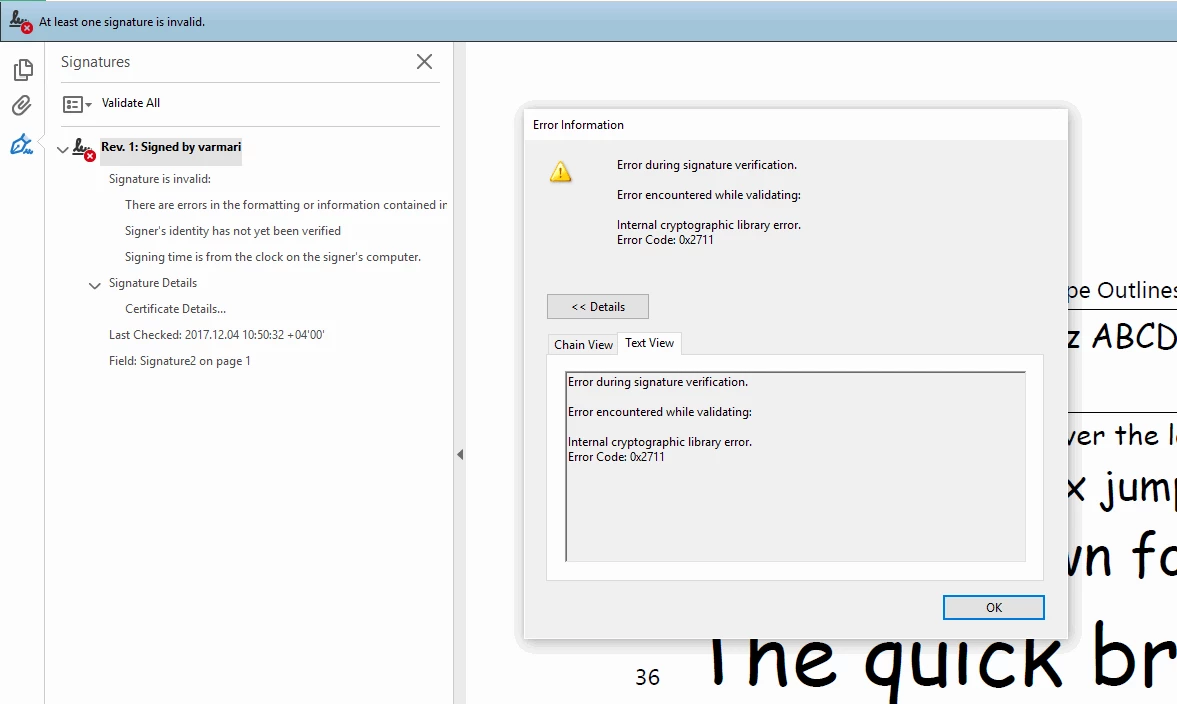
Will these curves be supported in the future releases of Adobe Reader?

[Question moved to the Security & Digital Signatures forum. -Mod]

This topic has been closed for replies.

2 replies

Inspiring
December 4, 2017

This isn't really about adding a signature handler, but about adding new ECC curves to the current handler. Different incarnations of Acrobat/Reader for Windows/Mac can validate curves other than the FIPS standard P256, P384, P521, but those three are the only ones guaranteed to be supported in all versions. This is a limitation of the crypto libraries used in the product. Adding a new signature handler would mean adding the handler plugin to all copies of Acrobat/Reader that might need to validate Brainpool, which is kind of a non-starter for widespread use (e.g. Brazil and Germany want to use Brainpool for government certificates). You need to find an Acrobat Product Manager and convince him/her that Brainpool support would be a good idea. Good luck.

Participant
June 22, 2022

Hello,

this post is already some years old and I do not find something else which gives more information on this topic. That's why  I am asking, whether somebody has an update?

Thanks in advance

chk

Joel Geraci
Community Expert
Community Expert
December 4, 2017

Are you asking about native support? Acrobat and Reader have a signature plugin architecture that allows third party developers to add signature handlers of any kind to the application. There's nothing stopping anyone from adding this to Acrobat and Reader.