


New Participant
May 1, 2023
Question

Adobe Express Bug when upload a photo in a project

  • May 1, 2023
  • 2 replies
  • 3090 views

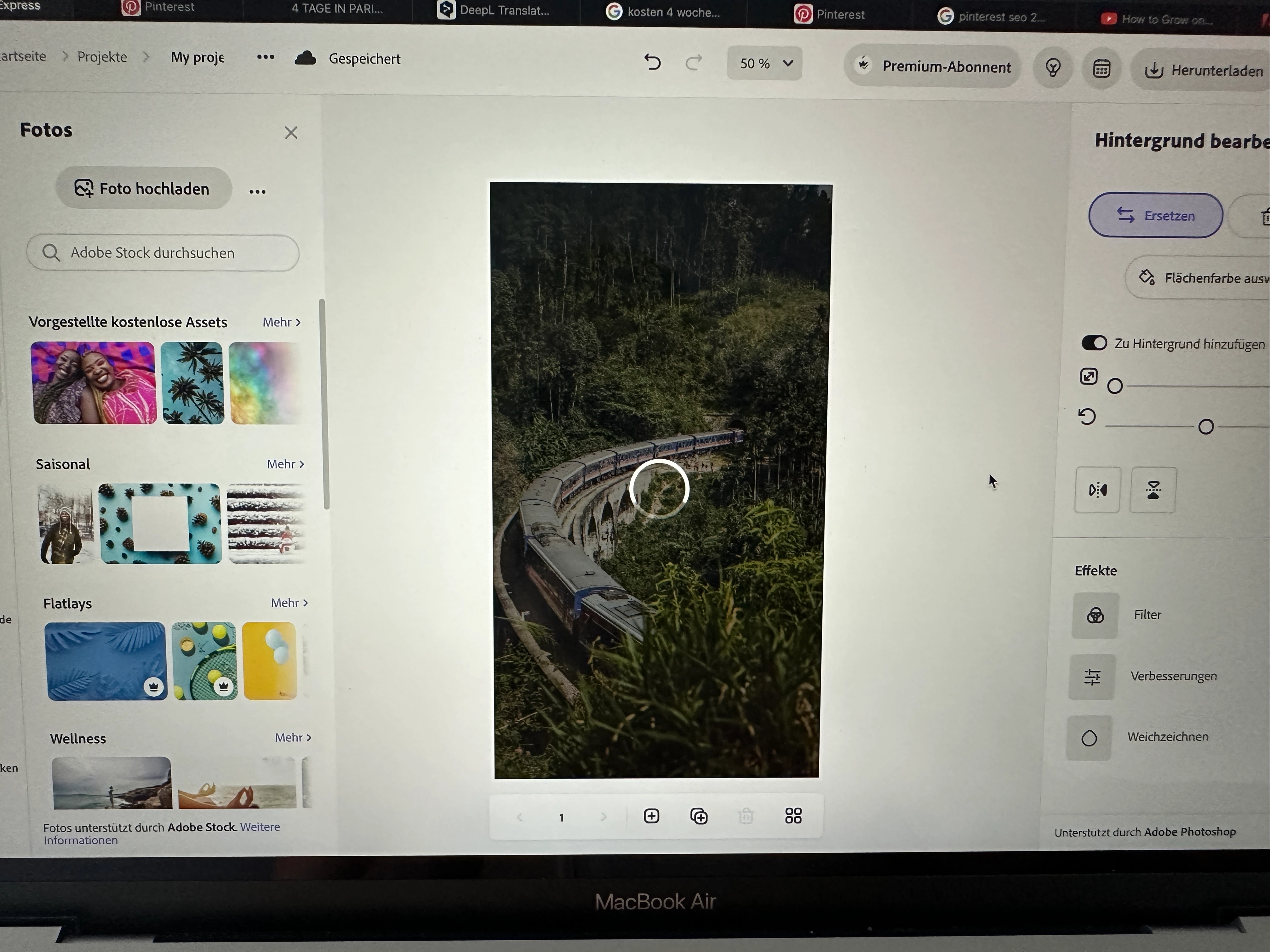
Since one week its not possible to upload a photo in my projects and work on it. there is always the "loading circle" and nothing happens. Its really frustrating when you want to work and everytime you upload a picture it stopps working and you can't do anything... because the loading sign don't dissapear and you are not able to do something. The only thing that helps is to refresh the page. but it only works until you want to add a photo again.. so please ADOBE SUPPORT TEAM fix this problem!!! it seems like a bug or something!!!!
2 replies

New Participant
June 16, 2023

I'm having the same issue, every time I upload an image the leading screen stays forever so I have to reload the whole page and then the image will show up, but this is anoying. There's so much lag. 

New Participant
June 18, 2023

I'm having the same issues for several days now, and it is only with certain images, though still annoying.  When trying to upload the picture from Lightroom synced folders, there is only a circle spinning and spinning and nothing can be saved. Then reloading the site is needed, to continue the work.


I tried the following things:

  • Using another clean browser (Safari, with no extensions switched on, Chrome doesn't work as well, Firefox too)
  • Rebuilding several times the sync data in Lightroom
  • un-adding pictures to the target synced folder and adding them again
  • reworking on the pictures


The only workable workaround I could find:


Exporting the specific picture in Lightroom and then uploading it directly from the computer.

New Participant
March 4, 2024

I am having the spinning/won't load problem right now. I am uploading photos directly from my computer, too. 


Amitej S
Community Manager
Community Manager
May 1, 2023

Hey @Florian,

I tried replicating the same, but it worked fine for me. Could you check once after clearing the cache/cookies of the browser you're working on? You can also try in private/incognito browsing mode or a different browser to check if that makes any difference.

Let us know how it goes!!


Best,

Amitej

New Participant
May 4, 2023

Hello, I used Safari and its not working. Now I downloaded another browser (Google chrome) and its still not really working and loading all the time when I want to change pictures in my projects. When you are not  able to fix this problem, I have to go to another program.