

Participant
August 17, 2023
Answered

[FIXED] Old Express files gone

  • August 17, 2023
  • 4 replies
  • 7229 views

An express file I made a year ago is gone from my files

Correct answer Abhi.G @ ADBE

Hi,


Sorry to hear you are running into this issue. 


As we roll out the new version of Express, we obviously intend for files created in the previous version to be usable there as well. For some users (specifically, those we identified as never having used the mobile app), migration of the files should have happened automatically. For the remainder, files will have to be migrated manually. In either case, files should not be lost.


We recommend checking both locations for your files:
- New: https://new.express.adobe.com/your-stuff/files

- Previous: https://express.adobe.com/sp/projects

There should also be handy "Access Files" button to go from the first location (in new Express) to the second (in previous Express)
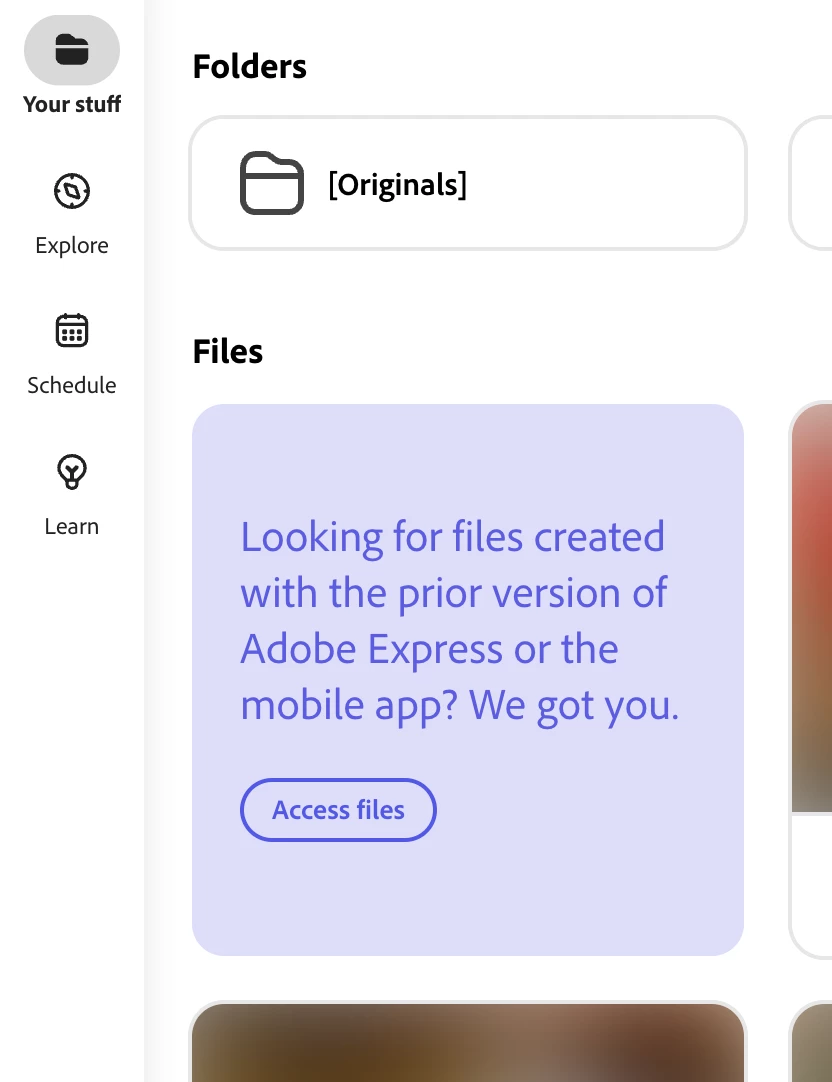


Now, if you do find the file in the old location, you can easily move it over using instructions provided here: https://helpx.adobe.com/express/troubleshoot/file-conversion-issues/locate-prior-files.html


However, if you find your file missing in both locations, please log an issue using the Adobe Virtual Assistant at https://helpx.adobe.com/support.html. When you hit the link above, the team has direct access to your account and information and can help resolve.


Hope this helps,
Abhi G

4 replies

Participant
August 31, 2023

oh geez.. that confirms my fear! thanks.. i wish Adobe could have at least provided heads up, such a shame! 

Adobe Employee
August 31, 2023

Hi @vsowmya 

For most files migrated from the previous version, editing is supported. The only exception I know of is Spark Video files (https://helpx.adobe.com/in/express/kb/adobe-spark-video-page-included-adobe-express.html)


However, based on "after a day of waiting, the (rather large) file downloaded" it sounds like that may be the kind of file your have 😞


Abhi G

Participant
August 31, 2023

hi Abhi, after a day of waiting, the (rather large) file downloaded. Is there a way i can edit and re use this? It's time consuming to start from scratch on some projects v/s quick fixes and updates that are needed.. hence the question, thanks!

Abhi.G @ ADBECorrect answer
Adobe Employee
August 18, 2023

Hi,


Sorry to hear you are running into this issue. 


As we roll out the new version of Express, we obviously intend for files created in the previous version to be usable there as well. For some users (specifically, those we identified as never having used the mobile app), migration of the files should have happened automatically. For the remainder, files will have to be migrated manually. In either case, files should not be lost.


We recommend checking both locations for your files:
- New: https://new.express.adobe.com/your-stuff/files

- Previous: https://express.adobe.com/sp/projects

There should also be handy "Access Files" button to go from the first location (in new Express) to the second (in previous Express)


Now, if you do find the file in the old location, you can easily move it over using instructions provided here: https://helpx.adobe.com/express/troubleshoot/file-conversion-issues/locate-prior-files.html


However, if you find your file missing in both locations, please log an issue using the Adobe Virtual Assistant at https://helpx.adobe.com/support.html. When you hit the link above, the team has direct access to your account and information and can help resolve.


Hope this helps,
Abhi G

Participant
November 3, 2023

I face a similar issue, I am being forcefully redircted to the new express site wher I do not see any option to "Access Files" as you state above. Also the link https://helpx.adobe.com/express/express-faq.html#cross-platform is broken. 

Adobe Employee
November 3, 2023

@Dchucks 

You can use this direct link instead of the "Access Files" tile: https://express.adobe.com/sp/projects

And here's the new location of the relevant help content: https://helpx.adobe.com/express/kb/file-conversion-troubleshoot.html


Abhi G