


Participant
February 4, 2025
Answered

How do I filter out AI generated images when searching photos on adobe express?

  • February 4, 2025
  • 1 reply
  • 661 views

How can I filter out AI generated images when I am seaching adobe express for photos.  I do not have any option to select filter options, and using "-ai" in my search term does not work.


It is a terrible feature to have ai images mixed in, expecially when I am trying to locate photos of human beings.  Please fix this. 
Correct answer thejanebradbury

Hello @Elizabeth28407774bkb2 unfortunately within Adobe Express there isn't an option to filter AI images. There is a topic on the Uservoice for this feature to be implemented so please do consider adding your vote to this. https://adobeexpress.uservoice.com/forums/951181-adobe-express/suggestions/47540231-option-to-exclude-ai-generated-images-from-stock-i


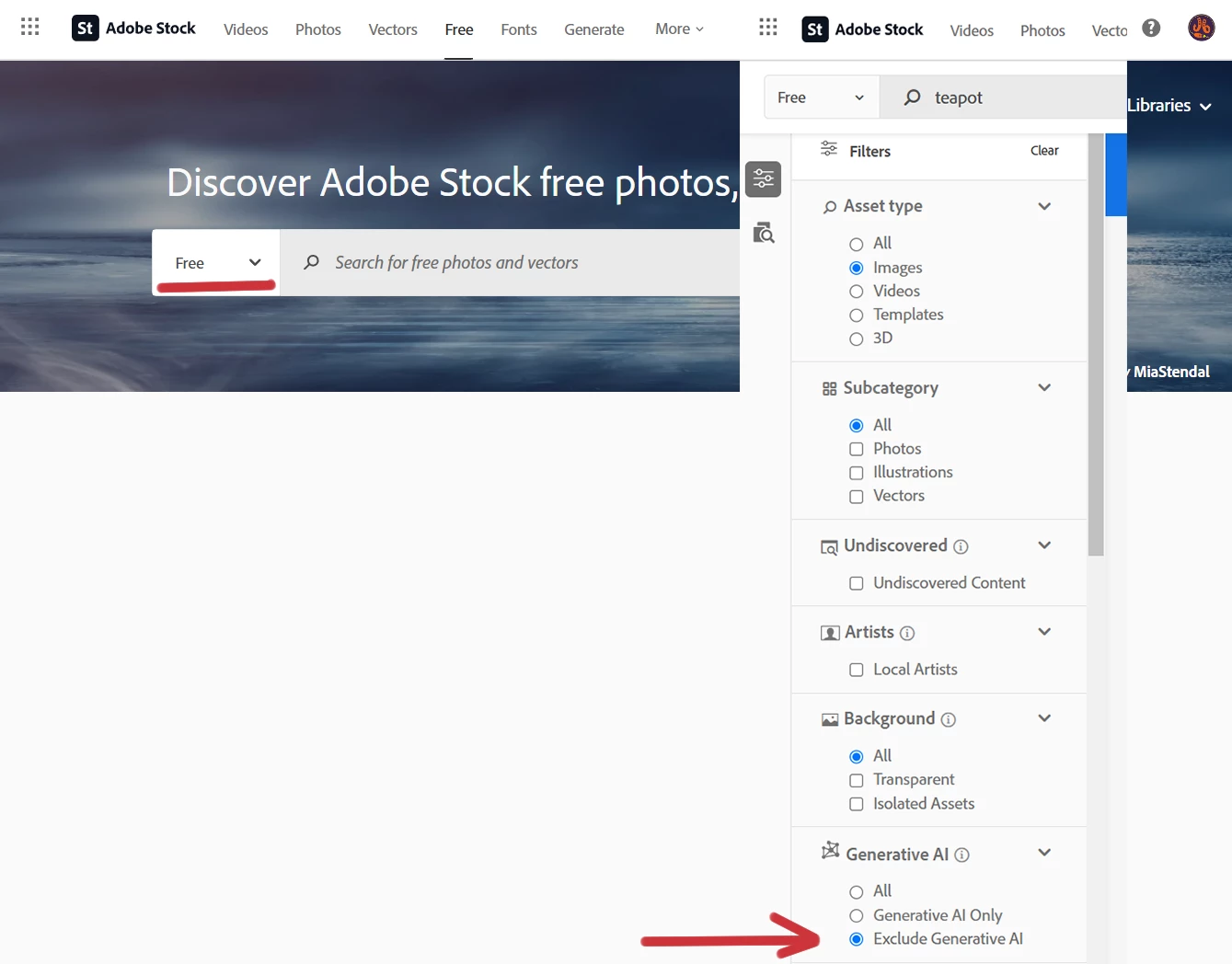
A workaround some people use is to search https://stock.adobe.com/ and change the option to free in the little menu near the search box. Once you start searching there is the option to remove AI images from the results. 

1 reply

thejanebradbury
Community Expert
thejanebradburyCommunity ExpertCorrect answer
Community Expert
February 5, 2025

Hello @Elizabeth28407774bkb2 unfortunately within Adobe Express there isn't an option to filter AI images. There is a topic on the Uservoice for this feature to be implemented so please do consider adding your vote to this. https://adobeexpress.uservoice.com/forums/951181-adobe-express/suggestions/47540231-option-to-exclude-ai-generated-images-from-stock-i


A workaround some people use is to search https://stock.adobe.com/ and change the option to free in the little menu near the search box. Once you start searching there is the option to remove AI images from the results.