Participating Frequently
November 21, 2024
Question

Library not available in Apps after being added to Adobe Express Project

  • November 21, 2024
  • 1 reply
  • 713 views

I've been troubleshooting this all day. I have a library shared with organization - I added it to an Adobe Express project for a small team to work on social media - now I can't access the library in any of my Adobe Apps.  
This topic has been closed for replies.

1 reply

Tarun Saini
Community Manager
Community Manager
November 22, 2024

Hi 

@debnajm23

,

We're sorry to hear about this. Is the library not accessible for one project or all the projects? Is another member of your team able to access it? Did you try re-sharing the libraries again? What is the name of the library you shared?


Try signing out and signing in again from the Creative Cloud desktop app, https://adobe.ly/4fASB4T and from the Adobe Express to see if that helps.


Let us know how it goes.


Regards,

Tarun


debnajm23Author
Participating Frequently
November 25, 2024

Hi Tarun,


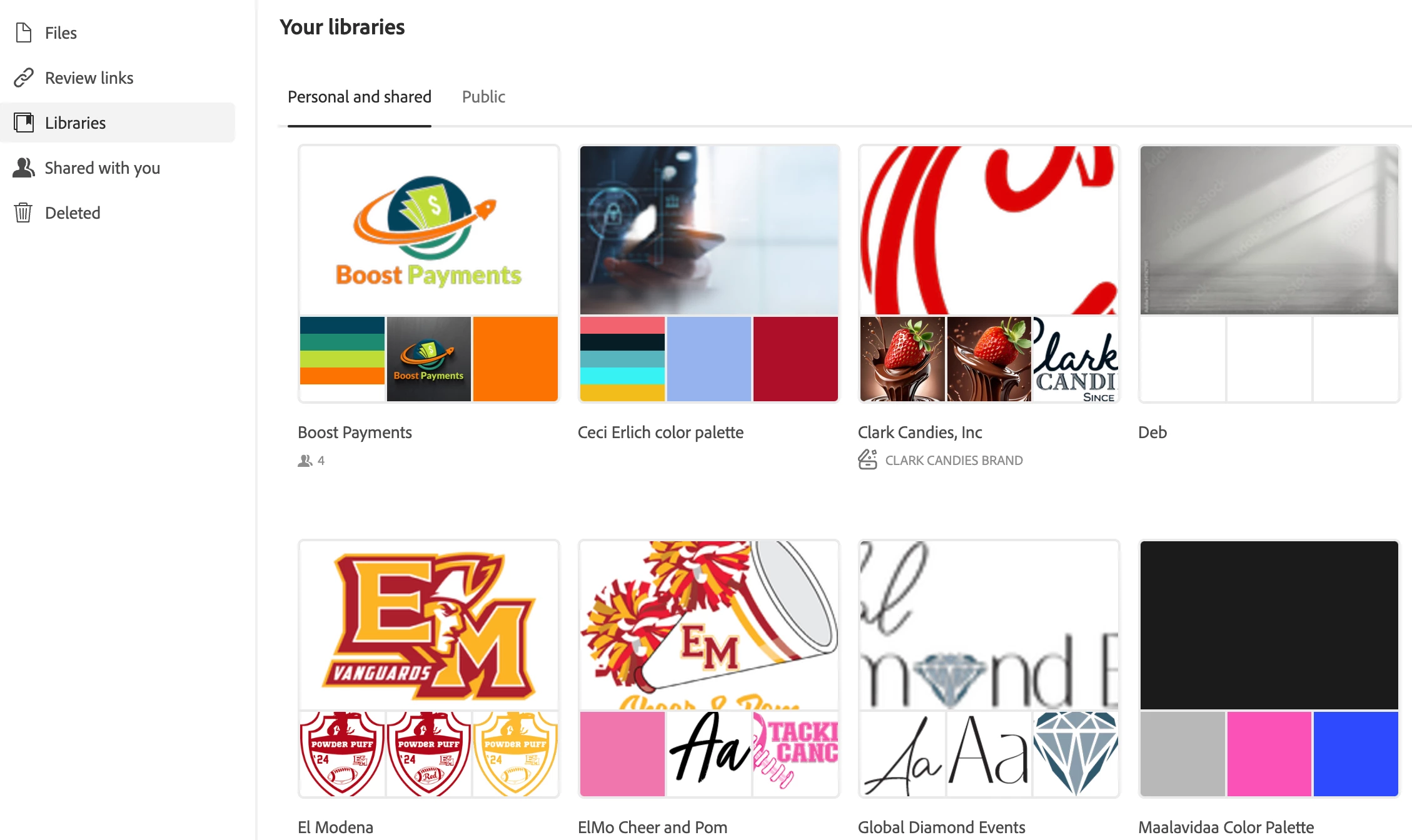
The name of the library is Clark Candies, Inc. 

I've logged out of everything and re-logged in. 


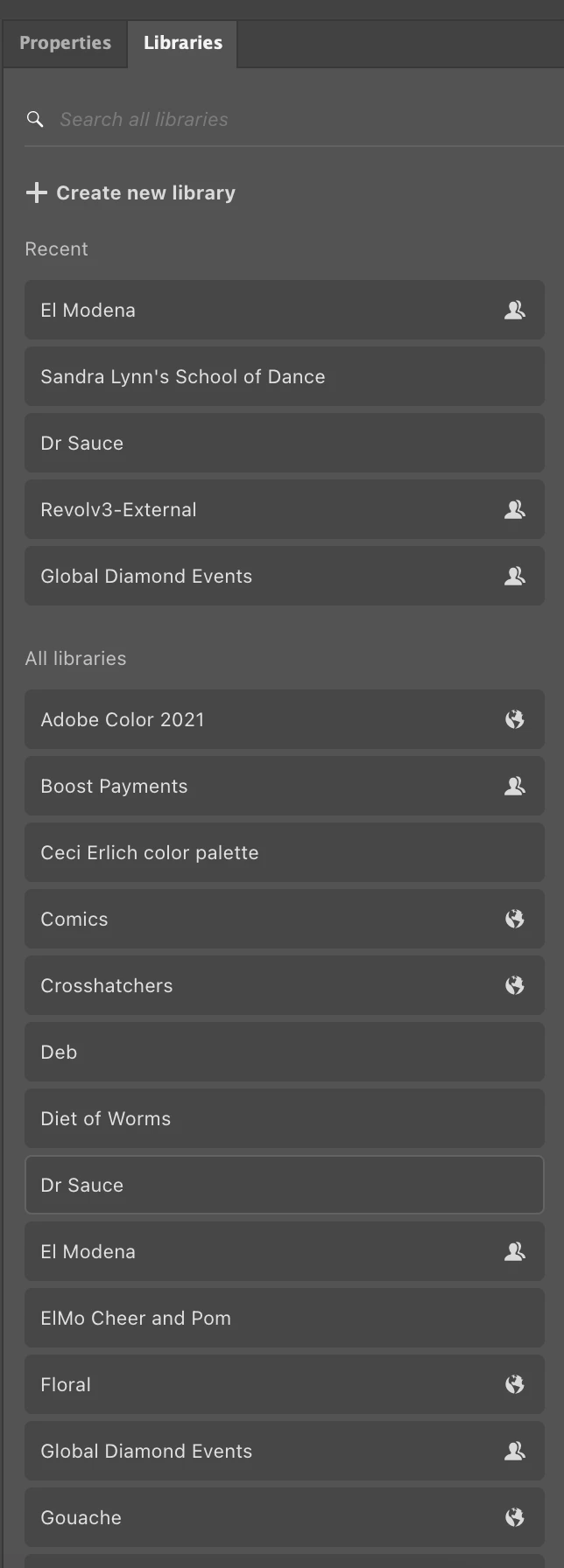
After re-logging into Creative Cloud, the library thumbnail is visible, however 4 grey boxes are shown and when I click on the Library, the thumbnail disappears.  I have attached screenshots for the before and after. Similar behavior happens in Photoshop, Illustrator and InDesign.  All my design files that have links to the library give me messages that the file is no longer available and for me to re-link it. 


 The library is accessible and fully functional within the Adobe Express web app - by going to:

> Your Stuff

> Projects

> Clark Candies Brand

> Clark Candies Inc.


However within the Creative Cloud Application

debnajm23Author
Participating Frequently
November 26, 2024

Thanks for your response 

@debnajm23

,


Do you mind trying the steps mentioned here and let us know if that helps- https://adobe.ly/3ZmBQVh


If the above step don't work, I'd recommend reaching out to and working with our support directly as a next step. They can be reached here: https://adobe.ly/4996lkL


Regards,

Tarun


I performed all those steps in the first link and the second link only gives me the option to contact support here in the community forums...grrr...I've been a subscriber of Adobe Creative Cloud customer for at least 10 years and have had Adobe licenses for over over 20 years this is ridiculous that I can't get support on this huge issue and it's clearly a bug!