


New Participant
June 27, 2022
Answered

Poor quality export (Adobe Express)

  • June 27, 2022
  • 5 replies
  • 36843 views

When exporting a logo design in Adobe Express (iOS app) the image becomes very pixelated and poor quality. This used to work without poor image quality in the past. How do we increase the image quality when exporting? Thank you.
Correct answer David__B

Hi there,


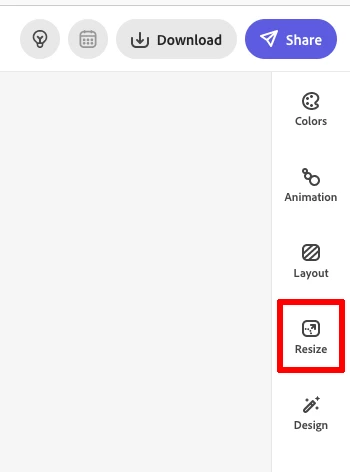
Thanks for posting. The resize feature is available with a premium membership. It is still possible to recreate a custom project and enter in larger project dimensions when starting a new project to ensure the output will be what you want. The max is 20in by 20in or 6000 x 6000 pixels at 72dpi. The resize option is needed if you want to resize an existing project and like mentioned, it does require a paid/premium membership.


Hope that helps,

- Dave


5 replies

pedro4&98
New Participant
May 21, 2025

It's 2025 and the problem persists. I'm a premium subscriber. This solution to resizing the file works when you're using just one image. If you're making a collage with multiple images, it doesn't work. It's amazing how Adobe can't solve such a simple problem that has been bothering users for years.

pedro4&98
New Participant
May 21, 2025

These solutions of taking a print or saving it as a PDF and then converting it back to an image are very crude solutions.

New Participant
August 18, 2023

I've just experienced the same thing. I created a logo which looked very blurry after the export. I changed the size to 6000x6000 px (I am working with the pro-version) but still wasn't happy with the result. Finally I took a screenshot of my Adobe Express work space and this version is by far the sharpest. 

AG_Lucas
Participating Frequently
November 23, 2023

This is the best option by far. Exporting in max output will increase image resolution, and then it won't work for example, as a facebook cover or LinkedIn post. We need an option to increase image quality, not size.

Intel Core i7-4790 CPU 3.60GHz / 32GB RAM - 1600MHz DDR3 / Win10 64-bit
Tarun Saini
Community Manager
Community Manager
July 11, 2024

Same problem here - it's not the file assets. I pay for Pro. PDFs also low quality (when it doesn't error out downloading as PDF). Is there any updated resolution to the image quality issue on download?


Hi 

@lanew64085556

,


Could you please answer a few questions below-


  1. What export format are you using?
  2. Did you use your own media, or did you use assets available within the app?
  3. What canvas size are you working on?
  4. If you use your own media, what dimensions is it? 
  5. Would it be possible for you to share the downloaded file and the media you used in it?


Also, can you share the project URL with us to investigate the issue.


Regards,

Tarun

New Participant
March 23, 2023

Just curious if it's because pro comes with a cost. When you become pro, it promises free resizing, right? If anyone has any information, please respond.

New Participant
June 7, 2023

I have and pay for pro, the max output is still only 6000px x 6000px. I am trying to print a 2'x3' poster at staples and the resolution is too low.  Even the largest output it still blurry in terms of large scale printing.  I'll have to try Photoshop.

Julius A.
Inspiring
January 21, 2023

Hi @Daniel25030314rh8x ,


You can have a higher quality project if you started with a high-screen size artboard. (This works for me)


I hope that I answered your question or I gave help in some way.


Kind regards, 

Julius

New Participant
March 5, 2023

where is "high-screen size artboard" I cannot find it anywhere, in templates, popular, design. thanks

David__B
Adobe Employee
Adobe Employee
March 9, 2023

Hi FastFitness,

Different screens have different resolutions but maybe some of the wallpaper templates would work for this or you can also choose custom and enter whatever dimensions you'd like.

New Participant
June 27, 2022

Just wondering if it's because you must pay for pro ? It says free resizing when you go pro? Im wondering if anyone knows pls reply thx 

David__B
Adobe Employee
David__BCorrect answer
Adobe Employee
July 21, 2022

Hi there,


Thanks for posting. The resize feature is available with a premium membership. It is still possible to recreate a custom project and enter in larger project dimensions when starting a new project to ensure the output will be what you want. The max is 20in by 20in or 6000 x 6000 pixels at 72dpi. The resize option is needed if you want to resize an existing project and like mentioned, it does require a paid/premium membership.


Hope that helps,

- Dave


New Participant
January 17, 2023

This still doesn't explain if we need to pay for premium to get higer quality exports. All my projects have come out in poor quality when using the free version.