Exit
  • Global community
    • Language:
      • Deutsch
      • English
      • Español
      • Français
      • Português
  • 日本語コミュニティ
  • 한국 커뮤니티
2

Template Remix Error

Community Beginner ,
Mar 13, 2023 Mar 13, 2023

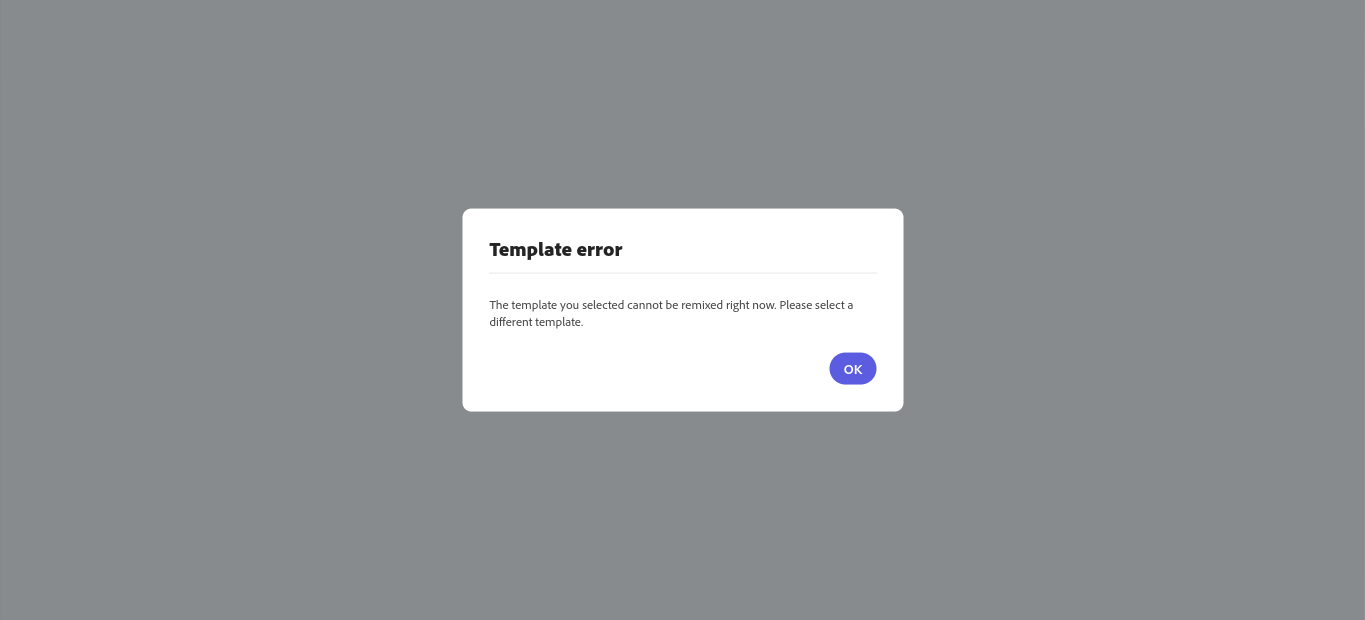
When I try to open this template it shows an error message and states, "The template you selected cannot be remixed right now. Please select a diffrent template." I would very much like to use this template and have paid for a premium subscription to use it.


1.1K
Translate
Report
Community guidelines
Be kind and respectful, give credit to the original source of content, and search for duplicates before posting. Learn more
community guidelines
Community Expert ,
Mar 13, 2023 Mar 13, 2023

I'm able to access that template and edit it.


You might try signing out and signing back into the browser or try a different browser.

Translate
Report
Community guidelines
Be kind and respectful, give credit to the original source of content, and search for duplicates before posting. Learn more
community guidelines
New Here ,
Mar 13, 2023 Mar 13, 2023

I am having the same issue and have signed out and back in!  CAn you help! THanks!


Translate
Report
Community guidelines
Be kind and respectful, give credit to the original source of content, and search for duplicates before posting. Learn more
community guidelines
Community Beginner ,
Mar 13, 2023 Mar 13, 2023

Tried this, still not working. Thanks for trying

Translate
Report
Community guidelines
Be kind and respectful, give credit to the original source of content, and search for duplicates before posting. Learn more
community guidelines
Adobe Employee ,
Mar 23, 2023 Mar 23, 2023

Hi @Jonas@Jenica,

Are you still having trouble accessing this specific template or any other on Adobe Express?

Translate
Report
Community guidelines
Be kind and respectful, give credit to the original source of content, and search for duplicates before posting. Learn more
community guidelines
New Here ,
Mar 23, 2023 Mar 23, 2023

yes! Any ideas on how to help?

Jenica Haug, MA, CCC-SLP
Adult Education Teacher, ELL


[Personal info removed by moderator]

Translate
Report
Community guidelines
Be kind and respectful, give credit to the original source of content, and search for duplicates before posting. Learn more
community guidelines
Community Beginner ,
Mar 23, 2023 Mar 23, 2023

Yep, still a problem on my end too. Ready to try any trouble shooting, already cleared cashe and reset my computer. Also tried it on diffrent accounts, computers, and operating sytems (Chrome on Chromebook, Microsoft Bing on Windows 11).

Translate
Report
Community guidelines
Be kind and respectful, give credit to the original source of content, and search for duplicates before posting. Learn more
community guidelines
New Here ,
Feb 22, 2024 Feb 22, 2024

Any Update? I'm having the same issue and just renewed my subscription just to be sure and did all the things listed above with no fix. It worked for a second and now it doesn't. 

Translate
Report
Community guidelines
Be kind and respectful, give credit to the original source of content, and search for duplicates before posting. Learn more
community guidelines
Adobe Employee ,
Feb 26, 2024 Feb 26, 2024
LATEST

Hi 

@Emma35638533u29f

,


We're sorry to hear about this. Have you tried using the other suggested browsers (Safari, Microsoft Edge, and Google Chrome) to see if it makes a difference? Try clearing the browser's cache and cookies and let us know if that helps.


Is it possible for you to share the screen recording of the issue? Is it happening with all templates or with specific ones?


Regards,

Tarun

Translate
Report
Community guidelines
Be kind and respectful, give credit to the original source of content, and search for duplicates before posting. Learn more
community guidelines