Exit
  • Global community
    • Language:
      • Deutsch
      • English
      • Español
      • Français
      • Português
  • 日本語コミュニティ
  • 한국 커뮤니티
0

Trouble with Text Boxes

New Here ,
Nov 24, 2021 Nov 24, 2021

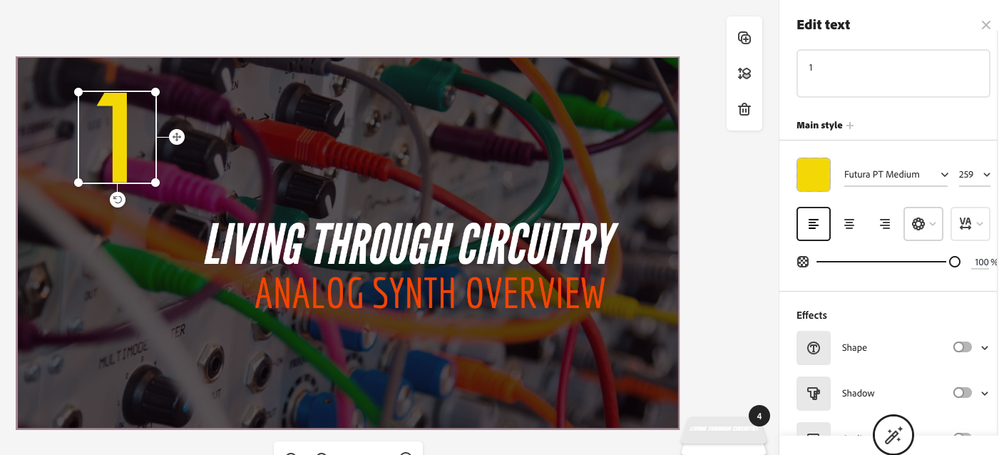
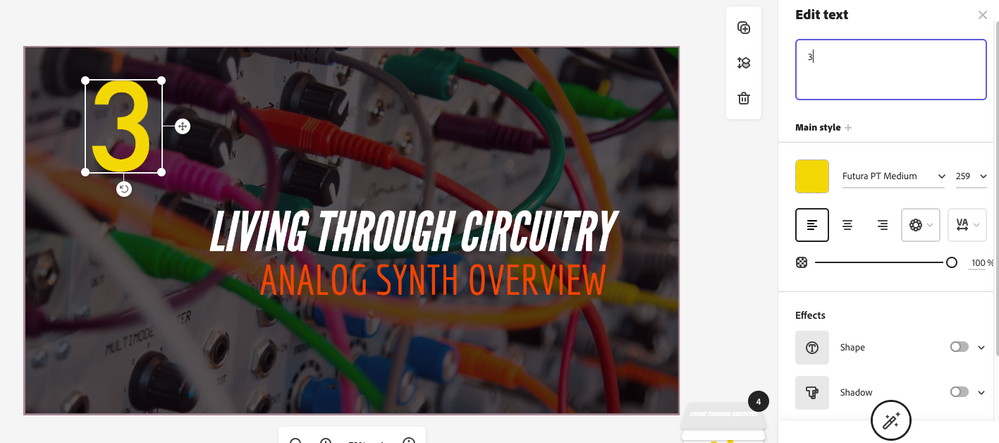
I am having an issue with Adobe Spark Adobe Creative Cloud Express text boxes.  I am creating thumbnails for my YouTube channel, and I need the same screenshot with sequential numbering.  When I change the number in the title, it keeps moving the text box.  Is there a way to stop this?


For instance, I have the title all set, but I change Part 1 to Part 2.  This then moves the text box just a little bit, leading me to have to realign it each time.  This is despite there being no other changes (or even spacing requirements.)  Any assistance would be greatly appreciated.


Moderator note: Adobe Spark is now Adobe Creative Cloud Express. I changed your post slightly to reflect this change.

297
Translate
Report
Community guidelines
Be kind and respectful, give credit to the original source of content, and search for duplicates before posting. Learn more
community guidelines
Adobe Employee ,
Mar 09, 2022 Mar 09, 2022
LATEST

Hi Todbog,

Were you able to get this sorted? I wasn't able to reproduce the issue. If I select a text box without moving it and then edit the number text the position remained the same, except some minor changes in height or width based on the different characters.


Screen Shot 2022-03-09 at 9.53.49 AM.pngScreen Shot 2022-03-09 at 9.55.15 AM.pngScreen Shot 2022-03-09 at 9.55.32 AM.png

Translate
Report
Community guidelines
Be kind and respectful, give credit to the original source of content, and search for duplicates before posting. Learn more
community guidelines