


New Participant
August 21, 2024
Answered

Turn off AI generated images in Express?

  • August 21, 2024
  • 5 replies
  • 2257 views

There's got to be a way to do this. I searched for "dystopia" under the Media option and nearly every image returned is AI-generated.
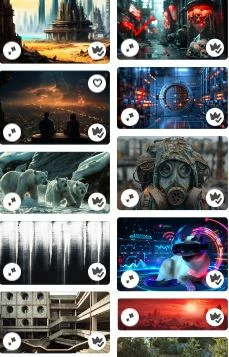
Common tricks like "-ai" and such don't work in Express. If there's a button or toggle for it I haven't found it, though if someone has I'd be overjoyed to learn about it.


But more generally: For the love of god, Montressor, let us opt in to searching for AI-generated art rather than just dumping it into our feeds and hoping our incidental/accidental/giving-up-out-of-frustration usage justifies whatever price Adobe paid for the damn thing.

Correct answer Abhi.G @ ADBE

I appreciate that the filter was added, but it has to be turned on for every search. Is it possible Adobe could look into a way that users can exclude Generative AI from all searches, all the time, without having to turn on a filter for each search query?


Hi @xfrontx 


That's a good idea. Could you comment on https://adobeexpress.uservoice.com/forums/951181-adobe-express/suggestions/47540231-option-to-exclude-ai-generated-images-from-stock-i? or create a new request on that forum?


Thanks

Abhi G

5 replies

New Participant
October 27, 2025

Commenting on this thread to keep it going. Like many others, I am tired of AI slop being shoved down my throat, these images are unusable 99% of the time. Even the 1% where they might be usuable, I would rather use images or illustrations created by a real human out of principle. I really hope Adobe listens to this feedback and gives us the option to filter out this garbage

Adobe Employee
October 28, 2025

@jacinta_7054 


Just wanted to make sure what you are asking for is to make the existing setting (to exclude AI-generated assets) persisent/sticky. Is that correct?


Thanks,

Abhi G

New Participant
October 28, 2025

Yes 100%!!! Please give us the feature to permanently filter out AI generated content, it's so annoying to update the filter every time I search for images. 

New Participant
April 18, 2025

THEY UPDATED THIS, PRAISE BE. Now I can actually look at good stock media instead of AI slop I could make if I was really sad and bad at my job.

avibrantmind
New Participant
March 4, 2025

Only commenting to keep this going! I am surprised ai images are being put into the photo section. They are not photos, they can have a category of their own if someone does want this look. It causes so much more work to have to dig through the mix. 

Adobe Employee
March 26, 2025

Hi @avibrantmind @Hinaccurate @DionDion @Zach29940129sxjl 


The ability to filter out AI-generated assets is now live (see screenshot below). Please let us know if this addresses your request.


Thanks,

Abhi G

New Participant
March 28, 2025

I appreciate that the filter was added, but it has to be turned on for every search. Is it possible Adobe could look into a way that users can exclude Generative AI from all searches, all the time, without having to turn on a filter for each search query?

New Participant
February 25, 2025

I agree! There must be a way to get rid of the AI slop when I search for images. Most, if not all, are a waste of my time wading through looking for the real images. I can't use a crappy breast cancer ribbon that is tied in ridiculous ways and claimed as an awareness ribbon. But yet I get most of those when I search for a simple breast cancer ribbon.

New Participant
March 4, 2025

+1.

Has this been addressed, @vic chen ?

New Participant
March 4, 2025

Is there a way to filter out AI images in search? If I wanted an AI image (which I don't), I could simply generate one. Now Adobe's formerly high-quality stock photo search results yield a large amount of low-effort AI images that look cheap, and I have to search through many, MANY of them to find something useful that was actually created.

Adobe Employee
August 22, 2024

cc: @vic chen 

Adobe Employee
August 22, 2024

Hi @Hinaccurate ! My name is Vic Chen, I'm a Product Manager on the Adobe Express team. We recently implemented this "Generative AI" sparkle badge to indicate that a Stock asset has been generated, as you noted in your screenshot. We have also heard feedback from some users that they would like to actively filter OUT generated assets. We definitely understand these preferences and we are working on improvements to our search & browse experience for Stock assets: specifically, we will introduce a filter capability in "Media" and "Elements" in the content panel, and give users the ability to narrow down based on factors like "Free vs. Paid", "Generated with AI vs. Not generated", and orientation (vertical, horizontal, square). 


We hope to ship this in the coming months -- we are not actively working on it right now, but it is certainly on our roadmap. Thank you so much for your patience! I understand that it's frustrating that certain queries in the Stock search experience in Express tend to yield an overwhelming number of generated assets.