New Participant
April 4, 2022
Answered

Unable to delete Logo

  • April 4, 2022
  • 1 reply
  • 895 views

When using abobe creative cloud express, I am not able to delete logos from existing logos library


There was a previous thread but I have tried this option but there is no way to delete the logos. Its getting annoying as some are old logos that i need to get rid off. 

This topic has been closed for replies.
Correct answer Gwen5F86

Hi Gwen, 

I am working on PC, so using the Web version. 
I have also just downloaded Creative Cloud Express from my app store, but in the app, i am also unable to delete logos. When i press and hold over a logo, it does not give me any options to delete them.  


Thanks


JC


Thanks! Hopefully, this will help you. Let us know!


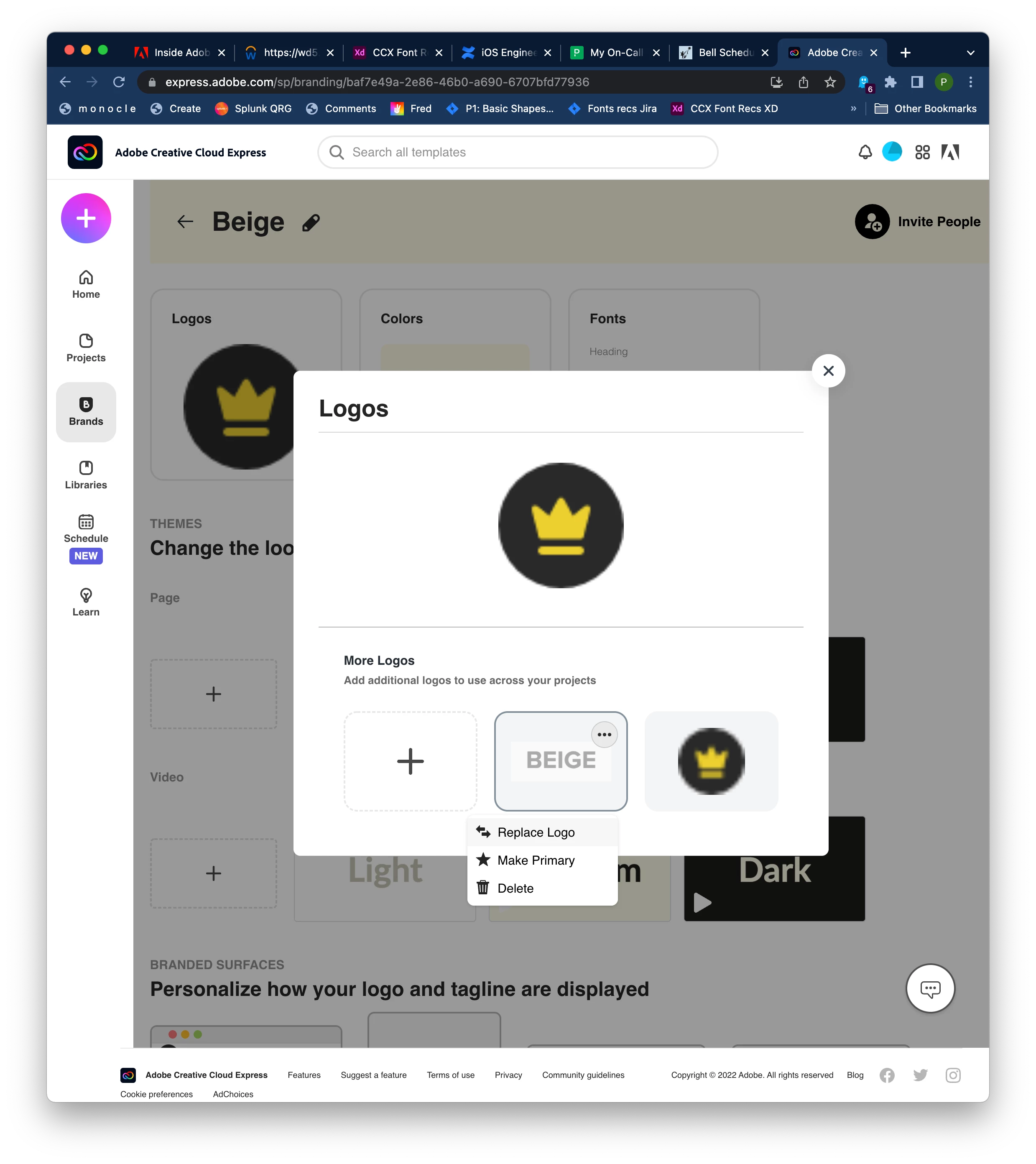
Logos have to be deleted on the web, it can’t be done on iOS (I hope it's not your case!). You have to log into your account at express.adobe.com and then go to the Brands view, then tap the brand you want to edit. Inside the Logos section for that brand, you can delete individual logos:

1 reply

Gwen5F86
Participating Frequently
April 5, 2022

Hi JcWee, 


I can hear your frustration! I'm really sorry this is happening.

Can you let us know which thread you are referring to so we know what you have tried already?

Do you get any messages? 


Thanks, we'll get to the bottom of it! 

Gwen

JcWeeAuthor
New Participant
April 6, 2022
JcWeeAuthor
New Participant
April 6, 2022

Hi Gwen, 

I am working on PC, so using the Web version. 
I have also just downloaded Creative Cloud Express from my app store, but in the app, i am also unable to delete logos. When i press and hold over a logo, it does not give me any options to delete them.  


Thanks


JC

