



AlanGilbertson
Community Expert
Community Expert
February 12, 2025
Question

Monthly Cross-Product Challenge #1

  • February 12, 2025
  • 39 replies
  • 13882 views

Welcome to a new kind of Creative Challenge, where you get the chance to play with all your favorite Adobe tools, and perhaps try out some you’ve never used before!

How to participate:

You don’t have to be an expert! This is for anyone at any skill level. The main thing is to have a go, and let the joy of creating be its own reward.


Generate a starter image or a vector drawing based on the theme of the challenge, using Firefly, Adobe Express, Photoshop, or text-to-vector in Illustrator. Expand the image into a finished product of your choice using at least one other app from Creative Cloud and/or Substance 3D. The point of the challenge is to work across apps, so this is important. Bonus kudos for incorporating Adobe Fonts, Adobe Stock, or Substance 3D Community Assets. Video is okay too.


When you're done, save an image, screenshot, or video clip of your final artwork, post it here as a reply to this post, and tell us your process and which tools you used.


There are no prizes other than the joy of creating and the experience gained in making different tools work together to a final creative product.

Challenge 1: Animal Life

Begin in Firefly, Photoshop, Adobe Express, or Illustrator (vector) Generate a starter image of an exotic animal, fish, insect, or other arthropod (no limits, so long as it's alive). Ancient animals are okay, so if you’re a dinosaur fan, go for it! Create an environment around it, using Photoshop or Illustrator or any other Adobe tools you prefer. Add other creatures or plants to tell a story and complete the scene. Be as poetic or as whimsical as you like!


Here’s one idea: A cuttlefish birthday party!
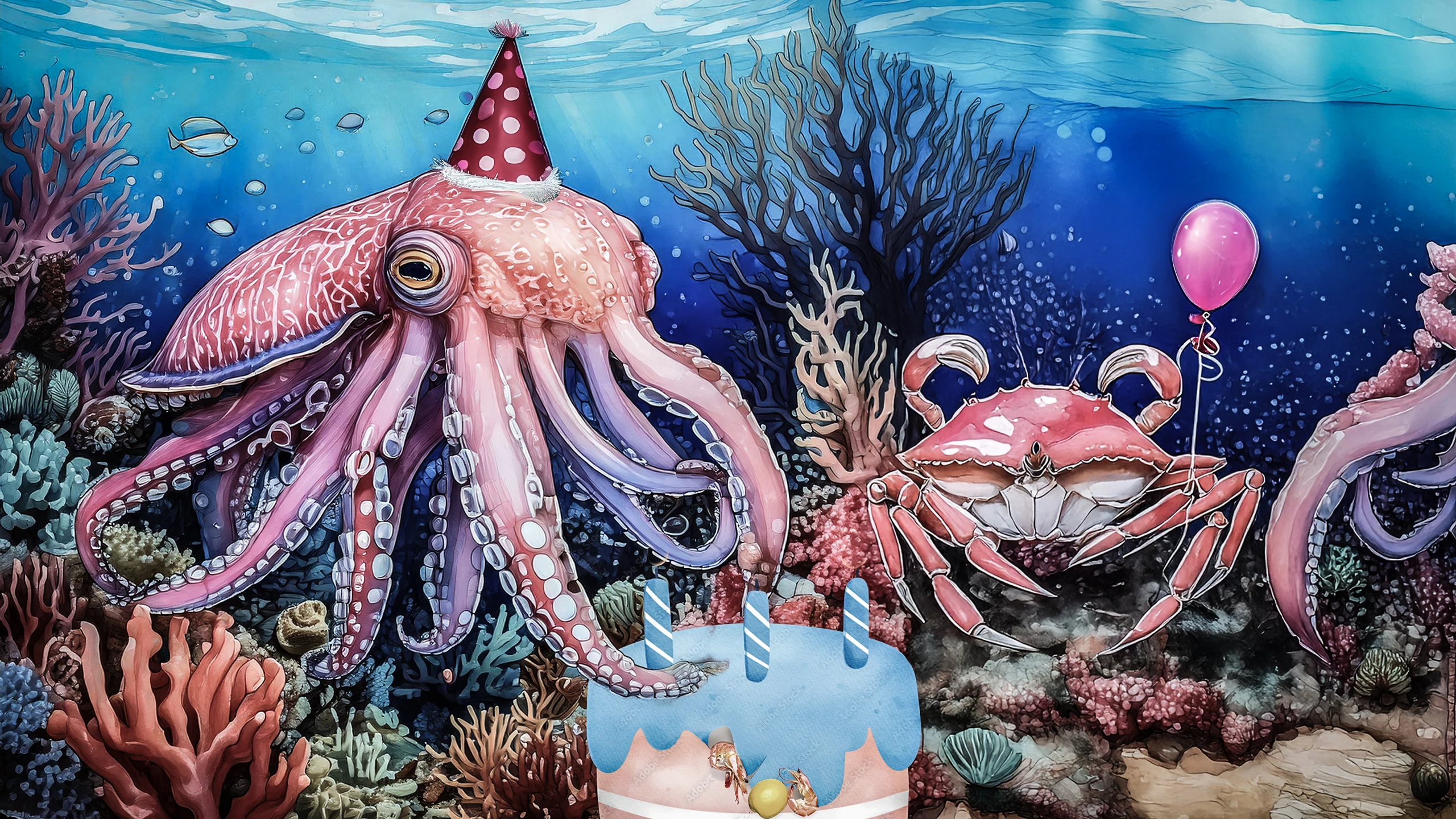
It started as a Firefly generated drawing of a cuttlefish. In Photoshop, after removing some debris with the Remove Tool, I added the crab and expanded coral reef using Generative Fill after enlarging the image with the Crop tool. The balloon and the party hat are Generative Fill using the Selection Brush at 70%.  The birthday cake is from Adobe Stock (the water put the flames out, sadly), with an overall color tint to blend with the scene. Shrimps are Generative Fill (Selection Brush again). Finally, I took the whole scene into the Camera Raw filter to enhance the watercolor-and-ink look with the Clarity slider and desaturate the colors.

39 replies

Anna Natter
Participating Frequently
March 10, 2025

CCO @hypetwin | 3D Designer
Community Expert
March 11, 2025

Nice mockup!
I assume you've made the scene with firefly and apply the screen design is in Photoshop... Am I wrong?
Great job!

Anna Natter
Participating Frequently
March 11, 2025

Thank you! I made the nautilus with Firefly and also the mockup. Then I went to Photoshop and I used the generative fill to make the plate with the salad and added the text. At the end I just put everything together.

CCO @hypetwin | 3D Designer
Community Expert
March 9, 2025

Nothing like a treasure in the ocean. 

Community Expert
March 11, 2025

Great piece Blyss!
It would be nice to get more details about the process's used 😉
Lovely scene anyway!

Community Expert
March 6, 2025

I started with the Griffin in Adobe Firefly, and then used generative expand to add in the castle and mountains. Then I took that back into Firefly and used it as the composition reference and this prompt for the final result.
Prompt: black and white etching pencil drawing of an ancient griffin type creature on its hind legs with a castle and misty mountains in the background

AlanGilbertson
Community Expert
Community Expert
March 6, 2025

Nicely done. Were you using generative expand in Photoshop, or in the Firefly web app?

Community Expert
March 11, 2025

I used generative expand in the Firefly web app. Took a bit of fiddling to get the layout I wanted, but that's what the regenerate option is for 🙂

Michelle Chocolita
Community Expert
Community Expert
March 5, 2025

This was a fun challenge!

I started out in Firefly with generating a bunch chameleons on a snowboard. Then took them into Photoshop, generatred a background and some extra snow. After that I took the image into a mockup template, added text, a gradient overlay and some color adjustments 

Community Expert
March 7, 2025

Wow Michelle! Love this gang of riders!
You nailed it!

Michelle Chocolita
Community Expert
Community Expert
March 12, 2025

Thanks Franck! 

Community Expert
March 4, 2025


Say Hello to Shellaphant.

Community Expert
March 7, 2025

great image Nick!
More details about your process would have been appreciated.

KShinabery212
Community Expert
Community Expert
March 4, 2025

I wanted to create a Sea Monkey Family based on the old ads.
Alas, Firefly was not keen on the old images as a reference.
So I opted to just create them using a prompt.


Community Expert
March 7, 2025

Nice family portrait!

Greg_S.
Community Expert
Community Expert
March 4, 2025

Prompt:  An australian cattle dog herding a king, princess a court jester and other royalty into a magical castle through the drawbridge.

Firefly didn't really follow the prompt, but this was close enough.

AlanGilbertson
Community Expert
Community Expert
March 6, 2025

The prompt is just the starting point. Check the brief again: "Expand the image into a finished product of your choice using at least one other app from Creative Cloud and/or Substance 3D. The point of the challenge is to work across apps, so this is important."

Community Expert
March 1, 2025

Community Expert
March 7, 2025

Firefly video or regular edited rush?
We want more details Stian;)

tonks_the_auror
Community Expert
Community Expert
February 28, 2025

I've never tried anything like this before. It was fun!

Firefly prompt: "A frog on a lillypad in the middle of a pond"

I  opened the generated image I liked best in Photoshop
Expanded the canvas with Content Aware Fill to make it a little wider

Back to Firefly where my prompt was "Firefly." Really 🙂

Opened the firefly I liked best in Photoshop

Selected subject, tweaked the selection, pasted into the other image

I played around with the firefly (size, rotation) and added the reflection

I copied and pasted two of the other frogs Firefly generated


tonks_the_auror
Community Expert
Community Expert
February 28, 2025

Shoot, I goofed. I attached the file instead of inserting it. Anyway, here it is!


AlanGilbertson
Community Expert
Community Expert
February 28, 2025

Awesome! Those frogs have a definite Sopranos look to them. I'm trying to decide whether the firefly is being daringly defiant or has some kind of kamikaze thing going. 😹

Participating Frequently
February 25, 2025

an octopus wrapped around sunken pirate treasure
@mj
Community Expert
Community Expert
February 28, 2025

Texture's pretty wild!