


Adobe Media Encoder won't upload long videos to YouTube
Hi everyone,
I've been having problems with uploading videos on YouTube. I followed the solution on other post AME 2018 won't stay logged in to Youtube to not use the old preset from AME 2017 but to no avail.
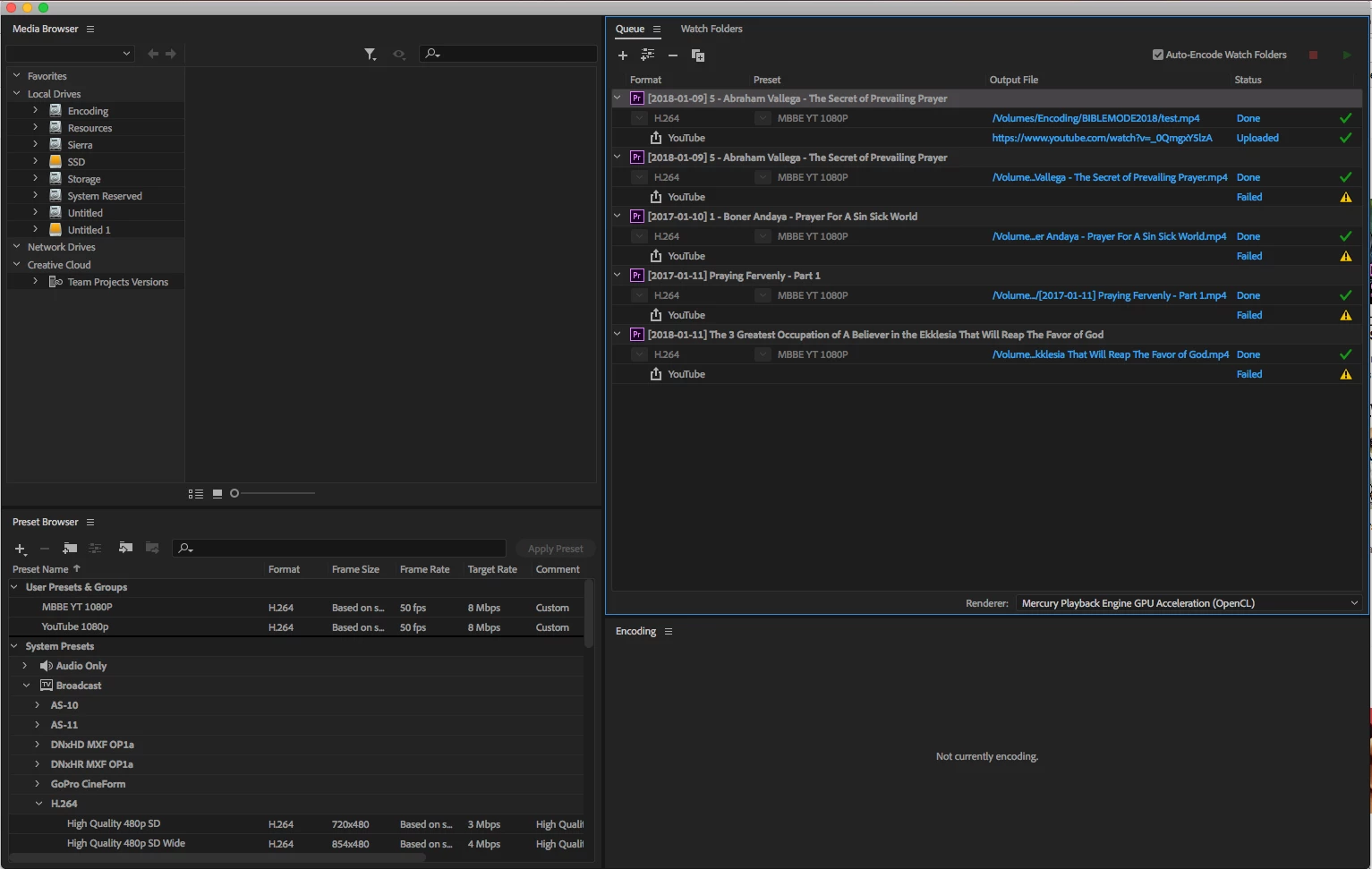
Earlier today I tried creating preset in AME and not Premier Pro and I encode 1 min "test" video and I was happy that it was successfully uploaded, so I proceeded to encode the remaining files in my queue.
But when I woke up I was disappointed that the other videos that is 45mins-1.5hrs was not uploaded. The error is the same with this post: Publish Error when Exporting video to YouTube
Publish Error when Exporting video to YouTube I just want to point out in the image bellow that the first "test" video is 1min video of the second video from the queue, and I am wonder why was the first one got uploaded successfully and the second one was not, both have the same preset, the only difference between them is the video length/size.
Here's the error message:
01/13/2018 04:47:48 PM : YouTube - {
"error": {
"errors": [
{
"domain": "global",
"reason": "authError",
"message": "Invalid Credentials",
"locationType": "header",
"location": "Authorization"
}
],
"code": 401,
"message": "Invalid Credentials"
}
}
So I am wonder if there's a problem with rending long videos or is there a work around with this solutions.
Thanks
 AdChoices