


Participant
April 18, 2020
Answered

My 2020 updated AME is stuck at the connecting to dynamic link server

  • April 18, 2020
  • 5 replies
  • 48865 views

AME isn't working for me at all. I have tried uninstalling and installing it again updated it to the latest version but still, it just keeps connecting to Dynamic Link Server for anonymous time. Is there any solution apart from updating, I am importing an AE project file.
Correct answer Brandon Loshe

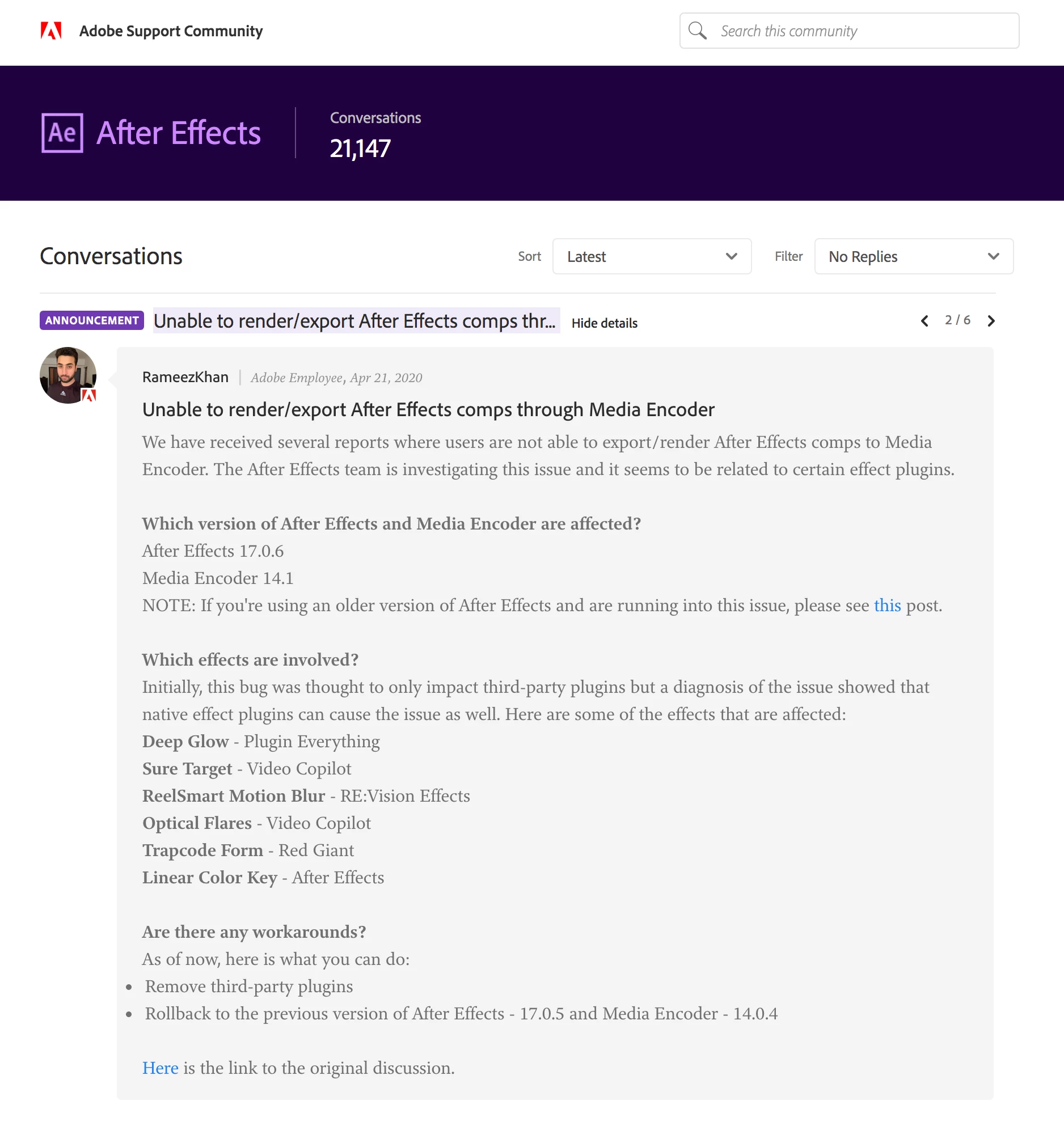
Ok, I found your answer over on the After Effects forums. This is a known issue that a lot of other users have been noticing, as well. Since I'm unable to copy/paste @RameezKhan's announement, I'll just share a screenshot and provide the links.


After Effects Forum Announcement #2


FAQ: Dynamic Link between After Effects and Media Encoder Doesn't Work. Next Steps?


Original Discussion


5 replies

Participant
February 26, 2025

Here is what worked for me. Open of the After Effects project. If it opens fully, save it but instead of just saving it, select SAVE AS, and save it as the exact same name to avoid broken links. When promtped if you want to replace the other one, select YES. 

husseinh70820830
Participant
June 26, 2023

i merged all the compositions in one, and it worked !!

Brandon Loshe
Brandon LosheCorrect answer
Legend
April 29, 2020

Ok, I found your answer over on the After Effects forums. This is a known issue that a lot of other users have been noticing, as well. Since I'm unable to copy/paste @RameezKhan's announement, I'll just share a screenshot and provide the links.


After Effects Forum Announcement #2


FAQ: Dynamic Link between After Effects and Media Encoder Doesn't Work. Next Steps?


Original Discussion


Participant
October 4, 2021

I came across this issue all of a sudden as well. I was rendering a video just fine and then the software just stopped and I could no longer connect to my project, nor any other project either. I tried exporting through AE and Opening in AME I also tried the drag and drop, none of which worked. Simple solution was to uninstall and reinstall AME and AE. Fixed the problem immediately.

Brandon Loshe
Legend
April 18, 2020

After responding to this, I'm seeing a lot of other similar posts to yours very recently. Stay tuned...I'm browsing the other posts to see what solutions they may have come up with.

Participant
April 26, 2020

Any solution so far? I have changed from graphic drivers from Nvidia studio to Nvidia gaming drivers the latest version the issues still persist.

Brandon Loshe
Legend
April 26, 2020

Sorry I never got back with you.


  • Can you test another simplified .aep compostion to rule out that it's not just something in that particular comp?
  • How are you queing your composition in Media Encoder? Are you doing it through After Effect's Composition menu option "Add to Adobe Media Encoder Queue...? Or are you importing your After Effects project in Media Encoder? What happens if you try whichever method that you're not doing?


Ideally, I'd like to solve the problem with your current software versions. However, I will point out that other users had similar problems and solved it by rolling back to an older version, but that version has to be one of the 2020 versions. https://community.adobe.com/t5/adobe-media-encoder/dynamic-link-components-not-installed/td-p/10725035?page=1

Brandon Loshe
Legend
April 18, 2020

Hi RazorPredator,


When you updated AME, did you also update After Effects, as well? Oftentimes I find things run smoother when I update the apps at the same time, or at least keep them on the same version that they were released together. On a similar note, specifically which version of Media Encoder and After Effects do you have installed (including the decimal point)?

Participant
April 19, 2020

AE : 17.0.6 (Build 35)

AME : 14.1 (Build 155)

these are latest version of both the Softwares