New Participant
February 17, 2019
Answered

Error 3635, 3634, 3624 Cannot create new document in XD.

  • February 17, 2019
  • 38 replies
  • 103310 views

I have gone through these forums and have tried every recommended solution. Restarted Adobe CC, reinstalled Adobe CC, restarted computer, reinstalled XD, used the cleaning tool ETC. Nothing works. I have documents on there that I need for school and cannot access them.


These are the errors that I am getting:
 

If anyone can provide me with a solution ASAP it would be very appreciated. I need access immediately.

Thanks


<The Title was renamed by moderator>

Correct answer Atul_Saini

Hi everyone,


Sorry to hear that you're unable to open the file and getting an "Error 3635, Cannot create a new document in XD" or other similar errors while opening or creating a cloud document. We'll try our best to help you with this. 


This list of solutions may seem long, however, I can assure you that it has helped a lot of customers with this error. 


Please start with Part one (Mac/Win) and proceed to Part two if the problem persists on the windows machine.


Part one (Mac/Win):


1. Ensure that XD is up to date using this link (https://helpx.adobe.com/in/creative-cloud/help/creative-cloud-updates.html).


2. Follow the instructions mentioned on this page step by step (https://helpx.adobe.com/xd/kb/issue-saving-xd-file-creative-cloud.html). Before proceeding to the next step. Please upload the logs to CC or Dropbox and share the link with me via PM (click on my name and hit the message button on my profile). This would help us to get to the root cause and investigate further. 


3. Please try cleaning the Creative Cloud desktop app from the cleaner tool: https://helpx.adobe.com/in/creative-cloud/kb/cc-cleaner-tool-installation-problems.html and then reinstall the Creative Cloud desktop app from here (https://helpx.adobe.com/in/download-install/kb/creative-cloud-desktop-app-download.html).


Part two: For Windows
 

1. We need to navigate to the following locations and rename the "Core Sync, OOBE, SLStore, SLCache, all AAM related folders" as "Core Sync_old" and similarly with the OOBE_old and so on.

  • C:\Program files(x86)\Adobe\Adobe Sync\
  • C:\Program files(x86)\Common\ Adobe
  • C:\ProgramData(Hidden)\Adobe\
  • C:\Users\Username\AppData(Hidden)\local\Adobe
  • C:\Users\Username\AppData(Hidden)\Roaming\Adobe

2. Reinstall the Creative Cloud desktop app from here (https://helpx.adobe.com/in/download-install/kb/creative-cloud-desktop-app-download.html).


If you still face issues, please share logs and the XD file with Harshika Verma over a private message so that we can escalate the issue to the team for further investigation.


Note: Please add your logs and XD file to a shared location such as CC or Dropbox and share the URL with me over a private message.


We will try our best to help.


Thanks,

Atul_Saini

38 replies

New Participant
March 8, 2020

Reading this alone and trying to understand it is giving headache can someone explain better 

Like a step by step solution won't be bad please I have an internship interview on Wednesday and the training starts tomorrow 

Preran
Community Manager
Community Manager
March 10, 2020

No worries, please get in touch with our tech support team using this link https://adobe.ly/2WYE62m Use the chat button to get started. Let us know if you need more info.


Thanks,

Preran

New Participant
March 4, 2020

HARSHIKA_VERMA
Community Manager
Community Manager
March 5, 2020

Hi Prati,


We are sorry to hear you're having trouble opening a document in XD. We have seen a similar error in the past: https://community.adobe.com/t5/adobe-xd/error-3635-cannot-create-new-document-in-xd/td-p/10699520?page=1 Please try the solution mentioned in the post.


If that doesn't help, it would be really helpful if you can share a short video of the workflow for better understanding.


We will try our best to help.


Thanks,

Harshika

Sjaani
Adobe Expert
October 29, 2019

Have you contacted Adobe Customer Care and asked them to assist?
They should be in a position to view your account and are better placed to help if there is a technical issue which needs to be resolved.

New Participant
October 29, 2019

I ended up having someone fix the problem from remote access. It seems that some folders were not changed/updated with the new update and had to be renamed manually so Adobe CC could install properly. If anyone is having the same issues that I am having you can do this yourself. Just follow these steps:


Rename the "Core Sync, OOBE, SLStore, SLCache, all AAM related folders" from following locations

For Windows: C:\Program files(x86)\Adobe\Adobe Sync\

C:\Program files(x86)\Common\ Adobe

C:\ProgramData(Hidden)\Adobe\

C:\Users\Username\AppData(Hidden)\local\Adobe

C:\Users\Username\AppData(Hidden)\Roaming\Adobe

HARSHIKA_VERMA
Community Manager
Community Manager
October 29, 2019

We are glad to hear you are back on track and thank you for sharing the solution that worked for you. Please feel free to reach out to us in the future for any query related to Adobe XD. We would be happy to help.


Thanks,

Harshika

New Participant
October 24, 2019
 

Aidez moi a résoudre ce problème code d'erreur 3635 (impossible de créer le document)

Sjaani
Adobe Expert
October 24, 2019

Your image is too small to see the error in the image. Based on your title I would suggest having a look at this thread where the same error code has been discussed.

JosephExperience
New Participant
October 15, 2019

I'm using Windows 10 Pro Build 1903.


I did an update on Creative Cloud Desktop and reinstall AdobeXD, but no result!


I've got the latest .NET Framework and DirectX drivers.


I really need to use AdobeXd, is the better option for my designs.


Thank you in advance!

<The title was renamed by moderator>

HARSHIKA_VERMA
Community Manager
Community Manager
October 15, 2019

Hi Joseph,


We are sorry to hear you are facing trouble creating a document in XD and getting error 3634. We would request you to please try the solution mentioned in this post: https://community.adobe.com/t5/Adobe-XD/error-3624/td-p/10353813 and let us know if that helps.


Thanks,

Harshika

JosephExperience
New Participant
October 15, 2019
Thank you! I will try it right away!
forrmall
Participating Frequently
September 12, 2019

Hello,

I'm solving very slow performance of Adobe XD on Windows 10 Pro 1903 64bit. System is running without problems, other Adobe apps running smooth. 


I have problems with opening existing files from local disk, when is file opened after 10 mins, everything is very slow, editing of text takes seconds, texts are disapearing etc. XD is practicaly unusable.

I've followed tutorials how to clean instalation with Adobe Cleaner Tool, also reinstaled XD and Cloud app several times. I've also updated graphic drivers. Everything updated, all Adobe apps, Windows.

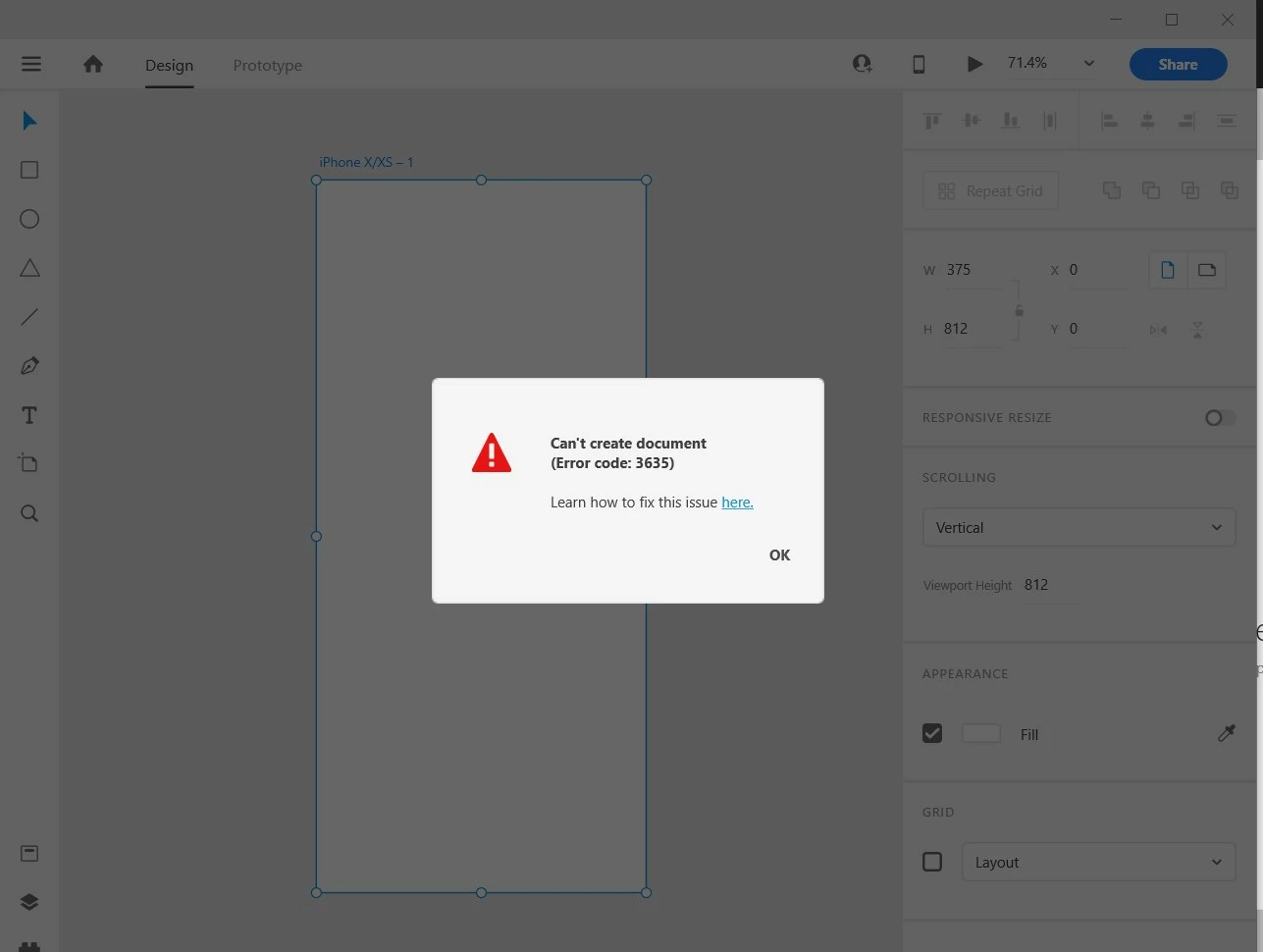
Now in clean instalation I got error while creating new clean document: Adobe XD Can't create document (Error code: 3635) see screenshot. 


I really don't know what to try more.

Jan

Preran
Community Manager
Community Manager
September 12, 2019

Just to be sure, did you use the CC cleaner https://helpx.adobe.com/ca/creative-cloud/kb/cc-cleaner-tool-installation-problems.html to do a clean uninstall of CC before you reinstalled it?

forrmall
Participating Frequently
September 12, 2019
Yes, several times, with restarts, but no luck.
naveenb87862361
New Participant
March 5, 2019

When I am creating a new document in XD, facing an error (Error code: 3624).

Tired a lot of methods like:

Updating OS, Updating Adobe cloud, and Reinstalling the XD but nothing is working out.

MAC OS Version: Mojave 10.14.3

Adobe Cloud Version: 4.8.0.421

XD Version: 16.0.2.8

Can anyone help me with this?

Atul_Saini
Community Manager
Community Manager
March 5, 2019

Hi Naveen,

Sorry that you are unable to create a new document with Adobe XD. I would request you to try the steps mentioned here: - Issue saving xd files to creative cloud and update this discussion with the results.

Thanks,

Atul_Saini

ABusl
New Participant
February 17, 2019

Hello,

I am running macOS Mojave 10.14.3, with Adobe Creative Cloud 4.8.0.421

I have just installed Adobe XD;

1. I chose a design to start

2. got the following message

Can't create document (Error code: 3624)

(ok) : closes the window and takes me back to the first screen to start new design

(here): takes to me

3. I followed all the troubleshooting instructions to resolve the issue, but it still exists

Any help please!!!?

Dan Rodney
Adobe Expert
February 17, 2019

Someone else is reporting that same error message in this post Adobe Xd is will not create a new file.

There an Adobe staff member asked "By any chance, does a reboot (and wait a couple of minutes before launching XD) resolve this issue?"

— Adobe Certified Expert & Instructor at Noble Desktop | Web Developer, Designer, InDesign Scriptor