Inspiring
January 8, 2023
Question

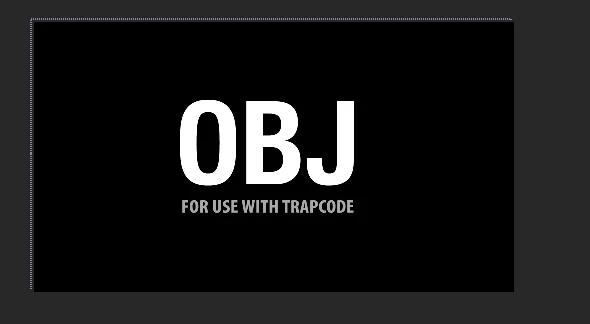
3d file i try to import I get a screen that says it for trapcode

  • January 8, 2023
  • 4 replies
  • 4864 views

23.1 now supports 3d import but it still wnt import . Any 3d file i try to import I get a screen that it says its for trapecode.

This topic has been closed for replies.

4 replies

Participant
July 18, 2023

I still have this problem. Not in the beta, but in the 23.5.0. The Object is not from trapcode but from cgtrader and looks perfect in blender!


Inspiring
November 10, 2023

Yep... this appears to be a bug. I get this message when importing a .glb, .gltf or a .obj file into After Effects. According to the  'Type' in the Project Panel, the import is of type '3D Model for RG Trapcode'. The demos on Youtube show the type as '3D Model'. I'm using AE v.24.0.2, bang-up-to-date full release. There don't seem to be any import options. I was actually looking forward to not having to hop back and forth between Cinema and After Effects for simple 3D stuff. Pretty annoying. How did that get past beta?

Inspiring
November 10, 2023

I made this same mistake. I'd seen so much about this on Youtube, I assumed it as a fully-fledged feature. But it's not, it's still in beta, where it appears to be working fine. Although the Advanced 3D render engine appears to just be a pure 3D space ... i.e. no blending modes / effects etc. Would be great if Advanced 3D gets pushed towards a hybrid kind of space. Hard to mix the compositing and 3D elements up like that, but not impossible, and if the AE team manages it, it's suddenly a whole different thing to what a 3D program is good at, even if the actual 3D capabilities remain simple.

Mylenium
Legend
January 9, 2023

It's in the Beta forum, isn't it? Beta builds have nothing to do with release builds, regardless of the version number. you need to install a Beta build, whatever number they are currently at.


Mylenium

jbellomoAuthor
Inspiring
January 9, 2023

Thanks , I didnt notive that I was in the beta discussions . Also it's kind of confusing that the beta numbers are different. 

Now I wont be pulling what left of my hair.

Inspiring
January 9, 2023

The public beta is always ahead of the release version (it's up to 23.2 right now). So it's not that the versions numbers are different, the version you have now was being tested several months ago, but features that are still in active beta are disabled for the release version until they're ready.

Mylenium
Legend
January 9, 2023

3D import is in the Beta, not the official release builds. The screen you are seeing crops up if you add a 3D object to the timelien via the Trapcode plug-ins. It's merely a placeholder due to how the plug-ins work.


Mylenium

jbellomoAuthor
Inspiring
January 9, 2023

well according to this blog from adobe

https://community.adobe.com/t5/after-effects-beta-discussions/welcome-to-3d-model-import-in-after-effects/td-p/13276168

it say 23.1 build 44 , I'm running build 23.1 build 88

Inspiring
January 9, 2023

Can you post a full UI screenshot of After Effects? Do you have the Trapcode suite installed?

Also, how are you importing the OBJ files? I'm able to take an OBJ, drag it directly to the Project panel and create a sequence from it.

jbellomoAuthor
Inspiring
January 9, 2023

I imported it and dragged it. Yes I do have trapcode and I'm wondering if this is a bug

ShiveringCactus
Community Expert
Community Expert
January 9, 2023

That message is very unusual and I would guess has been created by Trapcode to ensure their OBJ files cannot be distributed to those without a trapcode licence.  Have you only tried the trapcode files or is it any other OBJs?