

After Effects 24.2.1 is now available for download!
After Effects 24.2.1 is Here
Good day, Everyone,
The previous release made quite an impact, garnering widespread appreciation for its introduction of new features to seamlessly integrate 3D objects into scenes. Building upon that success, the February release has arrived. Alongside enhancements to 3D functionality, this update brings a number of bug fixes to ensure a smoother user experience. Don't hesitate - install After Effects 24.2.1 today.
What's New
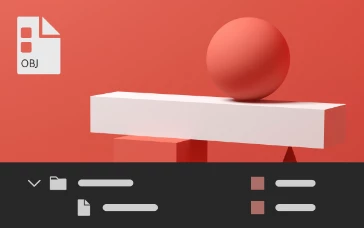
Besides GLTF and GLB formats, After Effects now also allows you to import 3D model files in OBJ format. You can import the .obj file and any associated .mtl files (material) to add them to your composition, animate, and render them in the same 3D space as native After Effects cameras, lights, and other 3D layers.
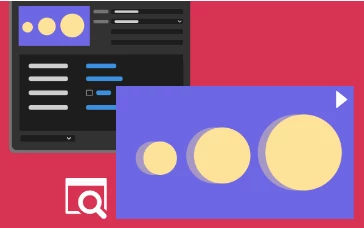
Export Motion Graphics template with a video preview of the primary composition as a thumbnail for quick visualization within Premiere Pro.
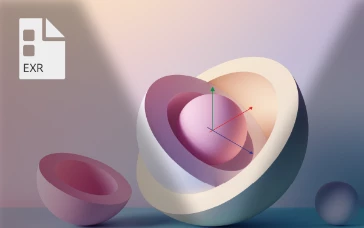
.exr file for environmental lighting
Use OpenEXR image (.exr) files in your composition to create realistic and high-quality lighting in your 3D scenes.
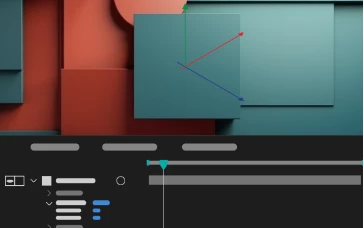
Cast and accept shadows for 3D objects
Control how 3D objects interact with light and shadows in your composition by configuring their cast and receive shadow properties.
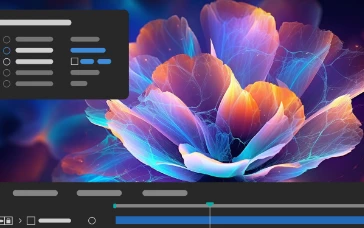
Enhancements in Cycore plug-in effects
Plug-in effects-specific enhancements with new controls and fixes to support your diverse animation needs and workflows.
Features in Beta
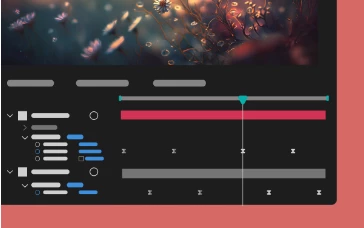
Multi-layer keyframe copy-paste
Copy and paste keyframe selections that span multiple layers so that you can easily duplicate complicated animations at different points in the timeline.
What's Fixed
- After Effects no longer freezes when you remove a Cinema 4D layer.
- Updating Cineware to 5.1.10 allows projects with Cinema 4D files to open as expected when saving them to After Effects 23.x and 22.x.
- After Effects no longer crashes when you use Mask Feather Tool to adjust a feather beyond the bounds of a mask.
- Ampersands "&" in the effect names are now correctly displayed in the Effects submenus.
- Expression errors no longer cause "{PrepAndWhite() called on non-diskcacheable stuff}" error.
- Preview no longer fails when collapsing transformations on a nested composition that has a layer with Puppet pins.
- The Rotation value no longer resets to 0 after one rotation while holding the Shift key.
- For image-based lighting, replacing footage now correctly updates Environment Light rendering.
- For image-based lighting, Environment Light no longer renders too bright through intensity range.
- When applying a preset, the Position of a layer will now be combined or separated automatically according to what the preset was saved with.
- Error message when failing to read Project XMP data is correctly formatted.
- Fixed a crash that could occur when using sampleImage()in a layer expression.
- High-quality shadow settings no longer cause TDRs on systems with AMD Radeon PRO cards.
- The tiling size is calculated correctly even when the shadow Smoothness value under Advanced 3D Renderer Options is set to greater than 1.
- Adaptive Resolution will activate when needed and as expected when you change settings values in the Advanced 3D Renderer Options dialog.
- 3D placeholder models no longer cast shadows.
- Replacing the source of a 3D model updates the name and bounding box as expected.
- After Effects no longer crashes when you modify Color settings in the Interpret Footage dialog box.
- In Cineware, when you revert to Cinema 4D, the composition viewer updates to use the C4D camera as expected.
How to update After Effects to 24.2.1
Open the Creative Cloud desktop application and click the Updates tab on the top left. Find After Effects in the list and click Update.

I don't see the update in my Creative Cloud desktop application. What should I do?
Click Help > Check for Updates from the Creative Cloud desktop application to refresh it.


 AdChoices