



Question
After Effects 25.1 is now available to download!
Welcome to After Effects 25.1

The Adobe After Effects 25.1 December release is now available for download, introducing significant enhancements to streamline your workflow. This latest update includes a notable feature allowing users to specify whether 3D objects in their compositions interact with scene lighting. Additionally, the release addresses multiple bugs, ensuring improved stability and performance.
New in 25.1
Here are the new features coming with 25.1
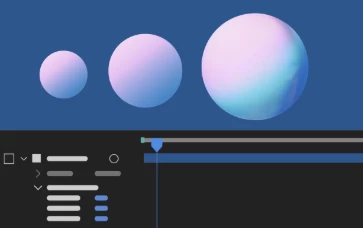
Accepts Lights switch for 3D layers
Disable a 3D layer from accepting lights to ensure the object’s appearance is unaffected by light sources in the 3D scene.
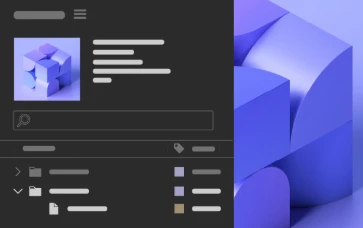
3D model preview thumbnail
Preview 3D models as thumbnails in the Project panel to speed up model identification and enhance workflow efficiency.
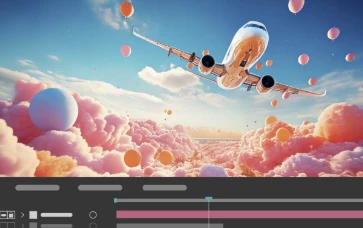
Cinema 4D 2025 upgrade in After Effects
Take advantage of the Cinema 4D 2025 upgrade in After Effects and unlock the full potential of its new features and improvements.
Fixed issues in 25.1
After Effects 25.1 brings enhanced stability and performance to elevate your creative experience, ensuring a smoother and more reliable workflow. Below is a list of fixes included in this release.
- Using the Shatter effect with specific settings no longer causes a crash on Apple silicon machines.
- Motion path dots are not visible when performing capture in Motion Sketch for After Effects 2025.
- The Broadcast Wave time reference field in XMP is no longer truncated, eliminating the issue of incorrect start media timecode values.
- After Effects Dynamic Link now adheres to the project’s hardware acceleration preferences.
- 3D models are no longer replaced by placeholders in exports.
- Exporting MP4 files at a width of 4100 px now accurately outputs at 4100 px instead of 4096 px.
- Using the middle mouse button to close panels no longer causes After Effects to crash when clicking elsewhere.
- Updated several keyboard shortcuts to include more user-friendly labels.
- After Effects now renders compositions with non-multi-frame rendering effects more quickly.
- Dialogs now always open on the same monitor as the main application window.

 AdChoices