
Participant
December 23, 2017
Answered

****After Effects not working on GeForce 940MX****
  • December 23, 2017
  • 1 reply
  • 8084 views

I have purchased a new laptop with a Nvidia GeForce 940MX GPU.

I have recently downloaded Adobe After Effects CS6 but when I run it using "High Performance Nvidia Processor", it doesn't run properly.

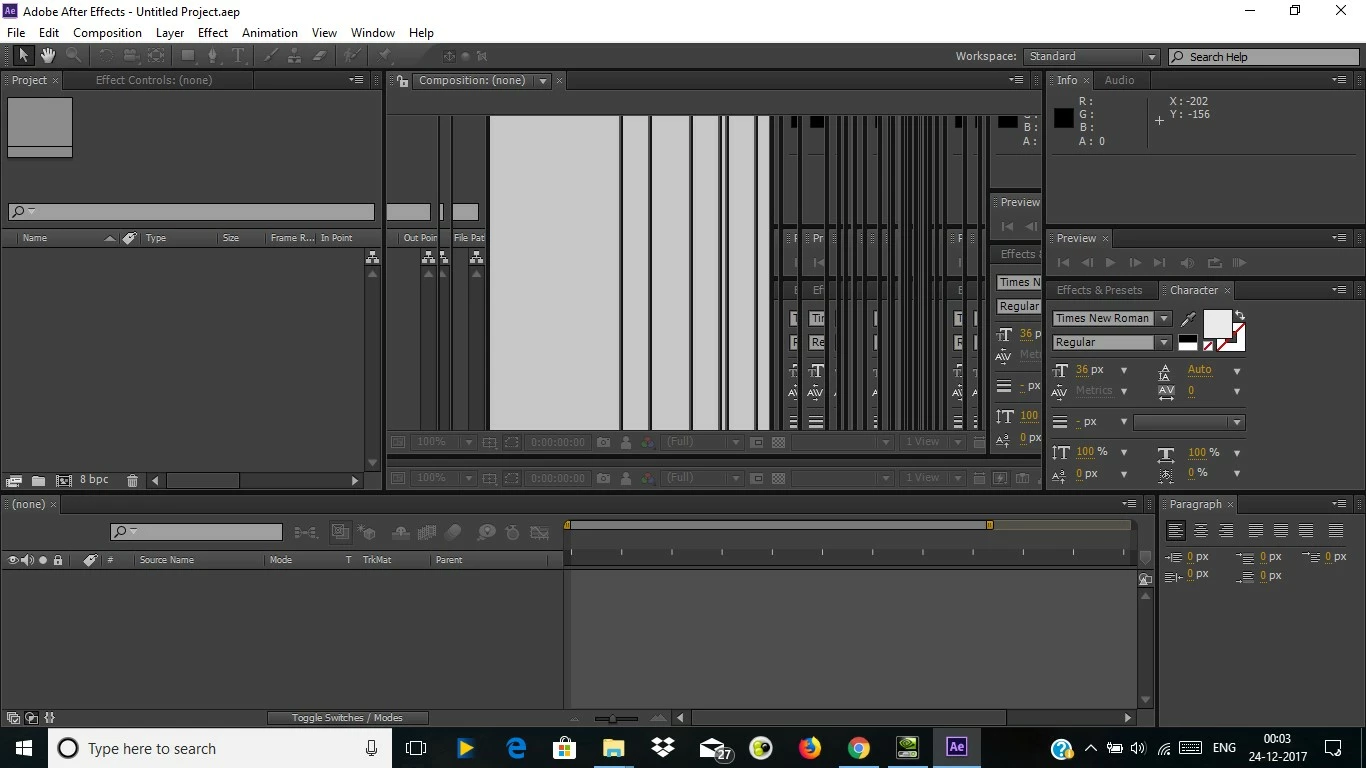
The main problem is that the workspace is blanked out or turns completely on resizing the panes present on right and left sides; and moreover the screen doesn't refresh properly. (See image above)

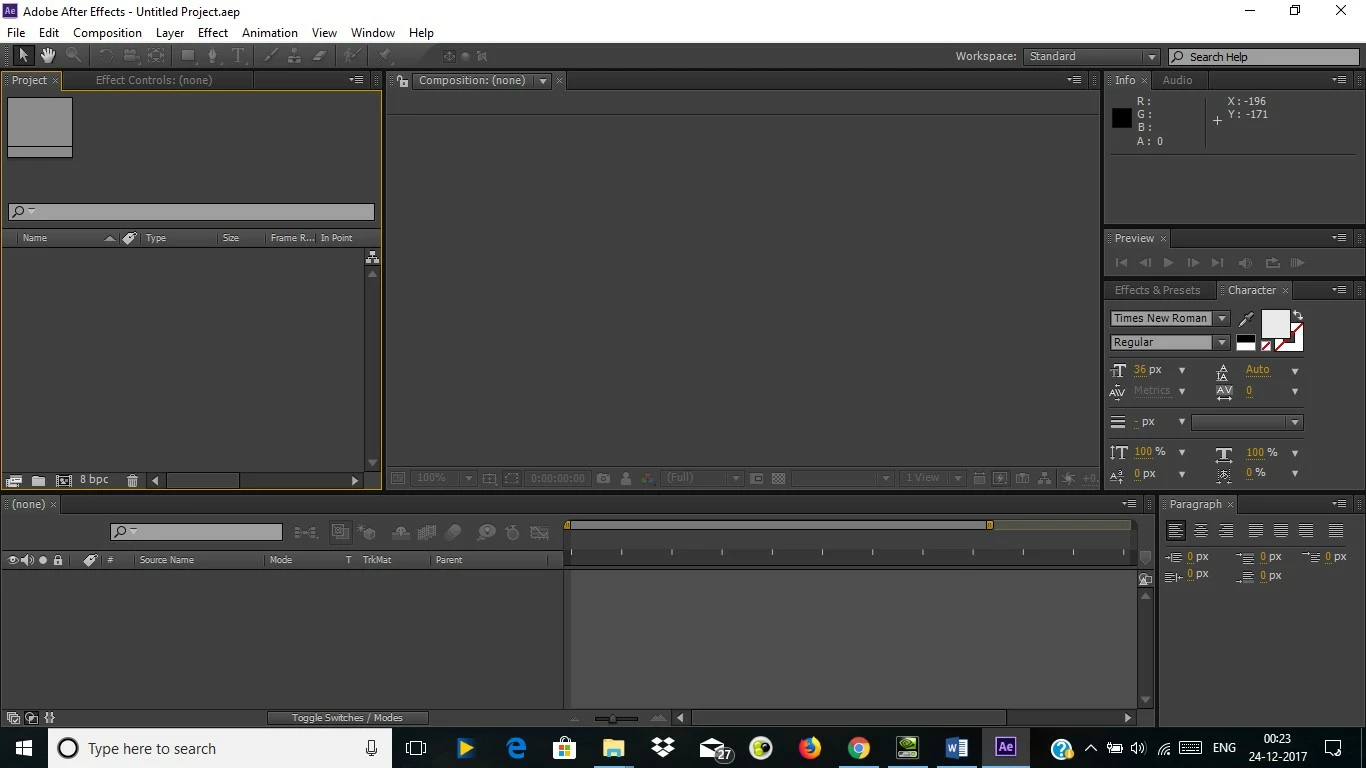
But, to my surprise when I run it using Integrated Graphics, it runs like a charm. (See Image below)
I had this similar problem with Autodesk Maya and AUTOCAD but it got resolved when I changed the Graphics mode under preferences of these software from OpenGL to DirectX while running on Nvidia GeForce 940MX.

But, I am not able to find any similar setting under preferences of After Effects.

I have enabled my GPU in CUDA under preferences but still the problem persists.

I request for a urgent fix (i.e. switching from OpenGL to DirectX while running on Nvidia GeForce 940MX).

**First picture is of After Effects running on Nvidia GeForce 940MX.

**Second picture is of After Effects running on Integrated Graphics

    This topic has been closed for replies.
    Correct answer viren3999

    hi i have the same error  with Nvidia GeForce 940MX.. how you fix the problem?


    Hi !!!

    Go to the following link : How to disable openGL in after effects cs6?     and read the reply of liamp74364608

    1 reply

    Mylenium
    Legend
    December 24, 2017

    AE does not use DirectX. Never has, never will. Any "fix" will have to come from your graphics driver. You can always start by running AE in Win 7 compatibility mode. Not that it would matter much - clearly you have no idea how little AE even uses the GPU, even more so in older versions. Unless you plan to use Raytrace 3D extensively, it's pretty much irrelevant.

    Mylenium

    viren3999Author
    Participant
    December 24, 2017

    Thank you for the response Mylenium​.

    Sorry for my misconception regarding DirectX in AE.

    I actually meant to ask how to disable OpenGL for AE because I have observed in observed that disabling OpenGL fixes the problem in other softwares.

    ***Now I have fixed the problem by somehow disabling OpenGL in After Effects !!!

    Participant
    December 24, 2017

    hi i have the same error  with Nvidia GeForce 940MX.. how you fix the problem?