


Participant
December 1, 2019
해결됨

Can't open Cinema 4d lite because of "Maxon License Manager" in AE v 17

  • December 1, 2019
  • 11 답변들
  • 128957 조회

Just started working with AfterEffects & interested in working in C4D Lite. When I open a Cinema 4D file, or use FILE > NEW > MAXON CINEMA 4D FILE, the Cinema 4d Launcher window appears. After a moment, a popup from Maxon requires me to register an account on their website. I made sure that I registered on their website with the same login as my Adobe CC account. However, no c4d files can be opened, it asks me to activate a Cinema 4D trial instead of reflecting some kind of Lite license. 


I'm not finding much information online about this license manager at all. In all the tutorials that I see, there is absolutely no mention of this License registration or MAXON account requirement - they all seem to just open straight into the 3d editor. 


Is Cinema 4D Lite no longer included with After Effects in v17? 
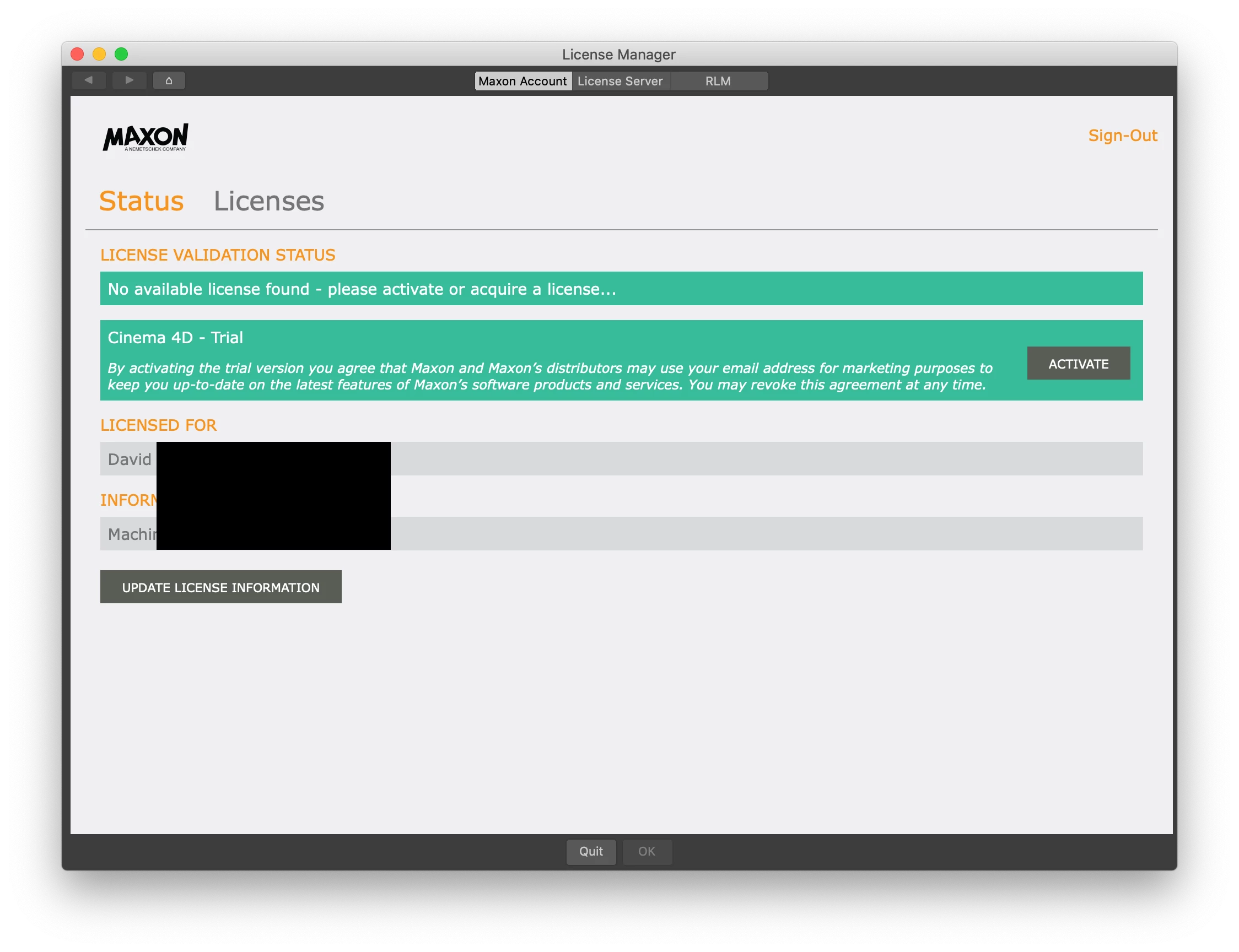


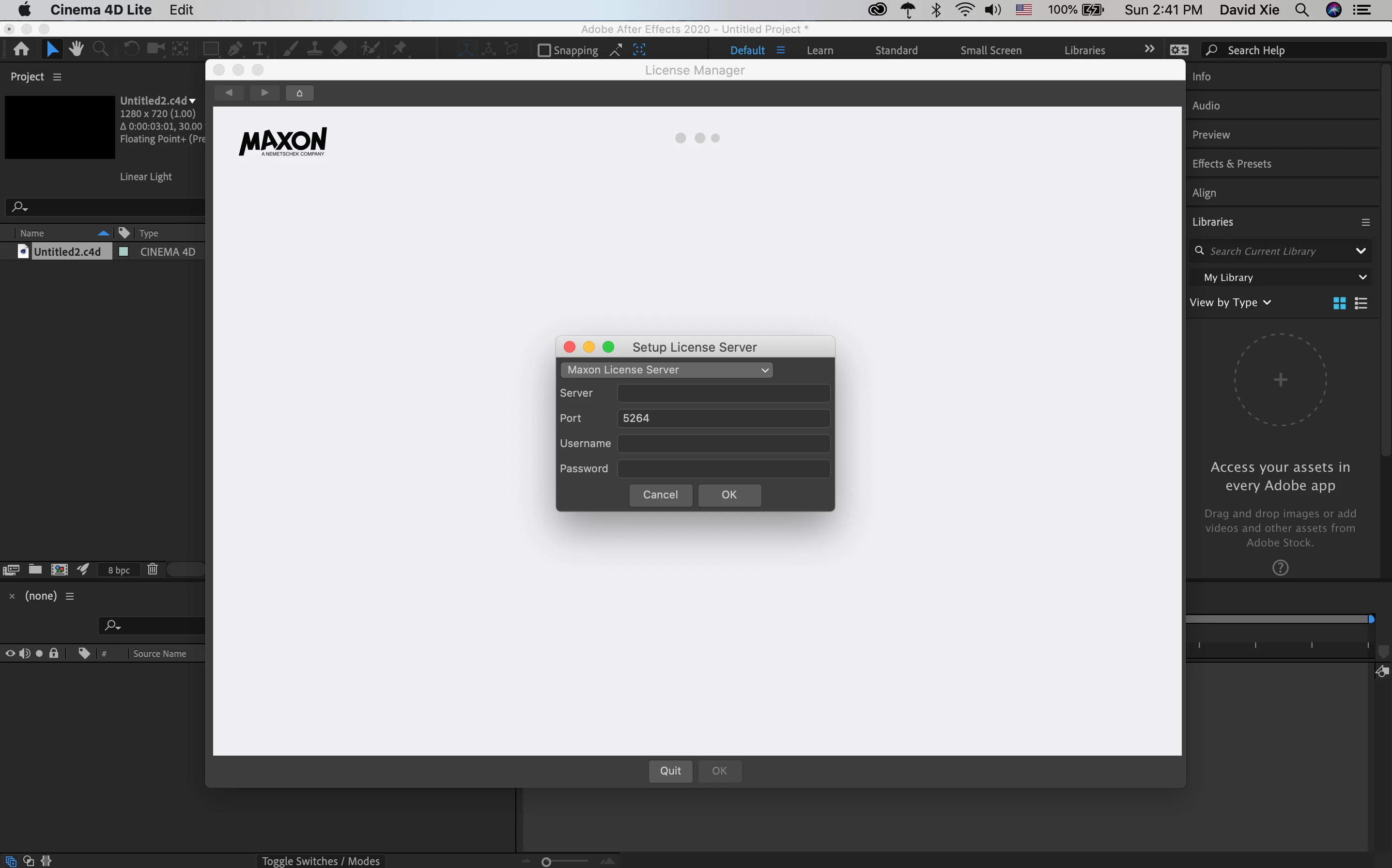
EDIT: I restarted the app again, and now when I open a Cinema 4D Lite app, this very confusing screen blocks me from doing anything:
최고의 답변: Brandon Loshe

Hey David,

I believe I have the solution for you. You don't have to do that "Setup License Server" part. This is from Maxon themselves:

"To fix this issue all you have to do is delete the C4D preferences to restore the defaults. Here's how to do that:

Open a Finder window and head to ~/Library/Preferences/MAXON via Finder's Go > Go to Folder command. Next, quit out of Cinema 4D from the Force Quit menu (this is a very important step as this process will not work if the application is running). Once you've done that you will need to select three items: The Cinema 4D folder, the "machines_rb_20.prf" and the "teamrender_rb_20.prf" (you need the last two even if you do not use Team Render as Cinema 4D still stores some preferences data in those files). Once you've selected those items, delete them and then launch Cinema 4D again. You should notice that the files you deleted are re-created when Cinema 4D launches, this is because if Cinema 4D cannot find these files on startup it creates them from scratch with the default settings (this is why you need to quit C4D before deleting them).

Once you do this it should present you with the standard Cinema 4D License Manager and give you the option to activate your Cinema 4D Lite license. Note that to use this you'll need to create a MyMaxon account as well, so just head to My.Maxon.net and create an account there at some point so that you can activate your Lite license via the account login."

For me personally, I didn't see those .prf files. But anyway, after I created an account at My.Maxon.net, I had an option to activate the Lite licence, which should show as unlimited. It all seems to work fine now. Hopefully the same works for you.


11 답변

Brandon Loshe
Legend
December 2, 2019

Stuck on the same thing. I wonder if this a Maxon issue instead of Adobe. I'm waiting to hear back from Maxon about why this is. In the meantime, we'll see if anyone else has an answer for this. I will share any information I that I can find, but I haven't been able to find any information online, either yet.

Participant
December 27, 2019

Stuck with same problem

Brandon Loshe
Legend
December 29, 2019

Were you able to get it figured out?