


Participant
June 23, 2020
Answered

Cycore FX HD fail to load. 17.1 & 17.1.1

  • June 23, 2020
  • 7 replies
  • 7528 views

I've tried everything I've found on every forum. Even had a two hour screen sharing with  Adobe Tech Support.


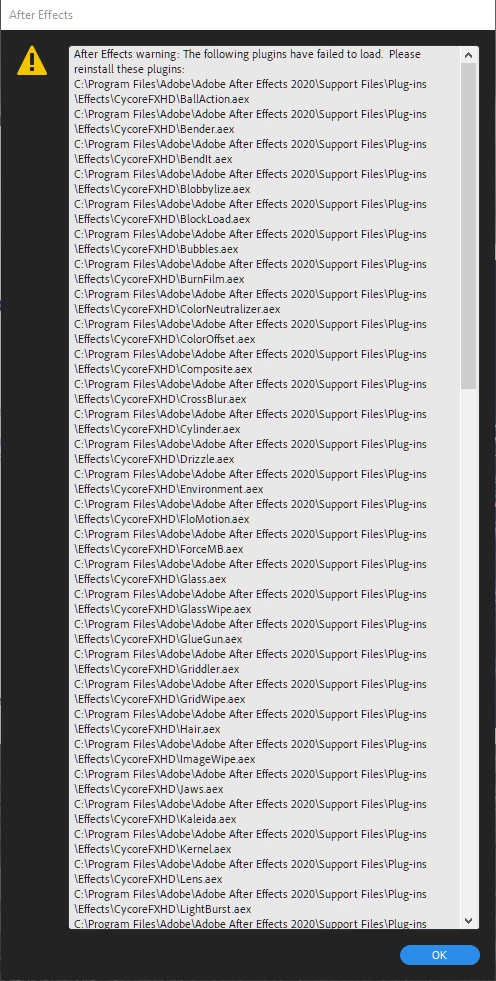
Below is the error I get in 17.1.1 when loading After Effects.
 

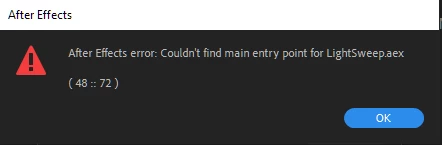
And this is what first showed in 17.1 that made me try and update but then everything got worse. 
 

It just started happening, the only thing that has been changed recently is that I installed the WebM export plugin. 


Anyone has any ideas? I've tried moving the Cycore folder, renaming the Media Core, Updating the OpenCL.dll. 


Nothing seems to be working anymore.


All other plugins are working fine except those ones.

Correct answer Karan chopra

If updating/installing is not fixing it, repairing all Redistributables will definitely fix the issue

7 replies

Participant
December 2, 2022

Hey There! I am also suffering from this problem how can I solve it?? Please Guide Me I beg to you, Please Help Me.😣🙏

Participant
October 29, 2021

If anyone else runs into this problem. I just moved the CYCORE FX HD folder and moved it to my desktop folder instead. 

WORKED LIKE A CHARM. UNBELIEVEABLE 

Participant
October 26, 2021

Hello guys, i just found a solution, just install the Visual C++ 2013 (x64 and x83 versions)  sorry for put this comment so, so, late.
Download Paquetes redistribuibles de Visual C++ para Visual Studio 2013 from Official Microsoft Download Center

Karan chopra
Adobe Employee
Karan chopraCorrect answer
Adobe Employee
November 5, 2021

If updating/installing is not fixing it, repairing all Redistributables will definitely fix the issue

Participant
December 17, 2021

This worked for me after everything else didnt work.

Participant
March 13, 2021

Hi there,


I have only just started using After Effects and the Media Encoder. It was all working fine and then suddenly one day the Cycore plugins failed to load and I have not been able to open my project since. I have restarted my pc multiple times, cleared the adobe cache, reinstalled and still no closer to it being fixed.


Any further help or guidance on how to troubleshoot this or fix it would be appreciated! 


Participant
January 25, 2021

Same Problem.

Cleared the cache, tried older versions of AE, PR, ME, uninstalled the whole CC.


ChuckTunaAuthor
Participant
January 25, 2021

Guys I'm sorry to be late to answering this. 

This problem drove me INSANE. I spent four days battling with this stupid problem and ended up formatting and installing everything from scratch. 

I know it's a trash solution but this ended bringing me so many headaches, there was no reason for them to be acting out like that yet no fix I found worked.

Sorry if I'm not very helpful 😞

esmondheng21
Participant
June 24, 2021

Did formatting and installing everything from scratch solve it?

Participating Frequently
December 26, 2020

You solve the problem ?

Same problem here

nishu_kush
Community Manager
Community Manager
July 1, 2020

Hi chucktuna,


Sorry for the delayed response.

Were you able to solve this problem? If so, would you mind sharing what did you do to fix it?

Let us know.


Thanks,

Nishu