
February 24, 2017
Answered

How can I get rid of bezier handles when moving an object?

  • February 24, 2017
  • 3 replies
  • 2227 views

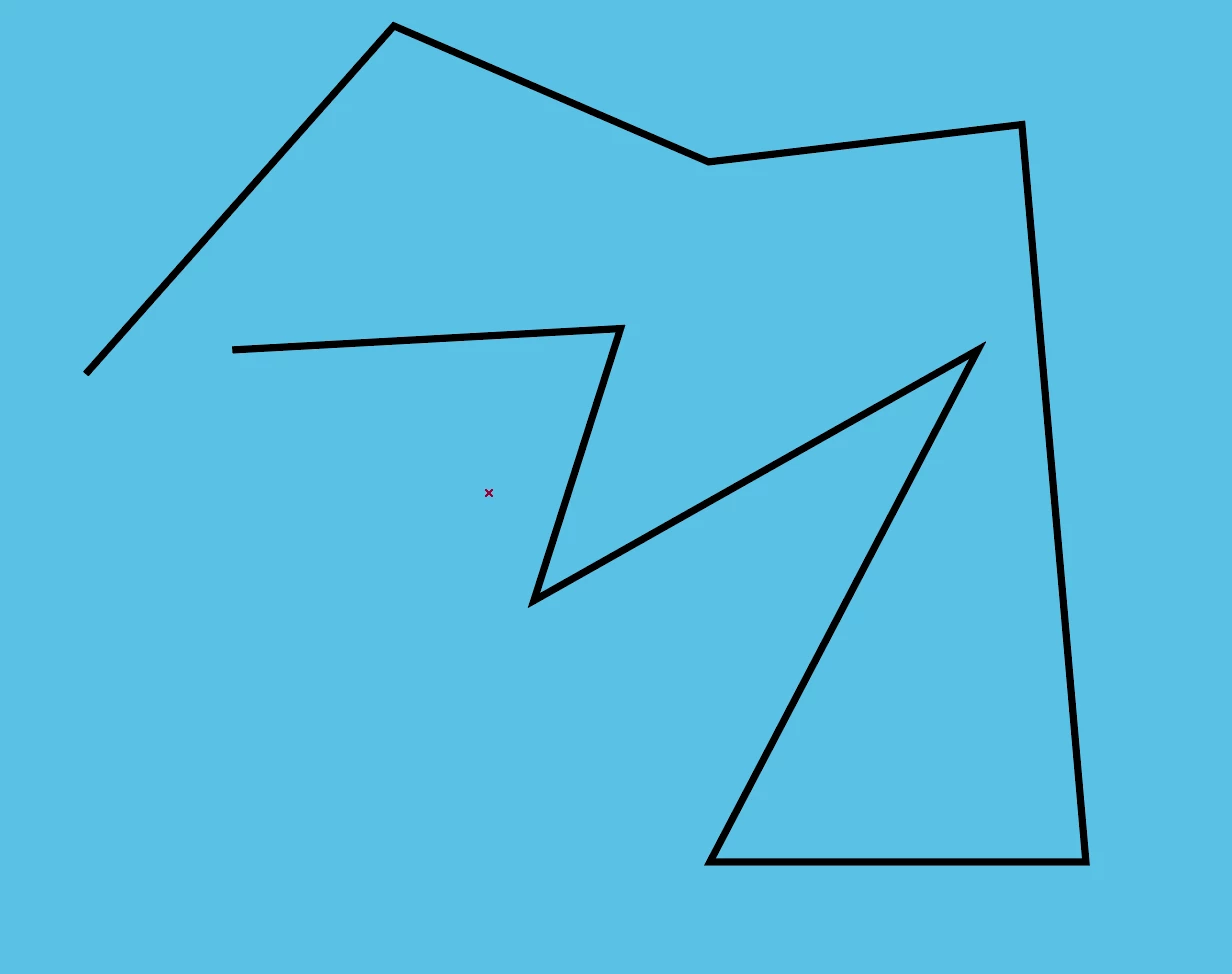
I am trying to move an object in straight lines as in the image below but the Bezier handles won't make this possible. How can I get rid of them and move my shape in straight lines with no curves whatsoever? Is there a way that they (bezier handles) can be turned off completely also?
This topic has been closed for replies.
Correct answer Szalam

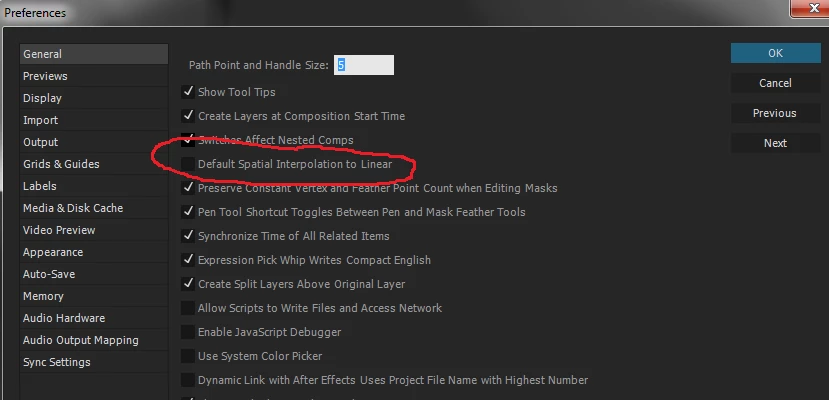
In addition to what Dave says, there is a preference that you can set to default spatial keyframes to linear.

3 replies

Participating Frequently
January 21, 2024

To change a bezier vertex to a non-bezier vertex, see my response in Selecting Vertex NOT Bezier points in mask using CTRL-ALT-click.

Szalam
Community Expert
SzalamCommunity ExpertCorrect answer
Community Expert
February 24, 2017

In addition to what Dave says, there is a preference that you can set to default spatial keyframes to linear.

Dave_LaRonde
Inspiring
February 24, 2017

Highlight all the position keyframes.  Right-click on one of them.  Set the Spatial Interpolation to Linear.  Done.