
AlexYoh
Participant
January 2, 2020
Answered

Preview black screen and then not responding, After Effects 2020 on Windows 10

  • January 2, 2020
  • 5 replies
  • 6968 views

Hello! 😕😕


So when I open After Effects 2020 and open one of my projects, my screen looks like this:
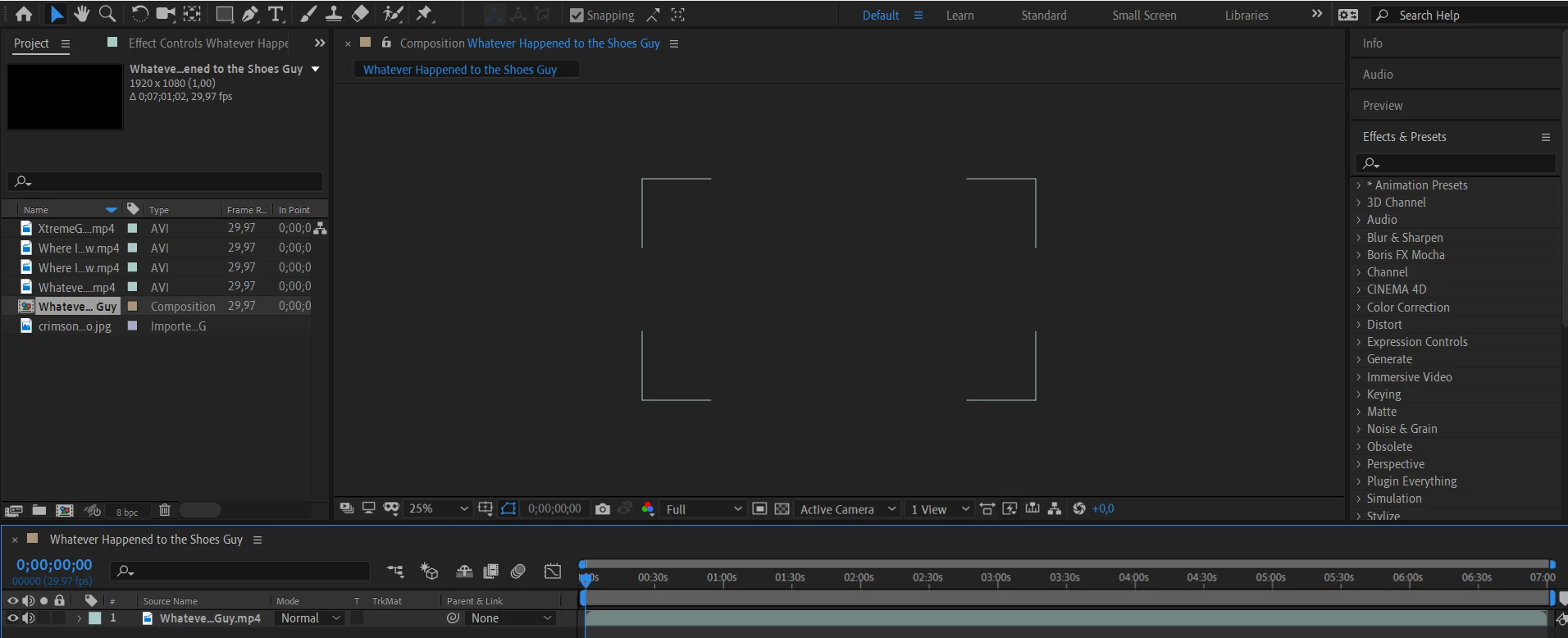
 

And when I move the current time indicator the screen turns black but only while I am moving it. When I try to preview the video by pressing spacebar the whole software just stops responding. 


 Here is some of my pc info:


8129MB RAM

Intel UHD Graphics 620

NVIDIA GeForce MX150

After Effects 2020 Version 17.0

Windows 10 Home 1903

Intel Core i5-8250U CPU @ 1.60GHz  1.80 GHz


I really hope someone can help me 😕😕


Title edited by Mod.

This topic has been closed for replies.
Correct answer Kyle Hamrick

Is this happening in all projects, or just this one?
Are your video card drivers up to date?
Have you tried resetting AE preferences?
Have you tried disabling hardware acceleration? (File > Project Settings > Video Rendering and Effects)

Let us know if any of these make a difference.

5 replies

September 24, 2022

Hey AlexYoh, 

I'm not an expert but if you're still facing the issue, maybe this tutorial might help.
After Effects Black Screen Fix - Last Resort

Participant
May 20, 2021

We were having the exact same issue we found that if we import into a 2021 project ie drag the 2020 project over we do get the preview issues - I hope this is of help.

Cheers

Participant
May 20, 2021

* that is don't get the preview issues 

Participant
April 7, 2020

For me i tried all those and it didnt do crap

nishu_kush
Community Manager
Community Manager
January 2, 2020

Hi Alex,


Thanks for reaching out. I see that you are having preview issues with After Effects.

It looks like your computer doesn't meet the minimum system requirements for After Effects 2020 so you may get performance issues.

Are you having this issue with all the projects? Please check with the new project and see if you are still having this issue. Also, as suggested by Kyle try disabling hardware acceleration.

Let us know how it goes.


Thanks,

Nishu

Inspiring
March 25, 2020

Mine definitely does meet minimum requirements, and it still does it! 

nishu_kush
Community Manager
Community Manager
March 26, 2020

Hi tristansummers,


I am curious if it's the exact same issue because we've observed a similar issue where the Compositions panel is not active at all. If it's the same, you can try the steps suggested in the following post: https://community.adobe.com/t5/after-effects/composition-screen-frozen-and-not-displaying-timeline/m-p/10963374?page=1#M105479

Let us know if it helps.


Thanks,

Nishu

Kyle Hamrick
Community Expert
Kyle HamrickCommunity ExpertCorrect answer
Community Expert
January 2, 2020

Is this happening in all projects, or just this one?
Are your video card drivers up to date?
Have you tried resetting AE preferences?
Have you tried disabling hardware acceleration? (File > Project Settings > Video Rendering and Effects)

Let us know if any of these make a difference.

AlexYoh
AlexYohAuthor
Participant
January 5, 2020

I am very sorry for this late answer. I was still trying to find a way to fix this problem. I had to try some things with my Intel UHD Graphics 620 graphics unit. Basically updating it and stuff but I think it is fixed for now. Might have to look for a better laptop or a new computer for the future. Either way thanks for the help both of you!