


질문
"Target" check box to right of Mirror "Reflection Center" is not showing
AFTER EFFECTS 2022
I am trying to learn After Effects using the tutorial. In "Learn." It tells me to select a layer, which has a video. Then I am to add Effect > Distort > Mirror. No problem.
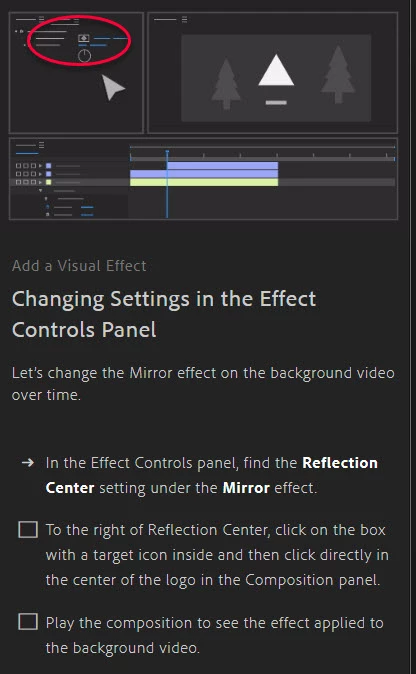
Then I am told, "To the right of Reflection Center, click on the box with a target icon inside and then click directly in the center of the logo in the Composition panel."
I have toggled switches/modes on and off, there is no box with a target icon to the right of Reflection. The first image is my timeline panel. The second is the tutorial. You can see in the red circle, there is a box with a dot in it. You can see on the timeline panel that there is no such option "to the right of 'Reflection Center.'"
Help, please.
Center.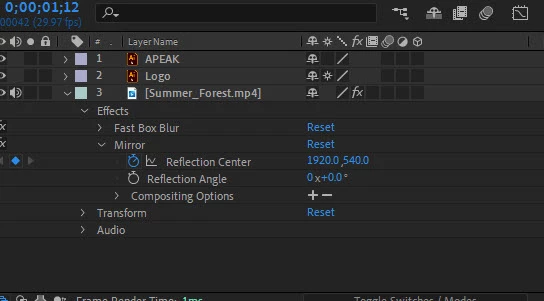
 AdChoices