Participant
June 12, 2017
Answered

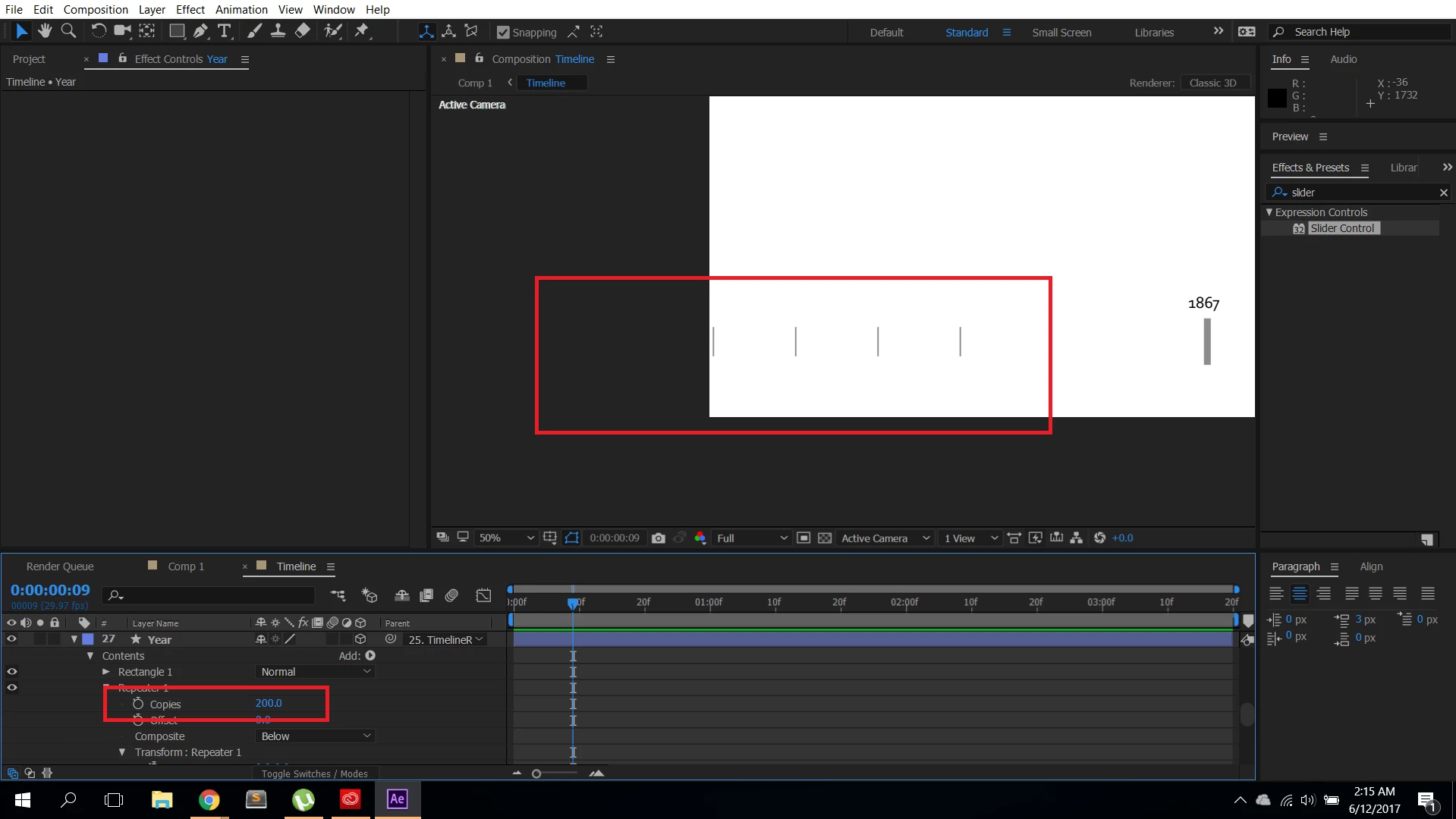
Repeater just creates 20 copies

  • June 12, 2017
  • 2 replies
  • 4203 views

I'm creating a timeline using a shape layer, with the repeater to create the grid line. The problem is that when I copy (and I want to make 200 copies in the repeater), it just goes until 20. Is repeater limited, or is it a bug on my After? Thank you!

This topic has been closed for replies.
Correct answer guilherme1736
AE's layer/ buffer size limit

good point. which is 30k BTW

Op then if that's the case, you should build your composition in pieces. the easiest way probably is to duplicate your shape layer, shift it in place and connect it to the null.


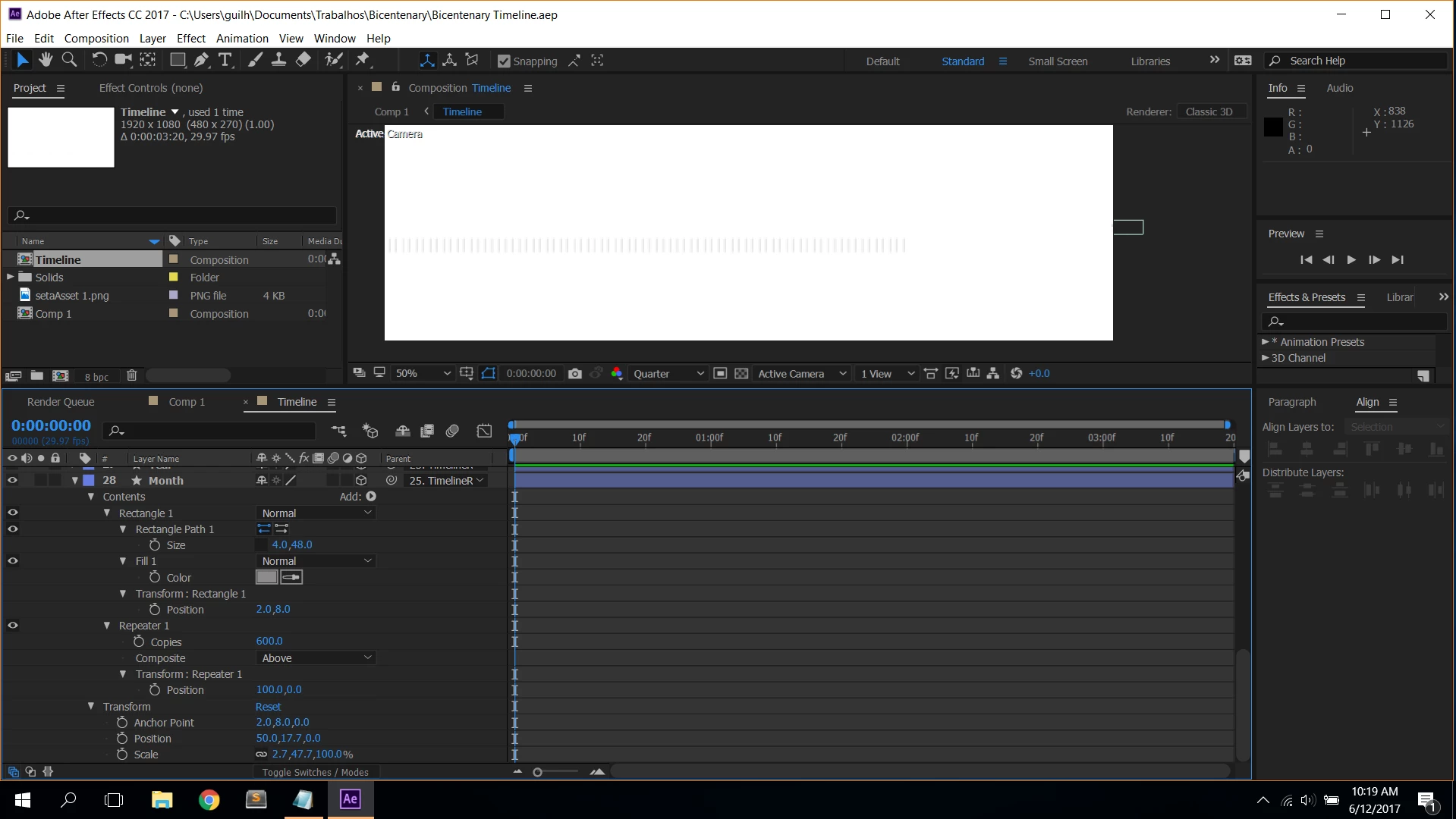
Mylenium​ and Roei, thanks for the help.  It's working, but I'm not sure what the problem was unfortunately. I've made some tests about buffer by deleting other layers and restaring AE, but it kept the same. Then, I've deleted this layer and created a new one, and now I've managed to make more than 2573 copies, and I have no idea what the problem was. Maybe some sort of setting, but not sure at all. Below are the attributes of the layer before when it wasn't working. Thank you guys!

2 replies

ali m.r7155227
Known Participant
June 14, 2017

Thank you so much. I ended up just duplicating the layer and moving its position. Hopefully Adobe will fix this b/c it must be a glitch.

Szalam
Community Expert
Community Expert
June 14, 2017

https://forums.adobe.com/people/ali+m.r7155227  wrote

Hopefully Adobe will fix this b/c it must be a glitch.

They can't fix what they don't know about. Please file a bug report here: Feature Request/Bug Report Form

If you would like me to test and see if I can replicate it on my system, could you share a stripped down version of your project file demonstrating the issue?

Participant
June 15, 2017

Hi Szalam​, in the "month" layer, turn off the 3D mode and the repeater will work properly, turn on, and part of it will disappear.

https://drive.google.com/open?id=0B9Sa1VudKlweZlh3N1REU1dUaVU

Ps: In TimelineRule you can move the slider so you can navigate throught the timeline.

Mike_Abbott
Legend
June 12, 2017

There should be no problem at all generating 200 - or more, copies.

How do you know there are only 20? They're likely to be extending off the edge of the comp.

Twirl down 'Transform Repeater' and you'll find the position transform defaults to 100,0

reduce this to bring your rectangles closer together to see all of them.

Participant
June 12, 2017

Thank you, I followed your advice, and actually it works for as many copies as I want, and figure out the problem is an unexpected invisible edge, I can increase the position offset, or the number of copies, it doesnt show after that edge (funny thing is that it works with other shape layers, and its going beyond that) and there is not other solid or shape layer that could be covering, and also everything is in the main comp (no pre-comp). I'm trying to figure out the pattern of this issue, any ideas are welcome.

(The shape object is linked to a Null Object, so I can slide the timeline position whenever I need, instead of using the Camera, other thing, I've checked out the anchor point to see if its aligned with the null object, and its also fine)

guilherme1736AuthorCorrect answer
Participant
June 12, 2017
AE's layer/ buffer size limit

good point. which is 30k BTW

Op then if that's the case, you should build your composition in pieces. the easiest way probably is to duplicate your shape layer, shift it in place and connect it to the null.


Mylenium​ and Roei, thanks for the help.  It's working, but I'm not sure what the problem was unfortunately. I've made some tests about buffer by deleting other layers and restaring AE, but it kept the same. Then, I've deleted this layer and created a new one, and now I've managed to make more than 2573 copies, and I have no idea what the problem was. Maybe some sort of setting, but not sure at all. Below are the attributes of the layer before when it wasn't working. Thank you guys!