Participant
September 8, 2017
Question

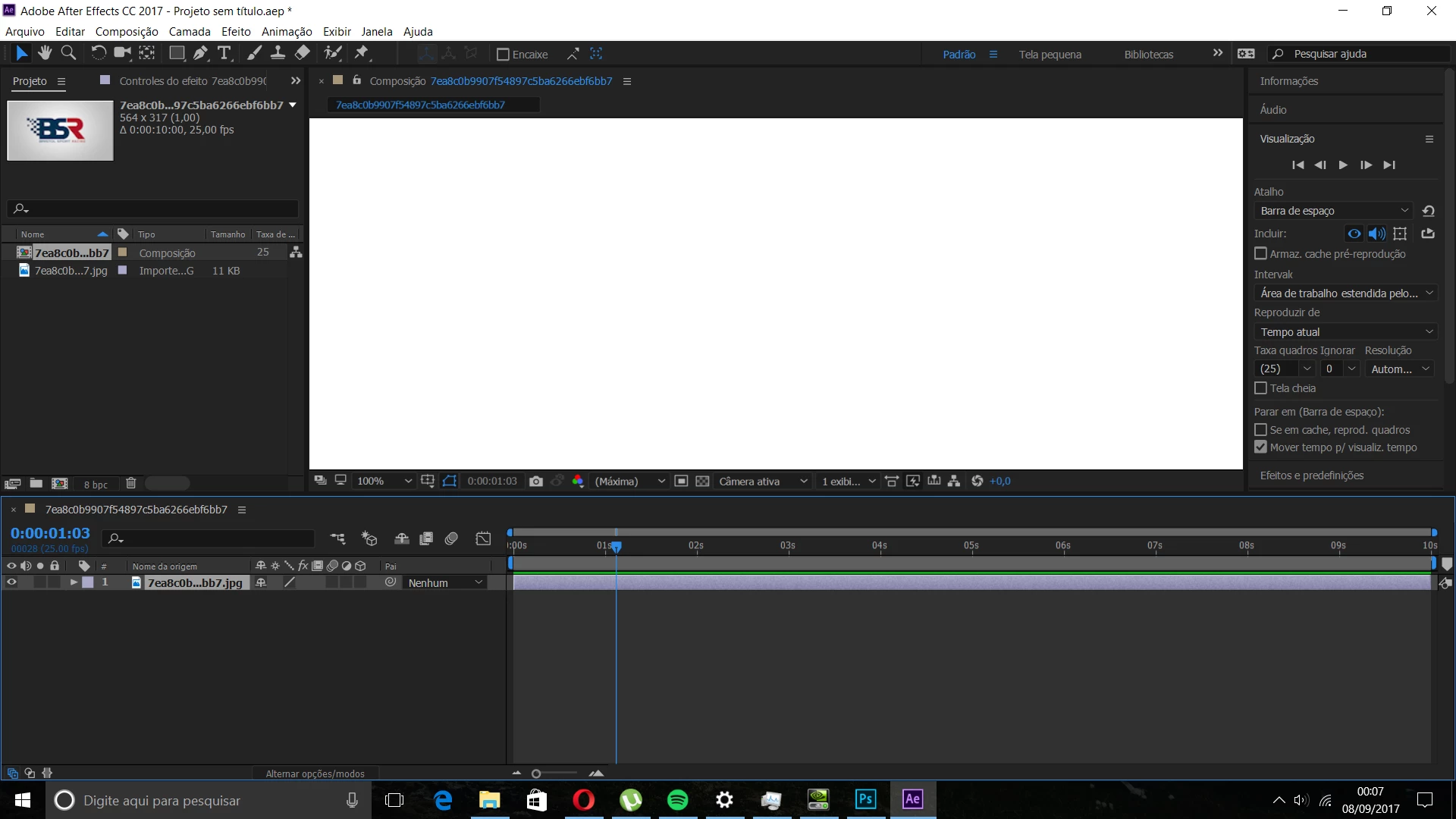
The preview screen is white

  • September 8, 2017
  • 6 replies
  • 4312 views

I can't see nothing just a white screen in view
    This topic has been closed for replies.

    6 replies

    Participant
    September 15, 2023

    Hello,
    I'm about 6 years late haha, but I think I found a solution...?
    I'm quite new to After Effects, actually I only started learning the software today but I also stumbled into this bug
    For me, the file would open normally and I could see my project clearly in the preview panel, except when i pressed play the video would turn white, the same issue you're having.

    What I did was click on one of the layers I had in my project (I clicked on my text layer), and then "adjusted" something in the effects panel slightly (I wanted to use a different font so I changed that), then I clicked out and pressed play and it seems to be working normally again

    Let me know if this worked for you too
    ~ I'm still learning

    Kevin-Monahan
    Community Manager
    Community Manager
    September 11, 2017

    Hi Erick Mallaco,

    Sorry for this issue. Did you ever find a solution? Please let us know if you have or if you still need help.

    Thanks,

    Kevin

    Kevin Monahan - Sr. Community and Engagement Strategist – Adobe Pro Video and Audio
    ToolfarmJP
    Community Expert
    Community Expert
    September 11, 2017

    Hello,

    Can you play the MP4 file you have mentioned by other players? Is it a still image or a movie?

    ToolfarmJP
    Community Expert
    Community Expert
    September 8, 2017

    Hello,

    The jpg file itself seems not to fit the format for After Effects. You open it by Photoshop and check the property of the file. I mean the mode of the file is RGB or not. You choose Save as and select JPEG format and save it as a different name. You import the file into After Effects to test it.

    Participant
    September 8, 2017

    i don't know what happened but i open a .mp4 video and now show the preview. How can i turn the video? RobShultz

    Community Expert
    September 9, 2017

    This is very strange because you shot your video landscape. I can tell by the info in the project panel.

    you may want t minimize After Effects and see if the video plays in landscape mode outside of After Effects. Go to the file outside of AE and double click on it and see if it plays properly. If not you may want to update your video drivers and check your hardware hookup.

    You can also try shutting down After Effects and re-setting preferences by Pressing Ctrl+Alt+Shift while the application is starting.

    Good luck!

    Community Expert
    September 8, 2017

    Try changing from 100% to "Fit" in the comp panel.

    ToolfarmJP
    Community Expert
    Community Expert
    September 8, 2017

    Hello,

    Can you directly double-click and open the JPG file on project window of the left top?

    Participant
    September 8, 2017

    i  click but don't show nothing.

    RobShultz​ is in 100% fit. I am think is something in Preferences, Edit >> preferences but i don't know whats is wrong

    Community Expert
    September 8, 2017

    The same drop down that says 100% will show fit as an option. 100% is not equal to fit. I'd try dropping down to fit and see it helps.
