



Welcome to After Effects 24.0!
October 10-12
Register Here. Attend virtually, or join us in Los Angeles for the live conference!
MAX FAQ: Find out more. See what you can learn.
MAX Sessions: Pick from a huge variety of digital video & audio courses.
After Effects 24.0 is Here
Greetings, After Effects Users!
The October release of After Effects 24.0 is here, packed with exciting new features and a host of bug fixes! You can grab this exhilarating update right now from the Creative Cloud desktop app. Let's dive into all the amazing possibilities awaiting you!
System Requirements
The system requirements for After Effects 24.0 have changed. Please visit the System Requirements page for details.
What's New
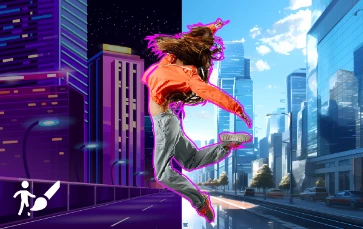
A new AI model extracts objects from footage faster and more accurately than ever and requires fewer corrections. Refine your results for a beautiful composite, even when tracking objects that overlap or working with hard-to-mask footage, such as hair and transparencies.
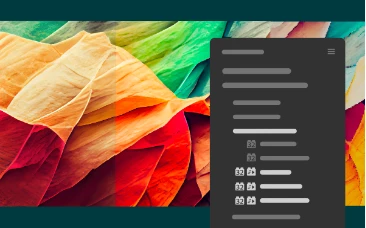
OpenColorIO workflow enhancements
Additional OpenColorIO effects under the Effects & Presets panel add flexibility to this industry-standard color interchange workflow.
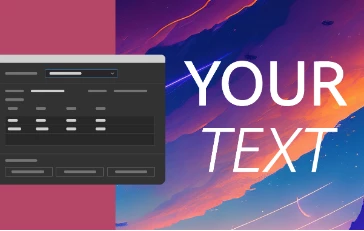
New scripting hooks for text and font manipulation save you time and effort while working with complex text animation workflows.
What's Fixed
We heard you! We have been hard at work fixing issues in the latest release of After Effects.
- When using the Cinema 4D renderer, After Effects no longer shows the ‘zero denominator comparing ratios’ error when trying to preview.
- Hide After Effects on macOS 13 and later now works consistently.
- Resolved a performance slowdown that occurs when revealing many property streams from the Properties panel.
- CPU and GPU render for the Fill effect no longer mismatch when All Masks is checked, but the layer has no masks.
- The video layer no longer freezes when the Shadow/Highlight effect is applied, and Effect Opacity is set to 0.
- Improved performance of the CC Particle World effect when using animated textured particles.
- Added Shutter Phase control in the CC Force Motion Blur effect and fixed potential invalid RGB values up zero alpha pixels in 32 and 16 bpc.
- Fixed UI issues on macOS for the CC Split 2 effect.
- Fixed potential invalid RGB values up zero alpha pixels in 32 and 16 bpc for the CC Power Pin effect.
- Fixed potential invalid RGB values up zero alpha pixels in 32 and 16 bpc for the CC Light Burst 2.5 effect.
- Fixed incorrect area sampling radius when using the CC Ball Action effect.
What's in Beta
Design in a whole new dimension using dedicated 3D-related features such as native model import, alignment tools, Image-Based Lighting, and high-fidelity, GPU-accelerated renders.
3D model import
3D model import in After Effects allows you to import 3D model files in OBJ, GLTF, and GLB formats and render them in the same 3D space as native After Effects cameras, lights, and other 3D layers.
Image-Based Lighting
Use 360-degree High Dynamic Range Image (HDRI) files as a light source to realistically place 3D models into a scene with complementary lighting and shadows. Image-Based Lighting uses an image to produce realistic lighting, reflections, and shadows on 3D layers by surrounding the scene with an image-based environment map. Be it a subtle lighting effect or strong shadows, Image-Based Lighting enables you to ensure that your 3D objects appear as though they naturally belong to the environment your animation needs.
Advanced 3D Renderer
A new high-quality, performance-oriented composition renderer, Advanced 3D, enables you to render beautiful 3D motion graphics with high-quality antialiasing and transparency. Advanced 3D has an underlying rendering engine that is shared with other Adobe and Substance products and uses Adobe Standard Material properties for physically-based rendering.
2D/3D Interoperability
You can combine 3D assets such as 3D models or extruded text and shapes with 2D ones in your compositions. This increased flexibility in After Effects allows you to mix 2D and 3D elements to create more visually stunning and engaging animations within a single space.
Animated lights and cameras
You can extract lights and cameras from GLB and GLTF models in a composition. When you import a 3D scene with light and camera data, After Effects automatically creates new light and camera layers. If the lights or cameras are animated, keyframes will be created too.
3D Snapping
You can now snap layers in 3D space while dragging the constrained X, Y, and Z position handles of the 3D Gizmo. This includes the XY, XZ, and YZ combo handles of the 3D position gizmo. You can use both constrained and non-constrained snapping while working with 3D model layers to align and position your 3D layers and objects with pixel-perfect accuracy.
3D Model-Driven Effects
Combine 2D and 3D workflows in one composition by using the “as rendered” frame of a 3D model layer as a source. This workflow enables you to apply 2D effects to portions of 3D scenes and create highly stylized renders using effects that reference another layer, such as Displacement Map, Vector Blur, Calculations, and more.
How to update After Effects to 24.0
Open the Creative Cloud desktop application and click the Updates tab on the top left. Find After Effects in the list and click Update.

I don't see the update in my Creative Cloud desktop application. What should I do?
Click Help > Check for Updates from the Creative Cloud desktop application to refresh it.
 AdChoices