Participant
March 21, 2020
Answered

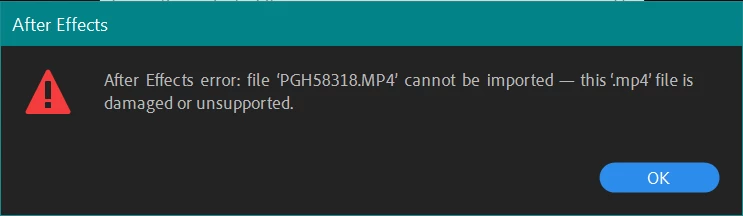
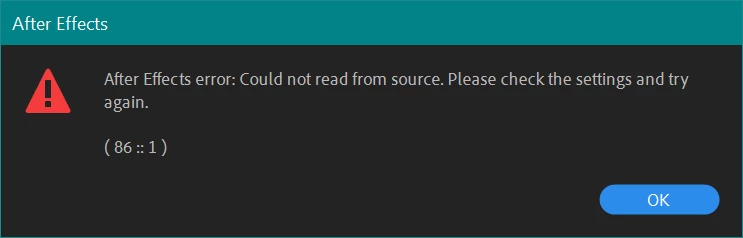
AE 17.0.5 giving me 86::1 error with all my footage!

  • March 21, 2020
  • 3 replies
  • 3899 views

Hi, 

i just updated to AE 17.0.5 (build 16) and it's giving me this 86:1 ERROR with all my footage. 

I'm trying to import .MP4 and .MOV (both h.264) and they all have the same error.


I have a project that i need to finish ASAP and my Premiere project is using dynamic link, so i need to solve this in AE to export properly. 


Thank for the help!


PS1: The files are not corrrupted at all, I even just shot new footage with my camera to test it out. 

PS2: The files open with Premiere Pro with no problem

PS3: I already tried the solution to install QT codecs with no luck

PS4: I'm on Windows 10 (build 1909)


MSI GS65 Laptop

i7 8750h

32gb RAM

1070 Max q
 

This topic has been closed for replies.
Correct answer Rameez_Khan

Hi all,


Please downgrade to After Effects 17.0.4 or transcode your footage as a workaround right now. I have prioritized this bug internally and we are working on it. I've also written a detailed post here:

https://community.adobe.com/t5/after-effects/unable-to-import-h-264-h-265-files-after-updating-to-after-effects-17-0-5/m-p/10997790/thread-id/106847?page=1


Thanks,

Rameez

3 replies

JohnColombo17100380
Community Manager
Community Manager
April 17, 2020

Hi Leotecasi,

Please update to the new After Effects 17.0.6 via the Creative Cloud app and try importing these .mp4s again. Let us know if the import is successful for you.


Thanks very much,

- John, After Effects Engineering

johns7711344
Participant
April 25, 2020

Hi, I've just updated last night to the 17.0.6 (not sure what version i was on before just know it was 2020,) and I'm having this same problem. All previously working footage (mp4) files have come up with the (86::1) error message and I cannot put any c4d mp4 files into encoder. I have a project I need finished by Monday.

Rameez_Khan
Legend
April 27, 2020

That's odd, johns7711344.

Are you able to import any other type of file?


I'd encourage that you install the beta version of the upcoming AE release from your Creative Cloud desktop application. Choose the Beta apps category on the left side in the Creative Cloud desktop app.

More info on public beta: https://theblog.adobe.com/introducing-public-beta/

FAQ: https://helpx.adobe.com/x-productkb/global/creative-cloud-public-beta.html


Thanks,

Rameez


Rameez_Khan
Rameez_KhanCorrect answer
Legend
March 23, 2020

Hi all,


Please downgrade to After Effects 17.0.4 or transcode your footage as a workaround right now. I have prioritized this bug internally and we are working on it. I've also written a detailed post here:

https://community.adobe.com/t5/after-effects/unable-to-import-h-264-h-265-files-after-updating-to-after-effects-17-0-5/m-p/10997790/thread-id/106847?page=1


Thanks,

Rameez

Inspiring
March 21, 2020

Welcome to the club. No official solution yet so your best bet is to roll back to the previous version.

https://community.adobe.com/t5/after-effects/can-t-import-videos-after-updating-to-17-0-5-build-16/td-p/10990351?page=1

Participant
March 21, 2020

Oh, thank you a lot. I dindn't see your post. How do i roll back? i knew in older versions of creative cloud. 

Inspiring
March 21, 2020

Within the AE section inside the Creative Cloud App there are 3 dots. If you click there the option to roll back should hopefully appear. I say hopefully because for me it's not there, I only have the uninstall option which for me means I have to manually install the previous version. I hope it's not the case for you.