
rickyloca
Participating Frequently
October 22, 2017
Answered

AE CC 2018 - Quicktime export with 1 frame missing

  • October 22, 2017
  • 5 replies
  • 5624 views

Hi guys,

Just updated to Cc 2018 a couple of days ago but noticed only yesterday that when I export a file with quicktime, it end up with 1 frame less...
Apparently it happens only with .mov, .avi are rendered fine.

So let's say I make a comp at 30 fps, 10 sec long, 300 frames.
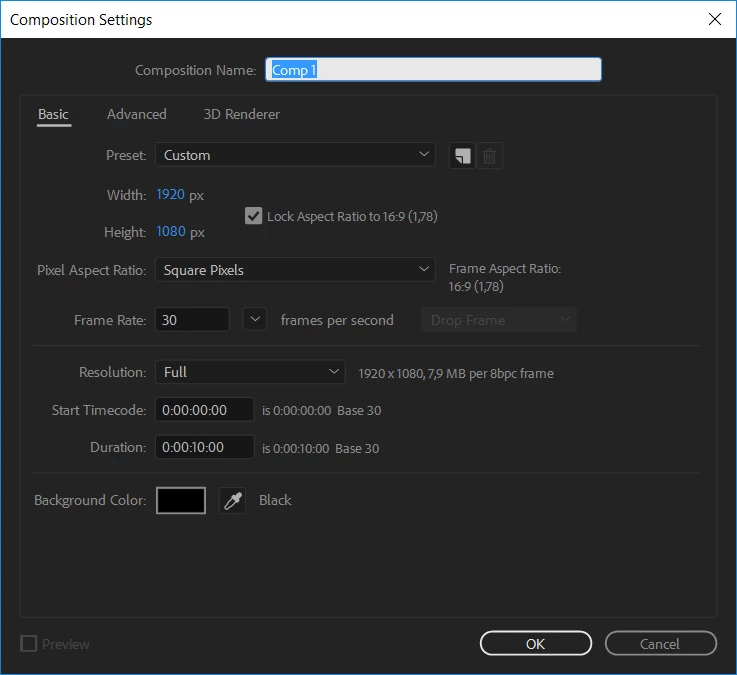
I create a black solid as a test and proceed to export with following settings:
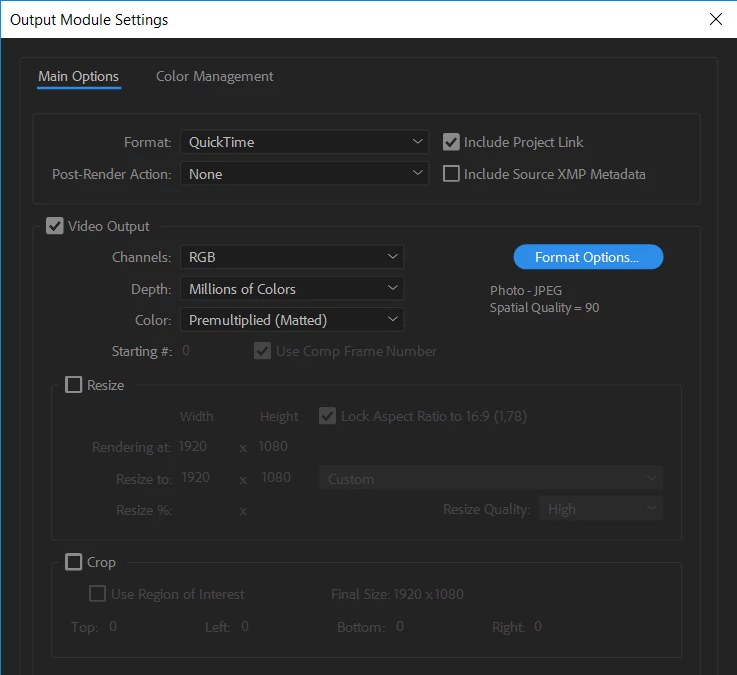
I noticed that the frame rate end is at 0:00:09:29, i tried to put it at 10 but I can not make it, it doesn't take the change (not sure if that's the issue)
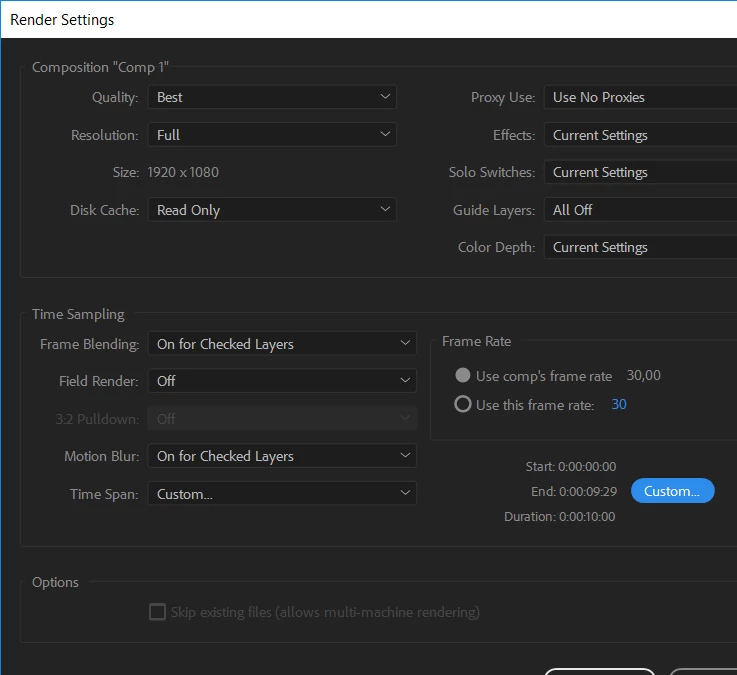
Here it already says that 300 frames are 09:29 sec...
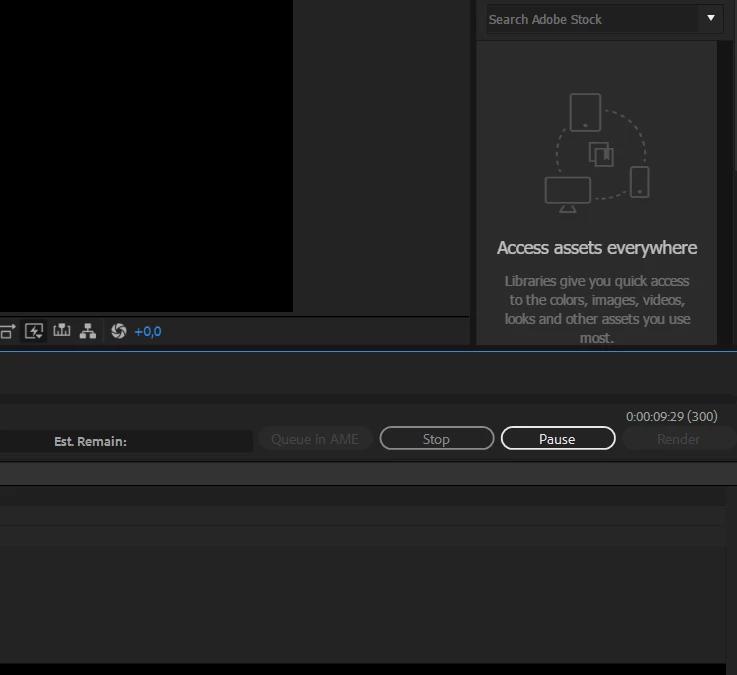
and when I put the exported files below the solid that genetared them, you can see that the .mov has 1 frame missing while the .avi is correct.

I don't know what to do, I tried to reinstall cc 2018, same problem, tried to reinstall cc 2015, same problem. I had cc 2017 until 4 days ago and never had such a problem.
I also tried to reinstall quicktime...nothing at all!

Any suggestions? I need to fix that asap because this week I've got deadlines for super important projects!
Thanks for your help and support!

Ricky

This topic has been closed for replies.
Correct answer Roei Tzoref

Thanks for that!
I've just filled up a bug report, let's see what happen now!
I'm wondering why not everyone is experiencing this issue in cc2018? It's just 2 of us having this issue I was expecting hundreds if it's a bug...maybe I'm the only one exporting .Movs


we have 2 workarounds:

1. don't use GPU acceleration (file->project settings) to render (not ideal. it could speed up some effects)

2. use AME to render instead

5 replies

Inspiring
November 20, 2017

I can confirm.  Same problem with mov and Miraizon ProRes 422 codec.  Last frame dropped.

I've been adding the extra frame back when I render in the render settings by adding a frame to the duration.  Bit of a headache but at least I can stick with GPU and not have to use AME.

Lev-sha
Participant
November 2, 2017

I have same issue.

Roei Tzoref
Legend
November 2, 2017

I was able to reproduce this. in CC2018 seems that some of the QT codecs are missing a frame on export.

PNG

Photo Jpeg

Motion Jpeg

maybe some others.

QT Animation and Jpeg 2000 works fine!

in CC2017 all of them are fine

please file a bug report here

Feature Request/Bug Report Form

rickyloca
rickylocaAuthor
Participating Frequently
November 2, 2017

Thanks for that!
I've just filled up a bug report, let's see what happen now!
I'm wondering why not everyone is experiencing this issue in cc2018? It's just 2 of us having this issue I was expecting hundreds if it's a bug...maybe I'm the only one exporting .Movs

rickyloca
rickylocaAuthor
Participating Frequently
October 24, 2017

Hi guys,

Thanks for the answers!
I re-installed AE and AME cc 2017 and both work perfectly, I didn't have to do absolutely nothing, they just worked fine till the beginning.
Frames count still stops at 09:29 and it is exactly 10 sec long, thanks for explaining that this is fine! =)

But...

Same settings in cc2018 gave me an output with one frame less as you can see from the last pic I've uploaded...
It happens only when exporting .mov, with .avi is ok, so I don't understand what's the issue since the settings are the same in both versions!
I also have to say that I couldn't export .mp4 from AME, frames were clipping white and other weird artifacts while rendering...

I'll probably try to re-install CC 2018 next month when I'll be done with an important assignment, if you guys have any suggestions for me in the meantime, it would be highly appreciated!

Thanks,

Ricky

Dave_LaRonde
Inspiring
October 23, 2017

rickyloca  wrote

I noticed that the frame rate end is at 0:00:09:29, i tried to put it at 10 but I can not make it, it doesn't take the change (not sure if that's the issue).....

I don't know what to do, I tried to reinstall cc 2018, same problem, tried to reinstall cc 2015, same problem. I had cc 2017 until 4 days ago and never had such a problem.
I also tried to reinstall quicktime...nothing at all!

Any suggestions?

Sure -- RELAX!  Things are fine!

It's because video starts with Frame Zero -- NOT Frame One.  Just as 0-9 are ten different numerals, 00:00 - 09:29 is ten seconds.

rickyloca
rickylocaAuthor
Participating Frequently
October 22, 2017

I just tried to export it via Media Encoder and there are no problems, exactly 300 frames for 10sec.

How come this happens only in AE so? How can I fix that?

Szalam
Community Expert
Community Expert
October 23, 2017

Did you try this test in CC 2017 too?