
Participating Frequently
October 25, 2019
Answered

After effects warning: Unknown Exception MacBook Pro 15" 2019

  • October 25, 2019
  • 14 replies
  • 93077 views

Hi there,

I have new macbook pro 15" 2019 with Mojave 10.14.6

while i'm trying to open my after effects there is warning:
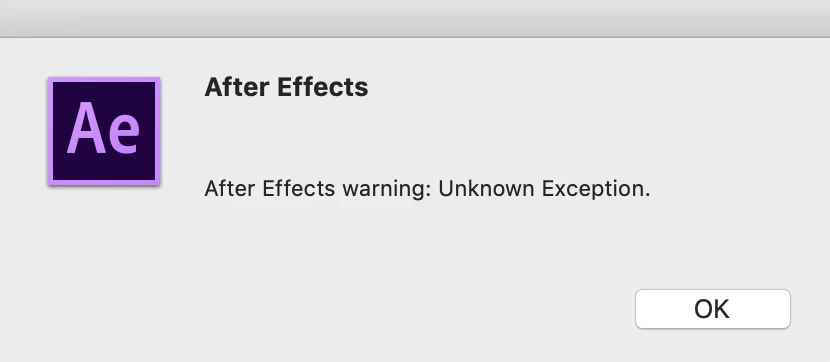
when i'm clicking ok:
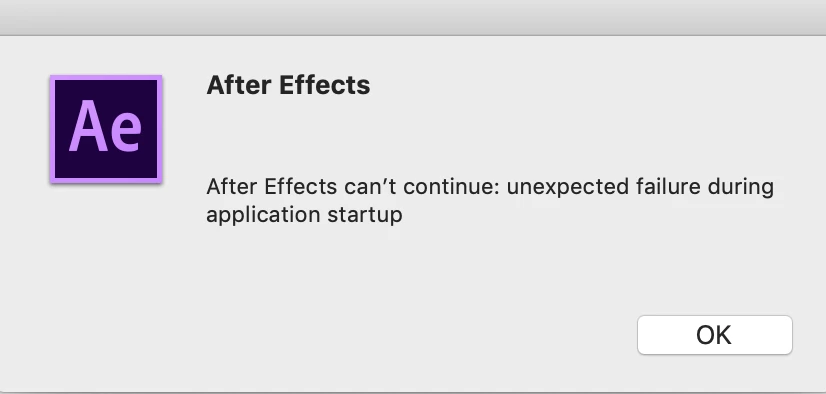
i tried to uninstall and install again all of adobe files,

i tried to use the cleaner, i cleaned the preferences and chache files and tried to change the permission for almost all Adobe folders to read and write.


i'm stuck and it's super frustraiting. please help!


Correct answer groundworks studio

It turned out to be a corrupt downloaded font for me, too. To get rid of it: Open up Font Book, got to All Fonts, do a select-all to garb all fonts, then go up to File > Validate Selection. Let that run, and then look for any fonts with red alert issues and delete those fonts.

14 replies

Participant
November 16, 2025

how come i delete all my font but still facing this issue? please anyone help please


Participant
March 5, 2025

Thank you, that was it for me : deleting invalid fonts fixed this issue.
So I couldn't open a template in Premiere that was using After Effects.
Generally I tend to have an increasing bad experience with adobe software with which I encounter weird issues once every few weeks/months.

Participant
April 11, 2022

I followed Tomermialma's answer. 

Fonts. Definitely Fonts.

Why does Adobe cannot give some explanation to the error, I have no idea. Maybe you could say:
"There are some required fonts missing from your system. Please check. We need the following fonts installed:"


Mod note: Please do not use profanity. We have minors reading here.

Participant
April 1, 2022

I used my font manager to deactivate all my fonts. Once I did that AE worked.

Participant
February 21, 2022

Hi, I had the same issue and I tracked it down to a Video Copilot version of Saber, they've updated the plugin for AE 2022 and I've not had any issues since. It could be multitude of things, but this worked for me. The other plugins from VC I use (Fx Console) notably have not given me any errors. 


Just my 2c

Participating Frequently
May 8, 2021

hol up how will you know which font(s) are corrupted and is preventing you from opening after effects?

lydiab51293628
Participating Frequently
May 8, 2021

I had a suspicion about one font because every time I hovered over it when switching fonts in Photoshop, an error would pop up. It was a free font I had downloaded. If you've downloaded any fonts recently, perhaps you can start there? Good luck!

Participant
February 9, 2022

This worked for me too!

Participating Frequently
May 8, 2021

im having this problem too but im not on mac im on windows. this is the only website with a queation i found related to this situation idk how im going to deal with this lol-

lydiab51293628
Participating Frequently
February 10, 2021

This has been a problem for me in Premiere Pro for MONTHS! My motion graphics templates said they needed AE to run, but then AE wouldn't launch. Even Adobe tech support couldn't figure out why my motion graphics templates suddenly stopped working and why AE wouldn't launch properly. They even remotely took over my computer to troubleshoot and couldn't figure it out. I finally gave up, until this solution worked for me today. I had a bad font installed on my computer. In Photoshop, I kept getting an error message when I hovered over this font, so I deleted it from my Macbook. Problem solved! Big thanks to whoever figured this one out. Note: You may need to close and relaunch Premiere Pro if you've had the same issue.

Participant
March 5, 2021

how to find which font is the problem? I deleted all that I had in "user" folder, but it still doesn't work. I can't even quit after effects or restart my mac. Please help.

martinh84827021
Participant
June 23, 2020

I did following to solve the problem: 

Open Terminal and type:

sudo atsutil databases -remove
(Enter System Password)
atsutil server -shutdown
atsutil server -ping


IMPORTANT: After that: Reboot the complete System!!!!

Thanks to this video: https://www.youtube.com/watch?v=sQSvMiBknLs

Participating Frequently
June 9, 2022

I dont know what I just done but this definitely helped! Thank you

Participating Frequently
December 7, 2019

Ok,

So i wanna end the discussion, I found a solution! (Finally!)


I had some corrupted fonts that prevent after effects from working over my mac.


when i cleaned it into system fonts - its worked like magic.


writing it to let everyone know


thnaks,


tomer

Participant
May 22, 2020

I got the exact same warning messages and had a similar solution

apparently Ae has different initialization process when compared to, for instance, Ps, Ai and Id

My MacBook just got back from a thorough maintenance due to SSD malfunction
OS udpated, formated HD and all

I manually reinstalled FontExplorer and for some reason it now uses back backup Fonts folder on my external HD instead of my local one
all I had to do was plug in my HD so all the font files were found when – I assume – requested on initialization