_Rolento_
Inspiring
November 22, 2018
Answered

Embed HTML (Webpage) Within Adobe Animate

  • November 22, 2018
  • 3 replies
  • 5663 views

Hi All

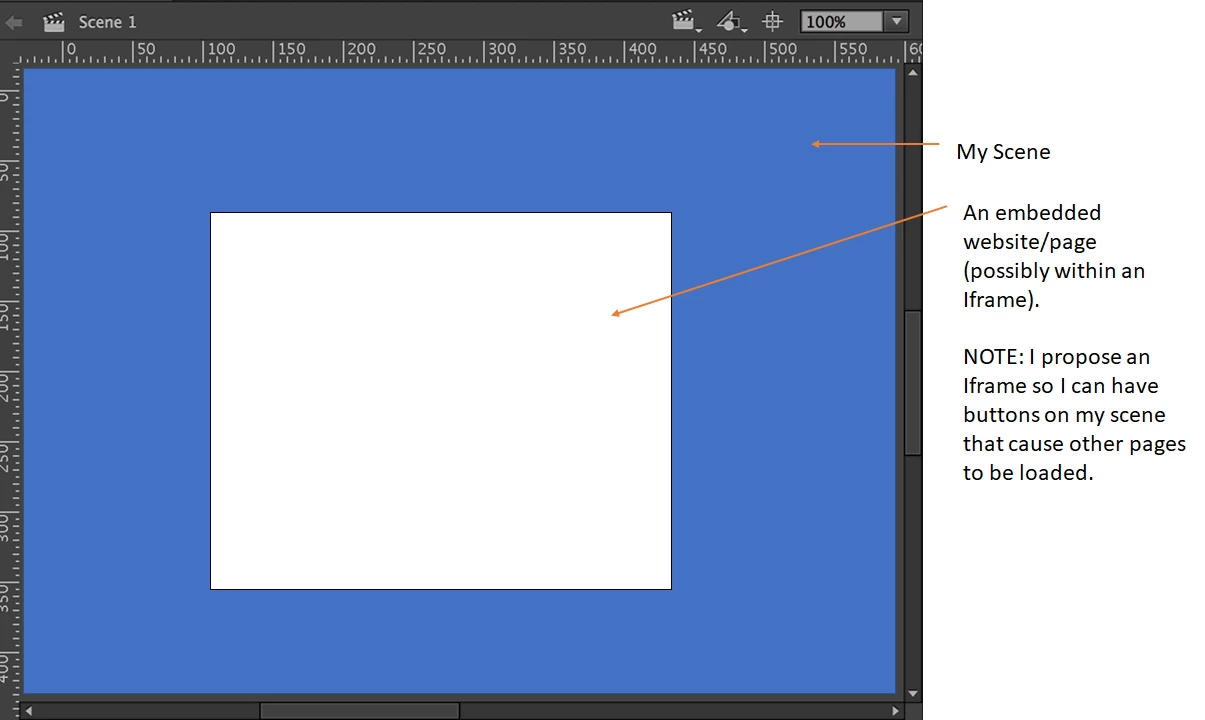
I have a web-page (simple HTML/CSS page content) and I want to find a way of embedding that page into my movie (e.g. as a symbol or a frame, etc).

e.g.

Is there a way that I can do this?

Perhaps it is possible to create an IFrame (within Animate) and load the web-page into it?  However, I dont know how to incorporate HTML (e.g. IFrame)

Please note, I am new to Adobe Animate and I have been trying to figure this out for days and have had little / no luck (I have searched various forums with no luck).

Any help you can provide would be appreciated.

Rolento.

    This topic has been closed for replies.
    Correct answer _Rolento_

    I understand what you are trying to do. The problem is that the canvas element cannot parse any html/css/js used in a web page, so nothing would show.

    Your 2.x workflow would have to be modified, (I don't know if this would be satisfactory). instead of trying to render the html page, you could use an image of the page, and place 'hit' regions over the relevant html elements that you wish the user to interact with.

    Swapping an image is one of the simplest things you can do in the canvas, so providing you have the hit regions defined for each page that the user can visit, it should work. I do have one question though, why do you wish the html page to show inside a canvas?

    It is much simpler to create a html page, then insert an iframe to the 2nd html page, but there are restrictions. Security wise linking an iframe to a site not on your server, or a page without a secure site reference, will bring up a security warning in all modern browsers. Also if you do not have permissions from the 2nd html site, blocking your link, (or breaking out of the iframe, so the user leaves your site) takes less than a minute to code.


    Hi Guys,

    Ok - I have finished my little "hack" project to do as I previously outlined - i.e.

    1. Create a rectangle shape/symbol within Animate and place that over the region I want my HTML page to appear

    2. When I want to display the web page I do the following:

    2.1 get the x1, y1, x2, y2 coordinates of the rectangle shape (as defined in step 1)

    2.2 call a javascript function (that resides on the web page - i.e. not in Animate) called showFloatingWindow(x1, y1, x2, y2) passing in the coordinates that correlate with the shape location as defined within the Animate canvas.

    2.3 the showFloatingWindow() function causes a floating DIV/Frame etc to appear at the specified coordinates

    2.4 the DIV will then display the HTML page content

    It certainly is not what I would call an elegant solution - but it works quite well and from an end users perspective you would think it is part of the same web-app / movieclip.

    So in summary:

    1) web page before - i.e. hidden iframe, but showing workarea within Animate:
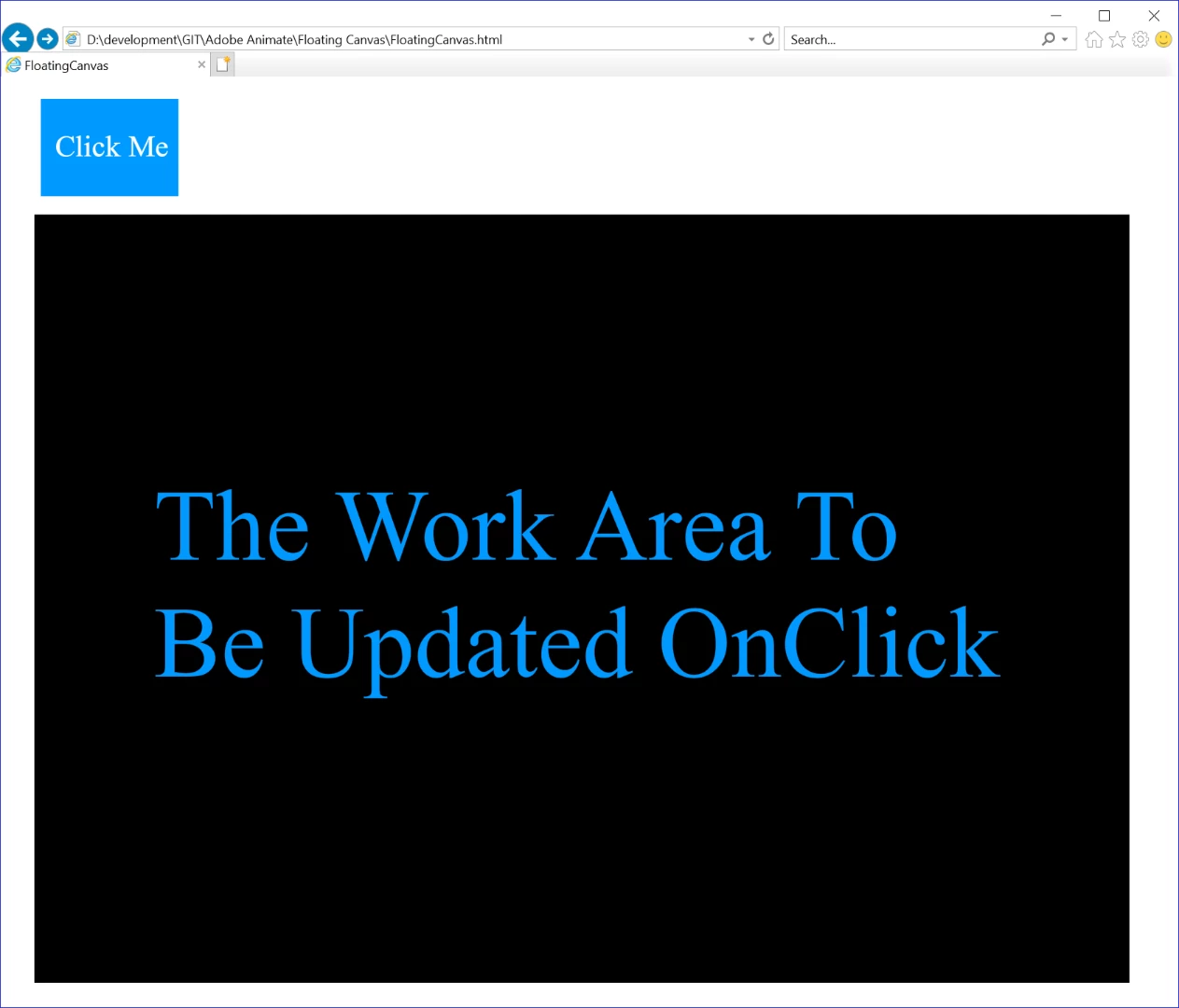
    2) Now when the user clicks the button I dynamically obtain the coordinates of the workarea symbol (i.e. the black square region) and invoke a javascript function that causes a floating DIV/IFRAME to appear of the specified workarea dimensions.  I also pass in the target URL to load:
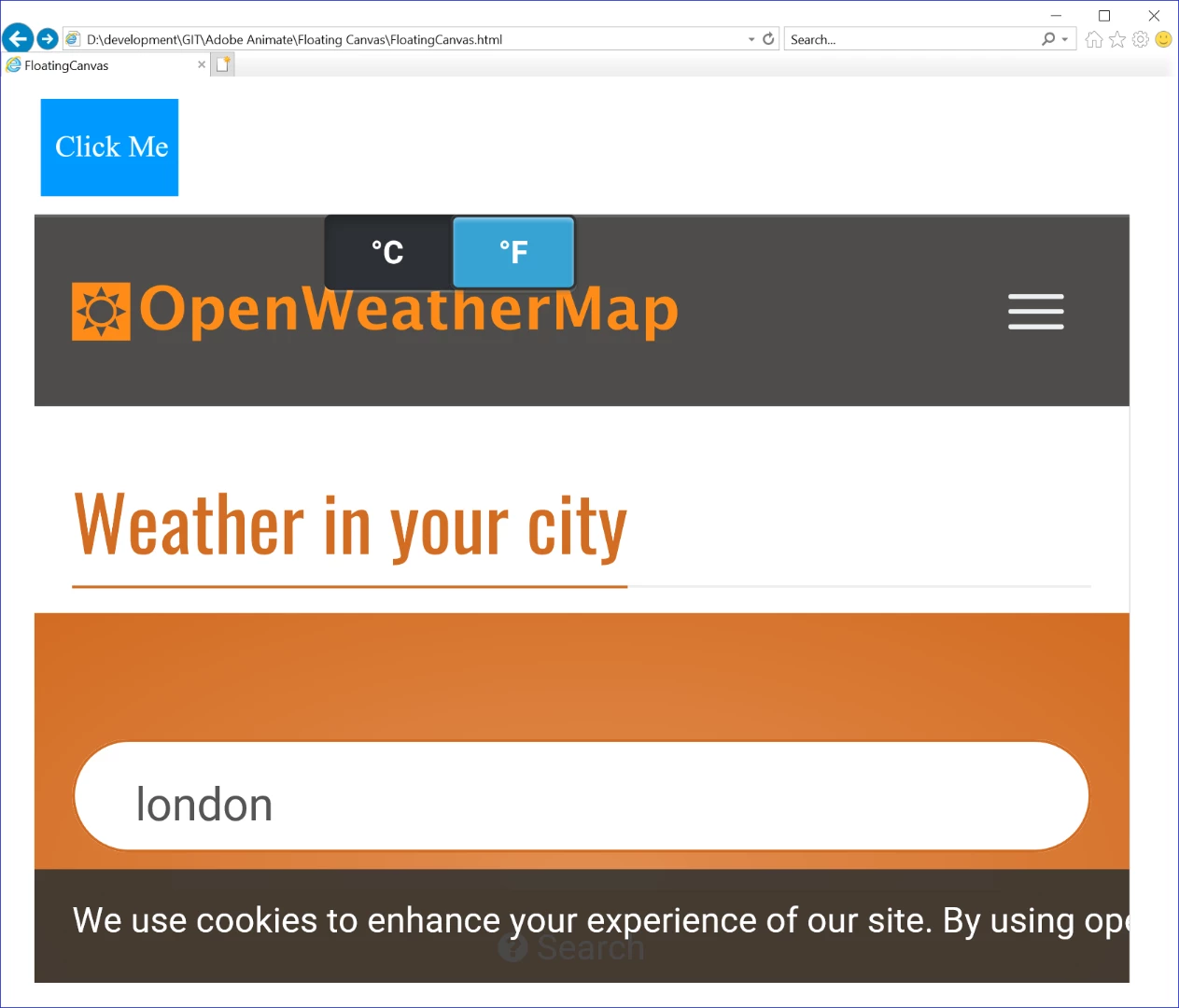
    The screenshot above gives the impression that the loaded website is being displayed within a frame that is embedded directly inside the Animate movieclip.

    I have created a ZIP containing the project and attached it to this post (in the hope that it may help others). 

    https://www.filehosting.org/file/details/767386/Floating%20IFRAME%20Canvas.zip

    The web-page, javascript and actionscript has been simplified as much as possible - so anyone wanting to apply this hack to their project should be able to do this quickly.

    Im sure there are better ways of doing this... but this is good enough for my current purposes.  If there are any improvements please share...

    Cheers

    3 replies

    _Rolento_
    _Rolento_Author
    Inspiring
    November 26, 2018

    BTW - I just relised that the file sharing service I used require you to enter your email.  If you know of another anonymous free file sharing service let me know and I will upload the files there instead.

    New Participant
    July 7, 2023

    hi, in an adobe animate project i'm trying to get a web page into a box. I want to download your file but the service doesn't work. Could you please put a link of WeTransfert. Thank you very much.

    kglad
    Braniac
    July 7, 2023

    @guidop21573230 


    you have an as3 project that you're using?  if so, for what purpose?

    pziecina
    Braniac
    November 22, 2018

    Animate uses the html5 canvas element, which is then embedded into a web page. You could create a web page using javascript, (which is what angular.js does) but you cannot place all the html elements that make up a web page inside a canvas element, (invalid code if you try).

    _Rolento_
    _Rolento_Author
    Inspiring
    November 25, 2018

    Hi

    I dont think I 100% understood what you described.  As I understand it, you are saying that it is possible to create a webpage using Angular/React etc, the you can embed an Animate HTML5/Canvas into that webpage - but not the other way around?

    I know in React for example you can create your own HTML tags that render whatever you like, is there a way of referencing such a tag from within Animate?

    Thanks

    kglad
    Braniac
    November 25, 2018

    kglad  wrote

    you're misunderstanding the op.  carefully read msg 1.

    The question is how to embed an html/css/js web page into a movie. I suppose I should have asked if they wish the web page to be usable, but as they then mentioned using an iframe, I assumed that they wished it to be usable.

    Maybe the OP could clarify?


    it's an a3 project, not html5/canvas.

    kglad
    Braniac
    November 22, 2018

    what kind of animate project? as3 or html5/canvas?

    _Rolento_
    _Rolento_Author
    Inspiring
    November 25, 2018

    Hi kglad,

    I have created an AS3 project.  In an ideal world there were be an object like the good old TWebBrowser (i.e. like you would get in Delphi/etc).

    Regards,

    Rolento

    kglad
    Braniac
    November 25, 2018

    if that's an air project use stagewebview to load your html.

    otherwise:

    1. you can load the code of your html, css, etc and parse that and display.  in general, not an easy thing to do.

    2. link to the html.