


Inspiring
July 15, 2019
Answered

HTML5 MouseOver/Off Select/Deselect Button Animations with If/ElseIf

  • July 15, 2019
  • 1 reply
  • 1163 views

I've been working on this project for the past month as a complete novice. I'm trying to make two buttons with a menu each to put into an InDesign project that will become an HTML file.

The goal is to have MouseOver MouseOff animations and Select and Deselect animations for the buttons.

-Both buttons start in a contracted state.

-Mousing over causes a highlight animation.

     In ActionScript it went something like mvc_IndexButton.gotoAndPlay("Over")

-Mousing off will trigger the reverse highlight animation that will run from the opposite of the highlight animation's currentFrame:

     In ActionScript it went something like mvc_IndexButton.gotoAndPlay(20-(currentFrame-5)

-Clicking on a button triggers the selection animation.

-Clicking the first button again OR the other button will trigger the first button to run a deselect animation (and the second button will run its selection animation as the first button runs its deselect one).

I mention ActionScript because I started the button as ActionScript files on misunderstood advice. I just recently came into the knowledge that ActionScript is of no use for interactive web elements. So I tried to convert the ActionScript project into an HTML5 one, and now all the code I've spent weeks learning is useless, and when I run the animations in Chrome the colours have gone haywire.

Here is a GIF of all of the animations in the movie clip symbol of the Index Button as they look in Animate:
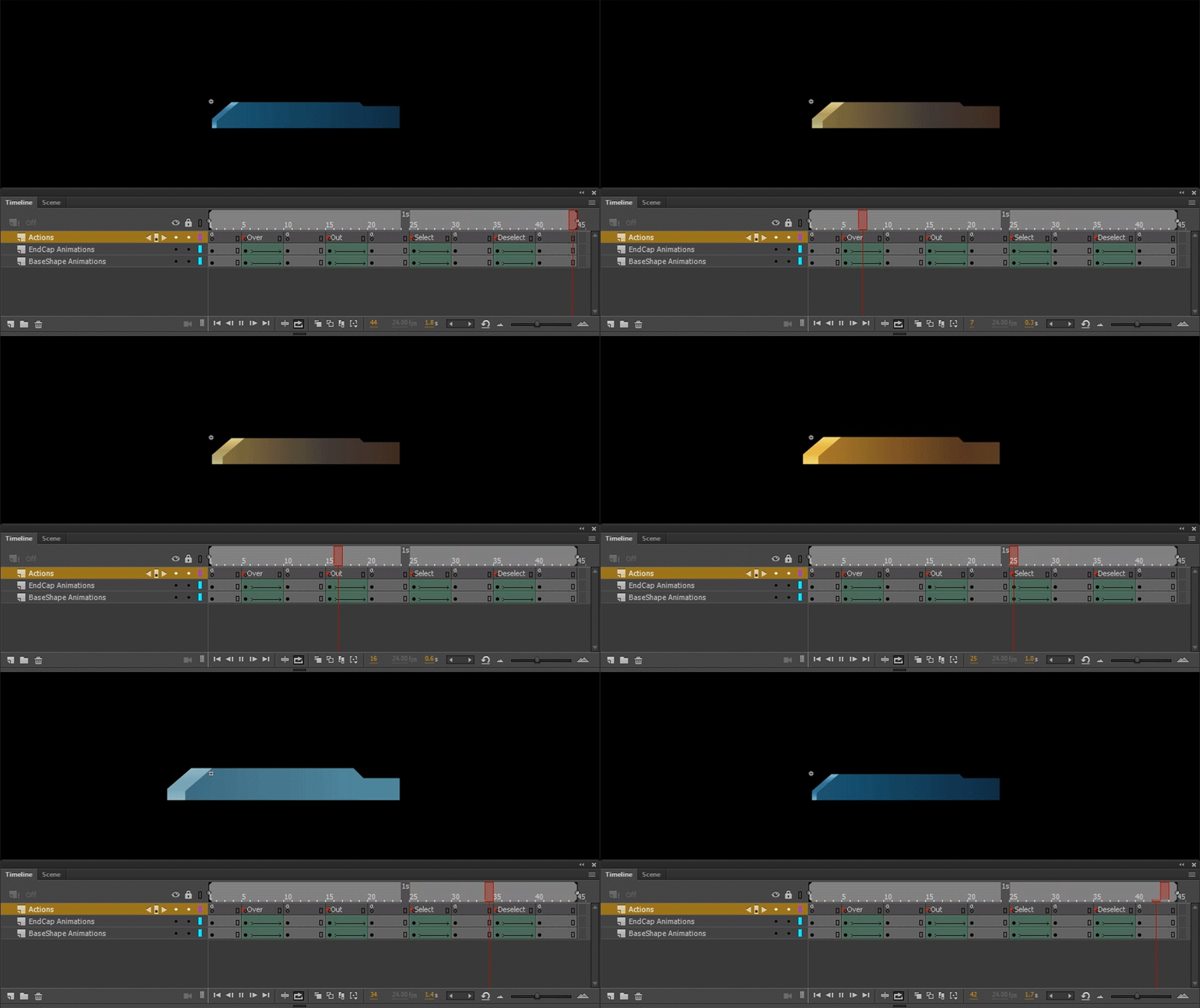
Here is a GIF of how the elements look in Chrome:

I got so close to getting the buttons to work in AS3 before ending up back at square one. It will take me weeks more to figure out HTML5 code that pros could do in seconds.

    This topic has been closed for replies.
    Correct answer kglad

    kglad  wrote

    is there a movieclip or button on stage with instance name mvc_IndexButton ?

    Yes, mvc_IndexButton is an instance of ani_IndexButton.

    Here is the scene with the action code:

    https://i.imgur.com/eeqOBCf.png

    Here is the animation timeline:

    https://i.imgur.com/2Hu2CiI.png

    Could this be a result of using the File>Convert To... from ActionScript canvas to HTML 5 canvas?


    1. this.stop should be this.stop()

    2.

    1. this.mvc_IndexButton.addEventListener('mouseover, SmartRollOver.bind(this));
    2. this.mvc_IndexButton.addEventListener('mouseout, SmartRollOut.bind(this));

    should be

    1. this.mvc_IndexButton.addEventListener('mouseover', SmartRollOver.bind(this));
    2. this.mvc_IndexButton.addEventListener('mouseout', SmartRollOut.bind(this));

    1 reply

    kglad
    Community Expert
    July 15, 2019

    as3 is very similar to javascript. (and again, case counts so use currentFrame, not currentframe.)

    stage.enableMouseOver(30)

    1. this.mvc_IndexButton.addEventListener('mouseover, SmartRollOver.bind(this)); 
    2. this.mvc_IndexButton.addEventListener('mouseout, SmartRollOut.bind(this)); 
    3.  
    4. function SmartRollOver(){ 
    5.      this.mvc_IndexButton.gotoAndPlay("Over") 
    6.  
    7. function SmartRollOut(){ 
    8.      this.mvc_IndexButton.gotoAndPlay(20-(this.mvc_IndexButton.currentFrame-5)); 
    9. }
    Inspiring
    July 15, 2019

    I fixed the colouring issue, it was a Chrome extension that was inverting the page colours.

    kglad  wrote

    stage.enableMouseOver(30)

    1. this.mvc_IndexButton.addEventListener('mouseover, SmartRollOver.bind(this)); 
    2. this.mvc_IndexButton.addEventListener('mouseout, SmartRollOut.bind(this)); 
    3.  
    4. function SmartRollOver(){ 
    5.      this.mvc_IndexButton.gotoAndPlay("Over") 
    6.  
    7. function SmartRollOut(){ 
    8.      this.mvc_IndexButton.gotoAndPlay(20-(this.mvc_IndexButton.currentFrame-5)); 
    9. }

    This is close to the code that I tried (though I was missing ".bind(this)" after the function name on the addEventListener lines), but I am still getting a blank page on test in Chrome. I don't get any message from trace debug. If I take all the code out I can get the animation to loop in the browser, but when I add the code to Frame 1 of Scene 1, I just get a blank, black page.

    kglad  wrote

    stage.enableMouseOver(30)

    What does the (30) do? I was leaving the brackets empty when I wrote it.

    kglad
    Community Expert
    July 15, 2019

    30 updates per seconds, https://www.createjs.com/docs/easeljs/classes/Stage.html#method_enableMouseOver

    is there a movieclip or button on stage with instance name mvc_IndexButton ?