

New Participant
September 9, 2020
Question

Audition 2020 can't save as session file

  • September 9, 2020
  • 1 reply
  • 1585 views

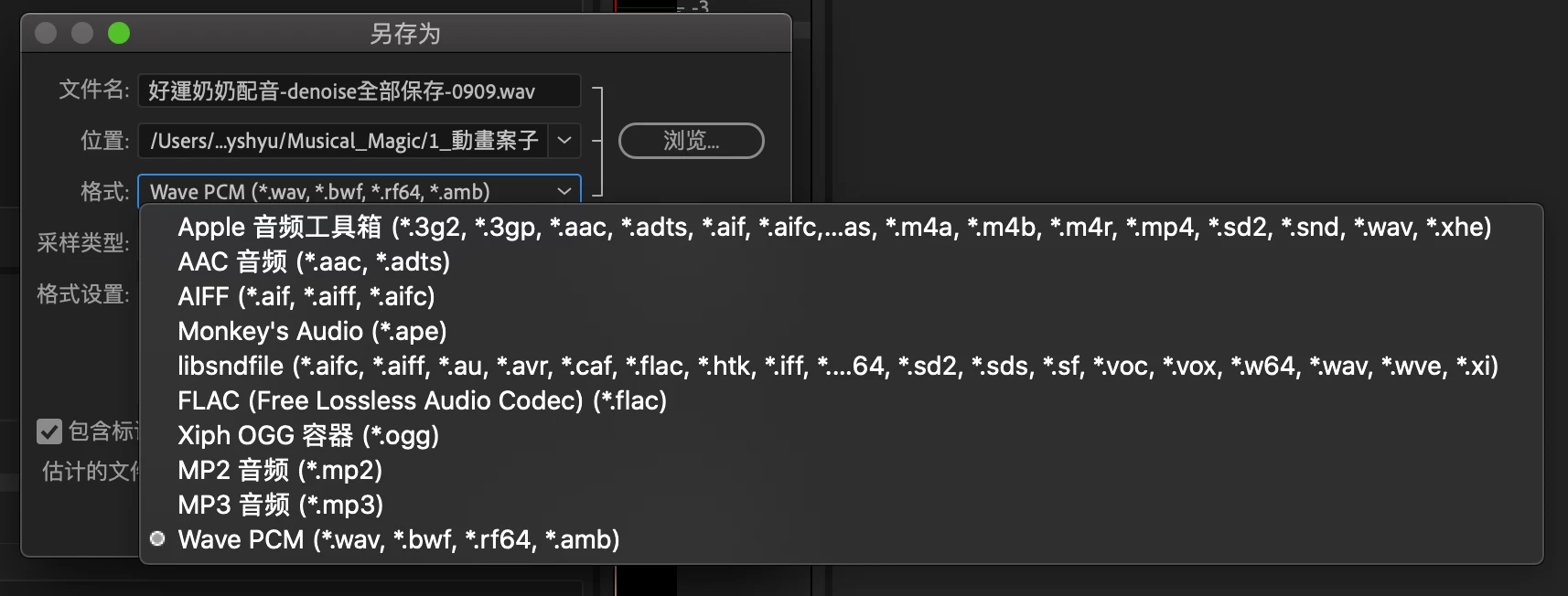
I use Audition 2020 13.0.9.41 version on mac, and I can't save the project as audition session file. I can only save it as audio files. How can I do with it? What went wrong?


Thanks a lot!
 

This topic has been closed for replies.

1 reply

SteveG_AudioMasters_
Community Expert
September 9, 2020

This isn't the way to save a session. When you open a session and change something in it, all you have to do to save it is hit File>Save. If you want to save the session in a different place with a different name, then use Save As. If you do that, then in the format box you will only get a single option - Audition Session (*.sesx).

New Participant
September 10, 2020

Hello, SteveG_AudioMasters_ !


Thank you for your reply. I found out that I was using the trial version. My "save" option is disabled, and in ''save as'', I only can export file types shown in the picture of the first post except for the '' *.sesx " format. Maybe the trial version doesn't have that specific function?  

SteveG_AudioMasters_
Community Expert
September 10, 2020

The trial version is identical to the licenced version. Are you actually in Multitrack view?
