


Known Participant
May 12, 2024
Question

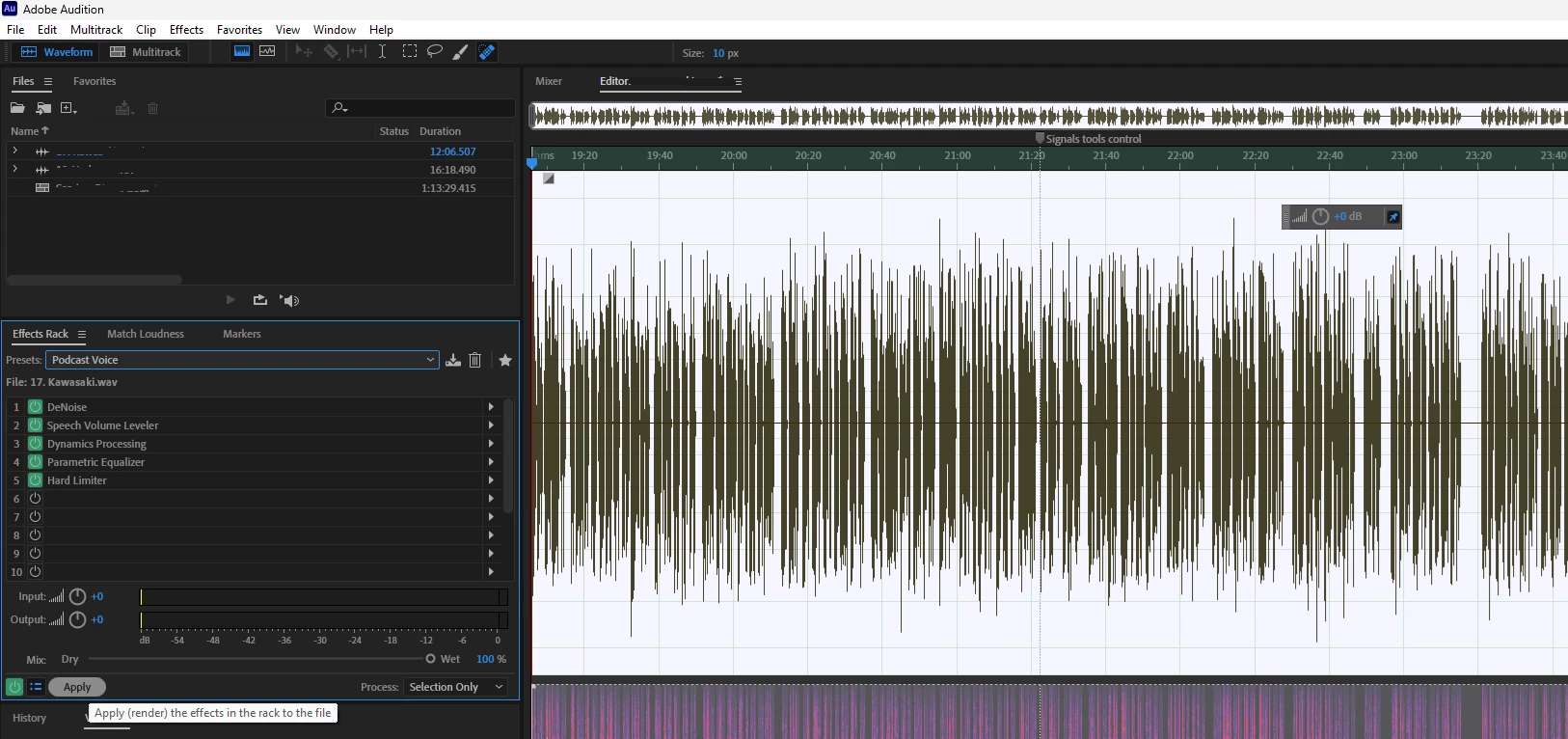
Basic question on the logic of Effects in Presets

  • May 12, 2024
  • 1 reply
  • 684 views

Sorry maybe this is a stupid question since this should be obvious but I'm not 100% sure. If I open a track in Wavefrom view, and select all or part of the track, and then select an Effects Preset do all the Effects e.g. 1, 2, 3, 4 & 5 inside that Preset get applied to the track one by one in that order once I click Apply?
This topic has been closed for replies.

1 reply

SteveG_AudioMasters_
Community Expert
Community Expert
May 12, 2024

That is the general idea, yes, and the order can be significant.


I should point out that presets are only supposed to be a starting point, because no two voices are the same, so 'fixed' processing as such, may not always be correct or relevant. The most extreme example of this is the Podcast session template; use of this is extremely likely to completely screw your results (as many have found), and should be avoided at any cost. In the example you've shown, things don't appear to be too violent, but you should always be critical of the result - the preview button is your friend!

RH22_userAuthor
Known Participant
May 13, 2024

Thank you @SteveG_AudioMasters_ that helps a lot!
The example I showed in the screenshot was just an example, I have my own effects presets that I created from some video tutorials I followed (as I'm no expert) and I was wondering how exactly things worked.

A follow-up related question if I may. I like to try and add some bass to voice recordings, or at least when just recording with the raw microphone through Audition it doesn't sound so good. I should note that I just use a USB mic connected directly to a PC. I've been using a third-party virtual amp application for PC which can add some nice tone to the voice while live recording but the application is extremely complicated to use and following an update is now even more complicated so I would like to remove it from the workflow if possible. 

I found a clip on YouTube that suggested Effects > Filter and EQ > Paremetric Equalizer > Loudness Maxmizer and then drag the scale up below 100 Hz. I need to try and test it fully. Can you recommend any options or techniques and is it at all possible in Audition to add such bass effects while you are live recording or do these effects only ever work in post?


Thanks again for the help!

SteveG_AudioMasters_
Community Expert
Community Expert
May 13, 2024

As good professional practice, Audition only records flat. The simple idea behind this is that there are some effects which you simply can't undo - like reverb. If you decide later that there's too much, then you'd have to re-record. The basic idea is that you record flat, then make a copy of the file and play around with that - you've always got something to go back to. As an aside, I should mention that if you record in Multitrack with an effect present, that effect is only in the monitoring chain - it doesn't get recorded, so effectively the same thing applies.


Parametric EQ is fine for producing a bit of a bass lift to the voice, but generally you need to start the lift at a higher frequency than 100Hz. A gentle lift from about 250Hz will probably serve you better, although you'll have to try it and see, as I mentioned earlier. Incidentally, ou'll get far more control over what you are doing if you switch to a 30dB dynamic range rather than the 96dB one. Also, it's worth noting that you won't need the boost going right down very low for two reasons: firstly the human voice doesn't produce really low frequencies - even though you think it is, what you are hearing is based on harmonics with virtually no fundamental, and secondly you'll find that you are boosting anything else around as well as the voice. But there is a fix for this - use the HP filter as well, and whilst you're about it, don't go overboard on the amount of lift! So I'd say start from something more like this:

And experiment from there. You don't really need to alter the levels until after you've got the recording to sound how you want it, because boosting the bass will increase them anyway. You can leave sorting out the levels until after you've got the sound right.