


mamomo1
Participating Frequently
March 23, 2021
Question

Change audio output

  • March 23, 2021
  • 1 reply
  • 1170 views

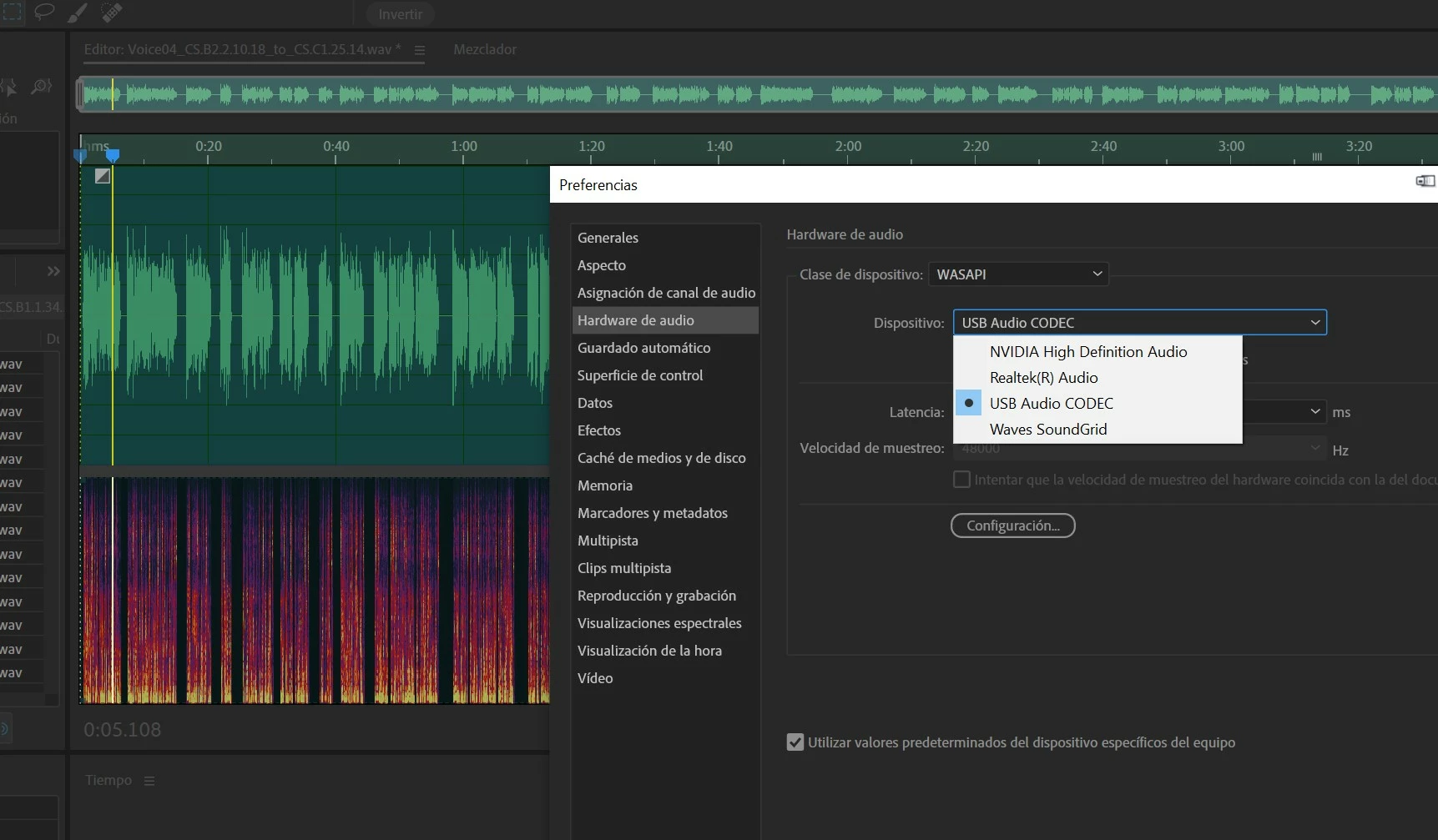
There is some easy way to change the audition audio output, very often use the headphones or the output for speakers, I always have to open the audition configuration and change it manually, it can not be done when you change it by the Sitema, too Is it changed in audition? or do a keyboard shortcut?
 

This topic has been closed for replies.

1 reply

SteveG_AudioMasters_
Braniac
March 23, 2021

I'm afraid you can't - this alters the routing though the operating system, and it's the operating system, as ever, that is getting in the way of you being able to do anything useful. The best thing to do if you are using a realtek device is to use the headphone output to feed to an external switcher that can route to either headphones or speakers. The reason for using an external switcher is that Microsoft have very thoughtfully put active socket sensing on your headphone socket, and in order not to activate this, you need something plugged into it all the time. But if you want to switch to the USB codec, you're stuck with having to change this via the Preferences menu system. The shortcut to that is Ctrl+Shift+K but that's as far as you can get with shortcuts.

mamomo1
mamomo1Author
Participating Frequently
March 24, 2021

Well, I'll have to continue like this, anyway it's rare that other programs do it automatically, for example the Soundforge, After Effects, Premiere etc ...

Thanks for the reply