


Clipping in "HD" digital files
I have a subscription to Amazon Music HD.
They allow downloads of music files in HD and ULTRA HD.
HD is defined as 44.1khz 16 bit - CD quality in other words.
Just out of interest, I though I'd have a go at recording the dowloaded files (encrypted and only playable through Amazon's app of course) into Audition and see how they compare to a mastered CD.
I'm using "what U hear" under MME driver on my Soundblaster E5, which is supposed to record the computer's audio stream.
I find that the signal level varies depending on how high I set the playback volume of the Amazon music app, so have been playing around with this.
Through trial and error, it seems the only way not to register clipping in audition's level meter is to set the app volume at 60 (100 being full).
The resulting waveform looks like this:
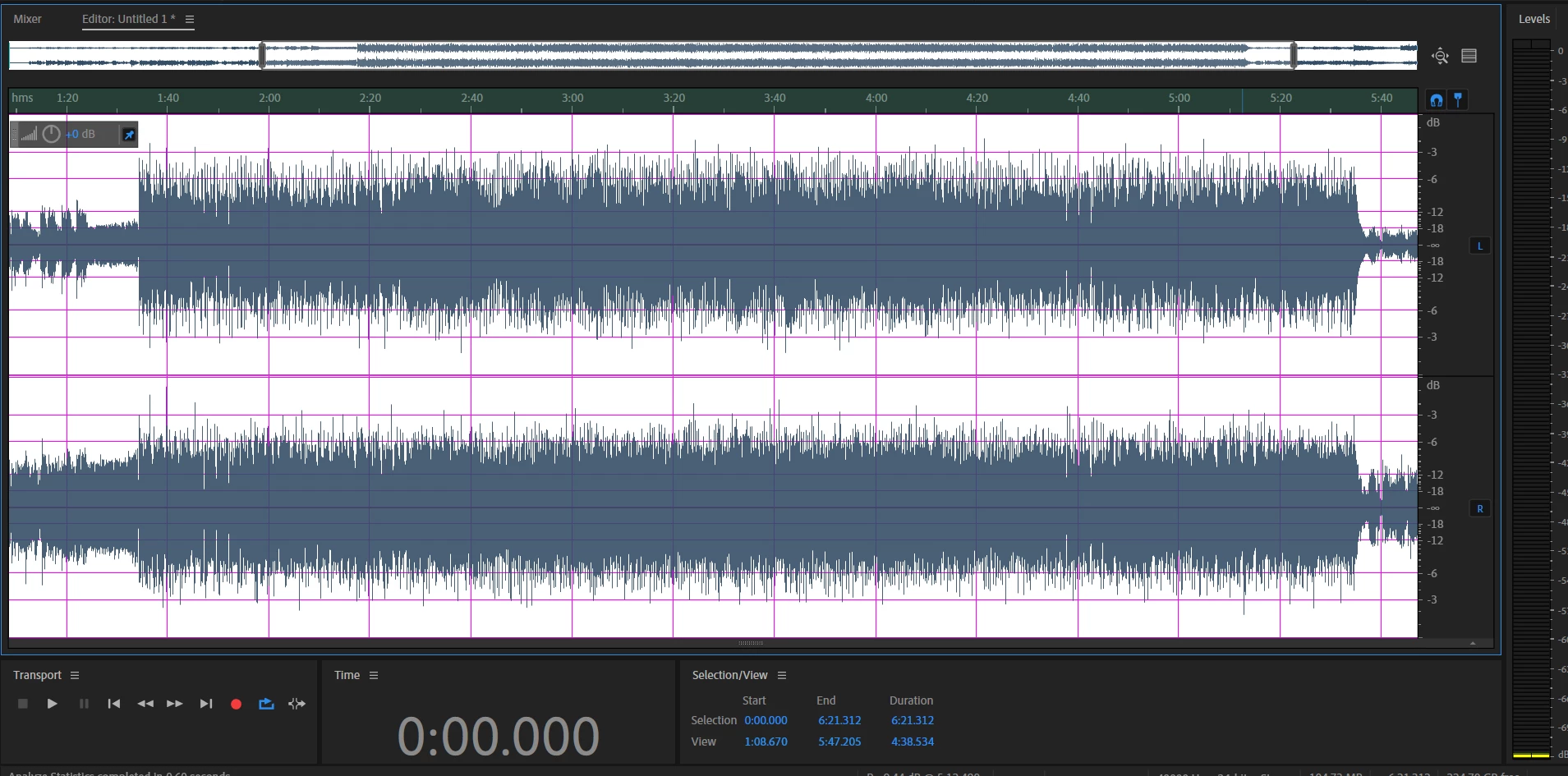
Certainly doesn't look like a mastered CD! I'm surprised to see the odd peaks, although they are very short and don't result in any audible peaks when listening.
If I record with the app volume at 100, I get something that at least looks right, except for the clipping:
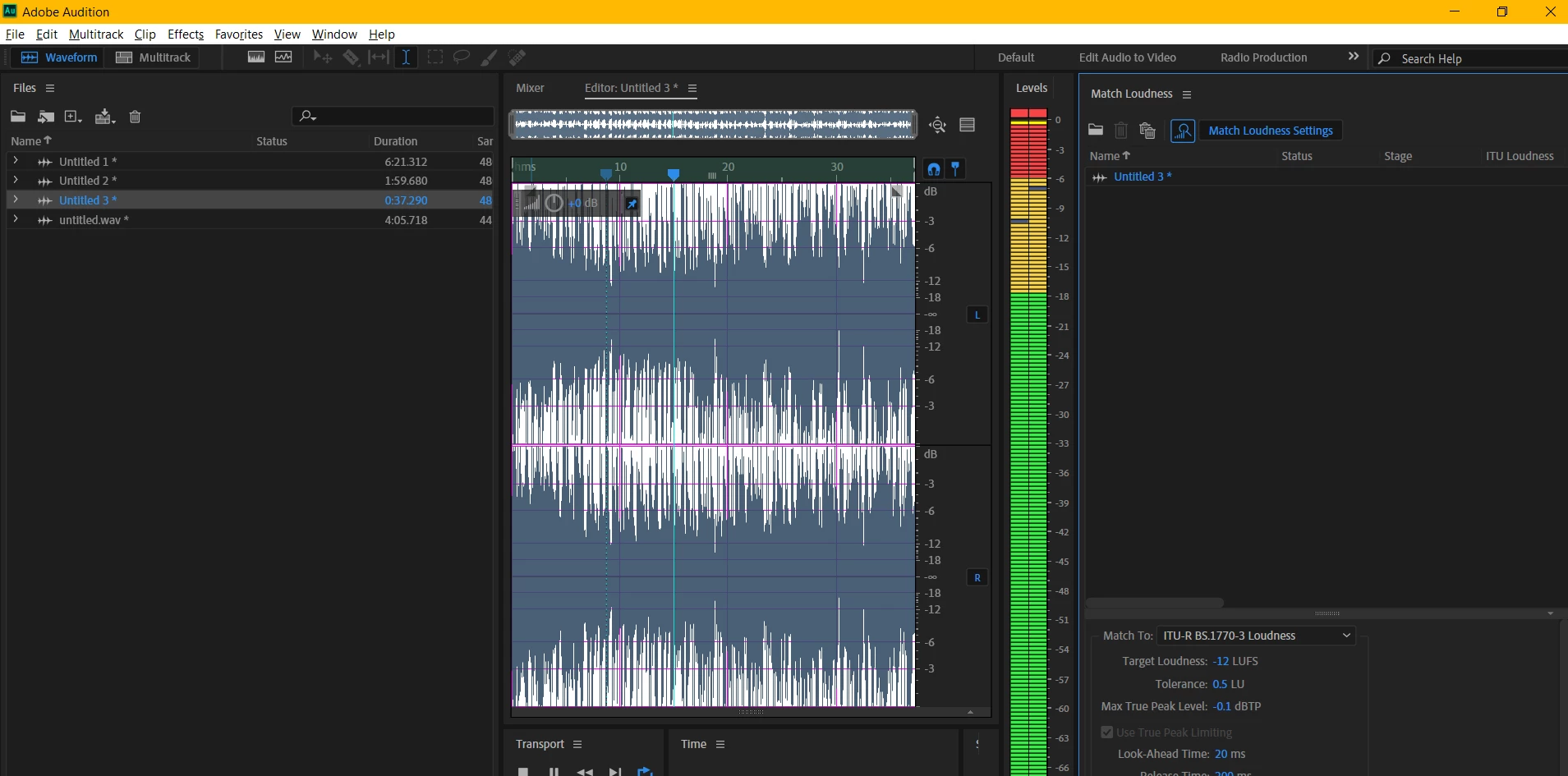
The clipping I'm referring to is not audible when listening, just that it shows on the level meter and shows possibly clipped samples in the analysis panel, (although 0% clipped in Match loudness panel).
Obviously, if i hard limit the "clipped" recording (recorded at 100 level in the app) to -0.1db there's no problem.
Similarly, if I hard limit the non-clipped sample recorded at level 60 in the app to -3.1db (a ball-park estimation based on visual assessment of the moving peaks), then amplify by 3db, I get a file that looks very much like a mastered CD.
(Be interested to know if anyone has an opinion on which of the above would be the better approach)
Anyway... just thought I'd share this... mainly, I'm wondering why the clipping occurs - is it something to do with Amazon's app or something about the "what U hear" driver selection... or something else?
 AdChoices