JFHenault
New Participant
May 26, 2020
Answered

Glitch lines after editing in spectral frequency display

  • May 26, 2020
  • 1 reply
  • 1019 views

Hi,


I use Adobe Audition CC 2019 on Windows 8.1 (Intel i7-4770 @3.5GHz with 16 GB of RAM).


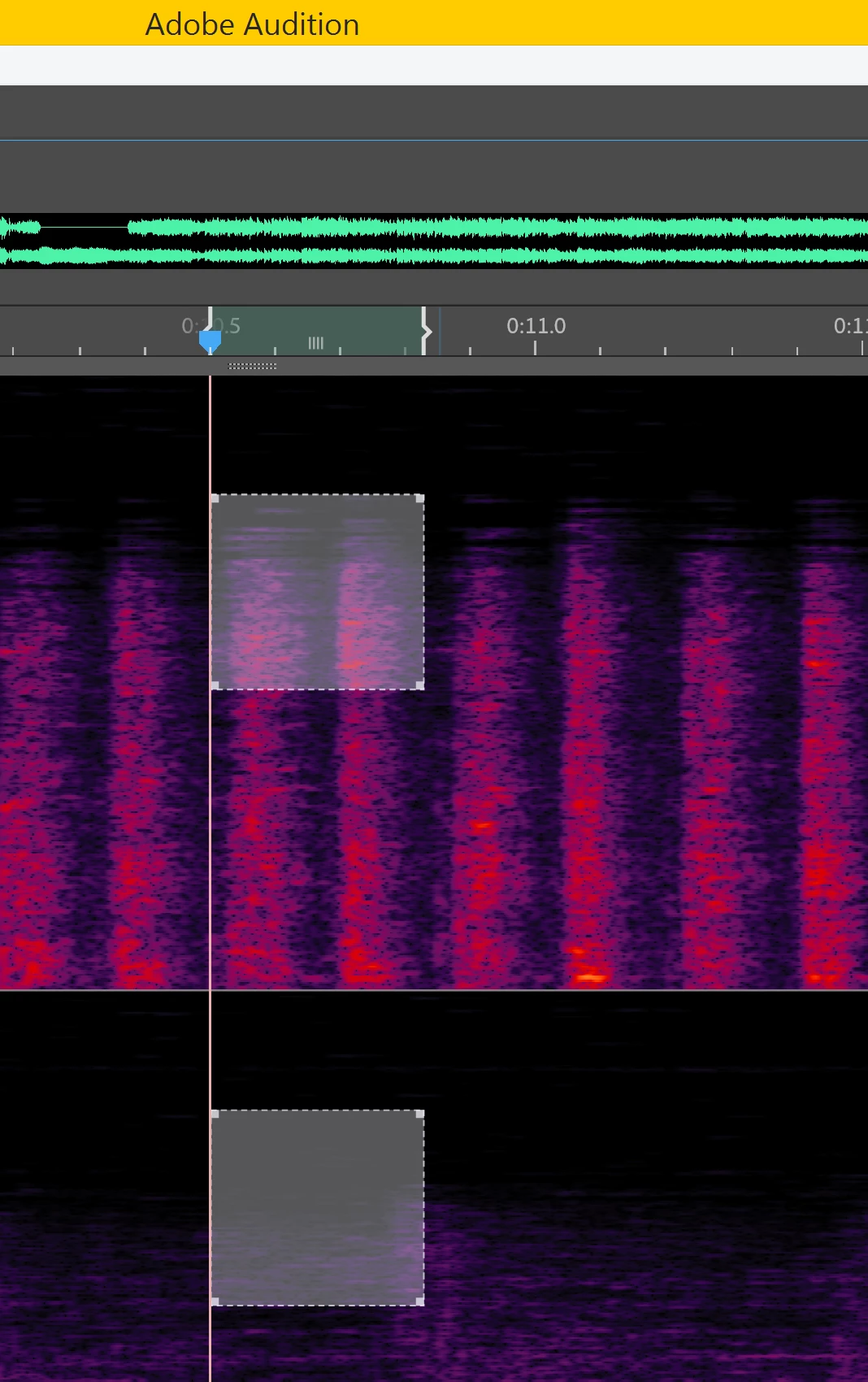
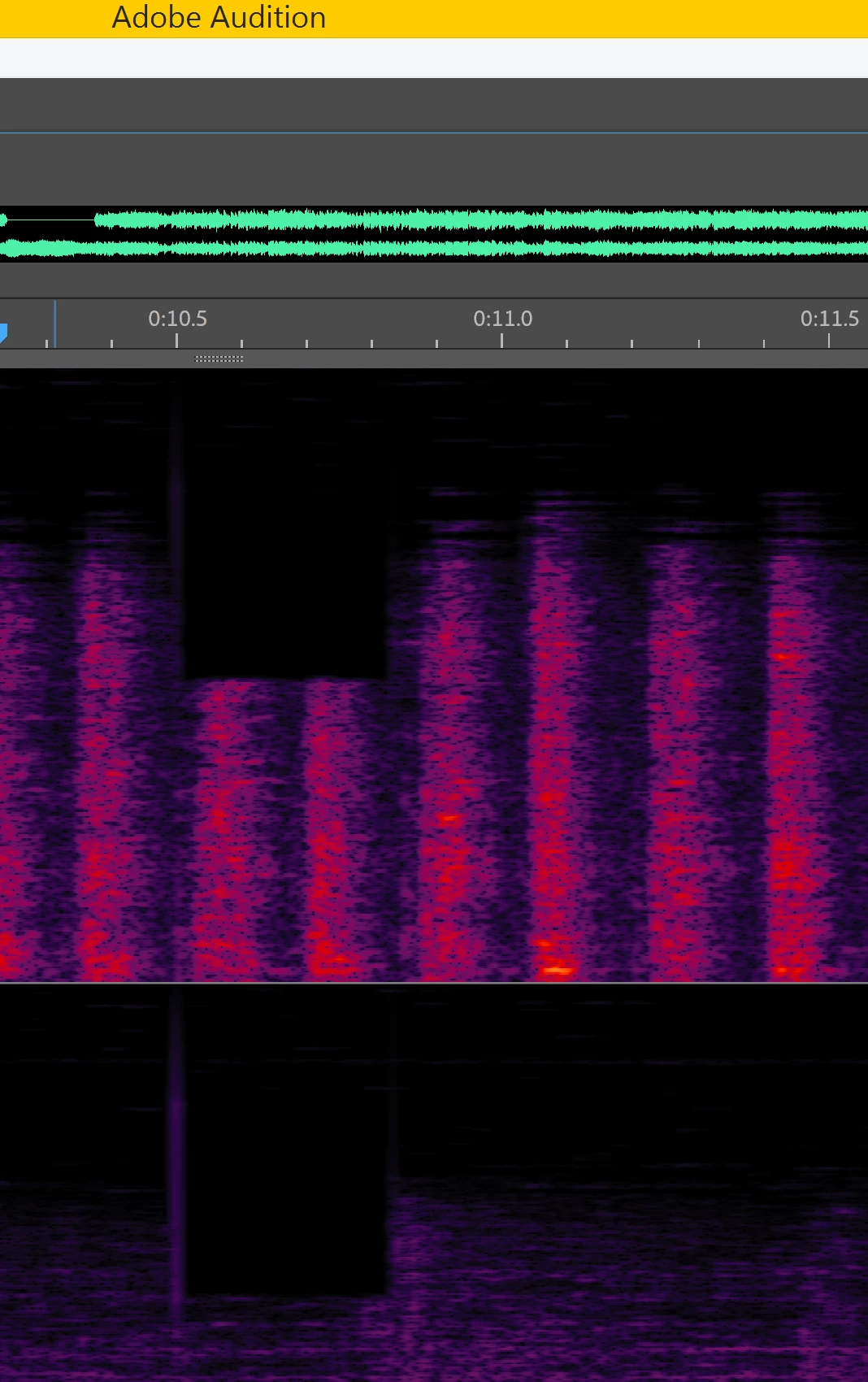
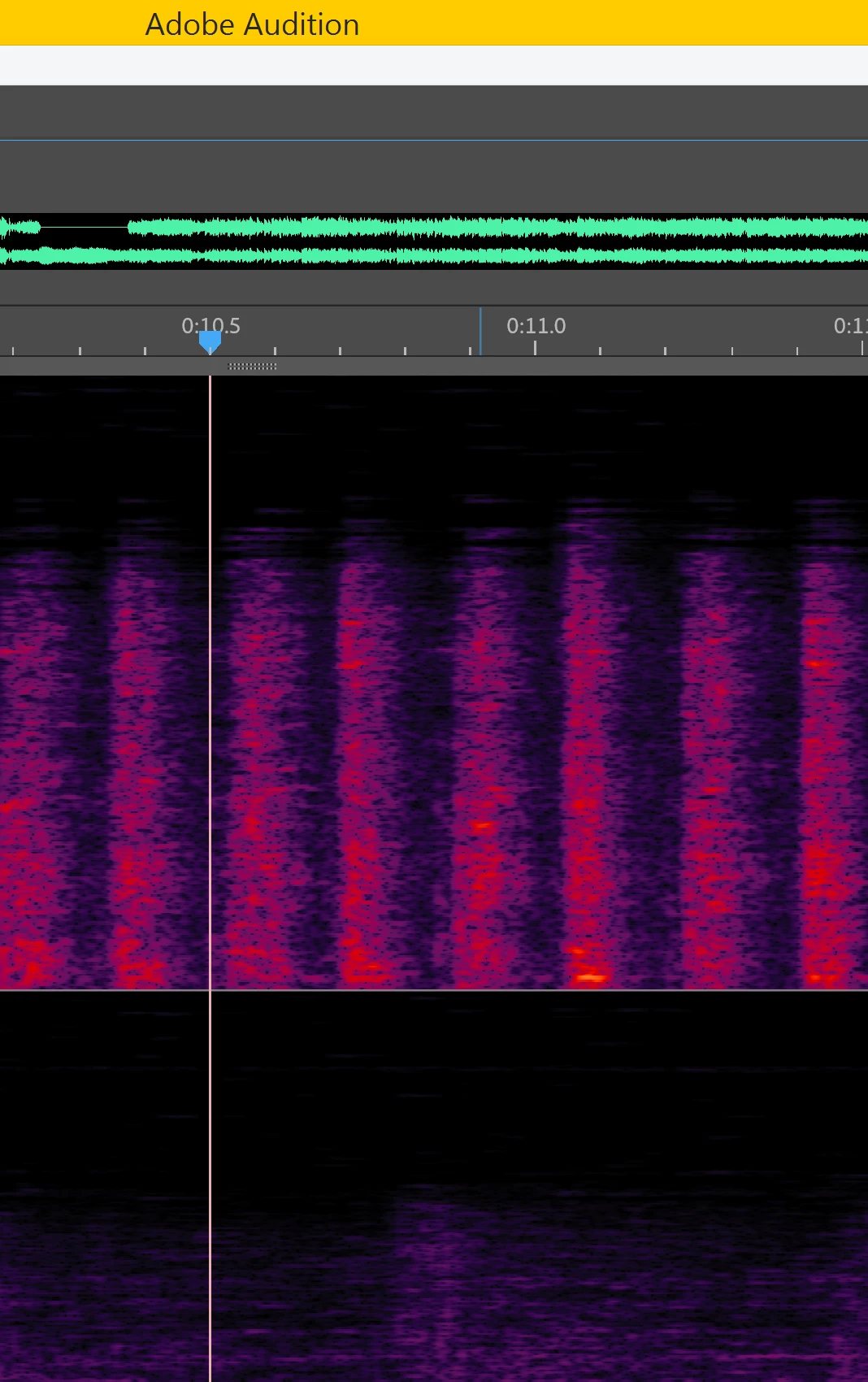
When I use the marquee selection tool to edit (delete or auto-heal) a spot in spectral frequency display, audio vertical lines are created after the edit (around the edit zone). The lines are bigger when I delete a spot and thiner when I use auto-heal. I must use the healing brush each time to erase the generated lines (each time I delete a spot).


Is there something to do to solve this? 


In the pics below, you can see before and after the deletion of a spot.


Thanks for your help.
 

This topic has been closed for replies.
Correct answer SteveG_AudioMasters_

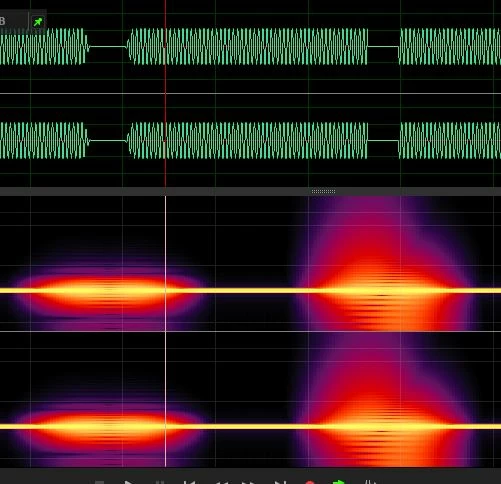
You can see this very clearly if you alter a few parameters. In this screen-grab, a gentle transition (LHS) produces harmonics either side of a tone, but if you make the transition immediate and not cut at a zero-crossing point (RHS) then the spectral disturbance is much greater.

In the right-hand grab, the left transition wasn't at a zero crossing point, but the right one was, which is why it doesn't look symmetrical.

1 reply

JFHenault
JFHenaultAuthor
New Participant
May 26, 2020

By the way, my case has nothing to do with recordings from a microphone. I'm working on many FLAC files and it did this with all files (at least 100 FLAC files).

SteveG_AudioMasters_
Community Expert
May 27, 2020

It's normal - it's because you are cutting into a transition point in a waveform and altering the slope of the transition at that point. This is likely to generate harmonics that can easily extend down to DC. It doesn't happen so much with the Healing brush, because the skirt slope of the edges of it are less steep, so it creates less harmonics at the point you are using it.


It's because of this that Audition gives you control of transition times at edit points - if you don't do this, you end up with clicks, and that's for exactly the same reason. This is just how audio works when you try and do something to it that wasn't a part of the original waveform!

SteveG_AudioMasters_
SteveG_AudioMasters_Correct answer
Community Expert
May 27, 2020

You can see this very clearly if you alter a few parameters. In this screen-grab, a gentle transition (LHS) produces harmonics either side of a tone, but if you make the transition immediate and not cut at a zero-crossing point (RHS) then the spectral disturbance is much greater.

In the right-hand grab, the left transition wasn't at a zero crossing point, but the right one was, which is why it doesn't look symmetrical.