


Dexter Golden
Inspiring
April 22, 2017
Answered

How do you download a previous Version of Audition?

  • April 22, 2017
  • 3 replies
  • 13134 views

Folks

How do you download a previous version of Audition this version
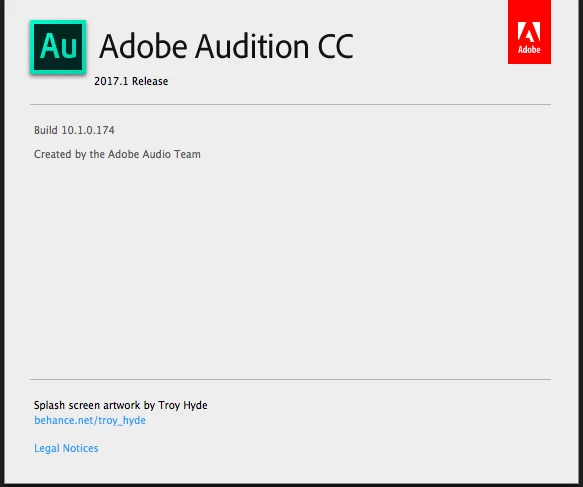
Currently has bugs in it.

Thanks

-David

    Correct answer SteveG_AudioMasters_

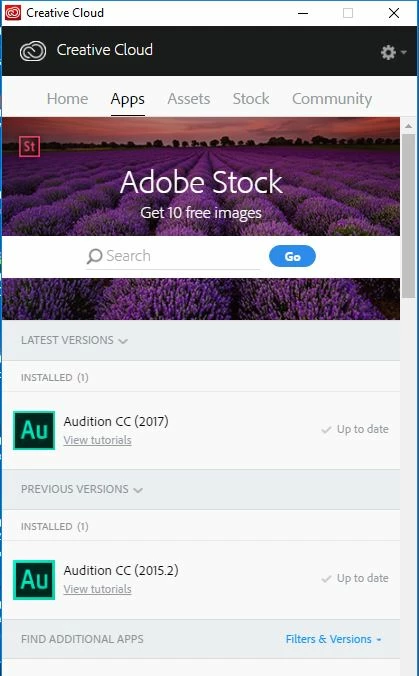
    Actually I think it's yours that's out of date. I just did an upgrade check on the app, so it's bang up to date, and this is what it shows:
    3 replies

    Inspiring
    March 12, 2020

    I'm not seeing previous versions listed in the new Creative Cloud interface. Is finding older versions still an available option?

    SteveG_AudioMasters_
    Community Expert
    Community Expert
    March 12, 2020

    No, I'm afraid not. After taking legal advice, Adobe only offers the current version of any of its software products, and the -1 version. We have been asked not to discuss the reasons for this, so please don't ask.

    Participant
    July 26, 2020

    For 19 gbp a month? are you kidding. i'm an unemployed hobbyist. I can't afford that crap. Got any alternative suggestions?

    Inspiring
    April 28, 2017

    Yes, rollback works fine, and I just did it with the following procedure (forgive me for posting this on multiple threads):

    I'm going to copy and paste this again because not everybody is seeing the most helpful posts.

    If, like me, you HAVE to have Noise Reduction working, you're going to need to revert to the previous version.

    To revert

    - You MUST back up your settings folder as a rollback will delete it!  Find your settings folder at the path above and make a safety copy of it all.  Put it somewhere so you can restore it after this rollback as well as later once the upcoming bug patch is released!  Don't merely move or allow deletion - this is one worth having multiple copies of if you've been using Audition for any length of time at all.  Once that's done and your precious presets are safe, now for the fun:

    - Open the Creative Cloud desktop app

    - Click the "Apps" tab

    - Scroll down to "Find additional apps" and directly to the right you'll see a filter toggle labelled "All Apps."  Click this.

    - The last entry at the very bottom of this list is "View Previous Versions."  Click that.

    - Scroll down until you see "Audition."

    - Select "CC(2017) 10.0.2" and when the confirmation dialog box comes up, click "Yes, install this version."

    - Sit back and wait for installation.

    - Enjoy!

    - When the CC App tells you there's an update available for Audition, DON'T install it until something newer than the 2017.1 release (version 10.1.0.174) becomes available!

    ryclark
    Participating Frequently
    April 22, 2017

    You can revert to the previous version from within the Adobe Creative Cloud app.

    Just click on 'Previous Versions' to show the earlier one and click on Install.

    Dexter Golden
    Inspiring
    April 22, 2017

    Actually you can't

    @ryclark Your image your referencing is from an old version of CC and is not the current version every would be on.

    -David

    ryclark
    Participating Frequently
    May 3, 2018

    Bryan, I can only suggest looking up Audition at Wikipedia for dates, and the procedure above for previous versions, because to the best of my knowledge that's all there is.


    However, what you're looking for is probably Audition CC 2017, which I believe is 11.0 - it's not been THAT long ago!


    Another question is if you had any Dolby AC3 audio in those files, which would be the reason now for those errors.  Adobe has dropped licensing for Dolby, and removed support for Dolby codecs even from the previous version if permitted to "update." 


    Alternatively if you post a link to your .sesx session file somewhere that we could download we (or should I say SuiteSpot) could take a look at it to try and see where the missing links are. We don't need any audio files just the .sesx.

    However looking in my version of the Creative Cloud desktop app I can click on the down arrow beside Open a new menu drops down allowing you to view other versions and install them if you want.