

Legend
August 13, 2022
Question

Multitrack Grayed-Out Faded Look

  • August 13, 2022
  • 1 reply
  • 364 views

Hello Everyone.

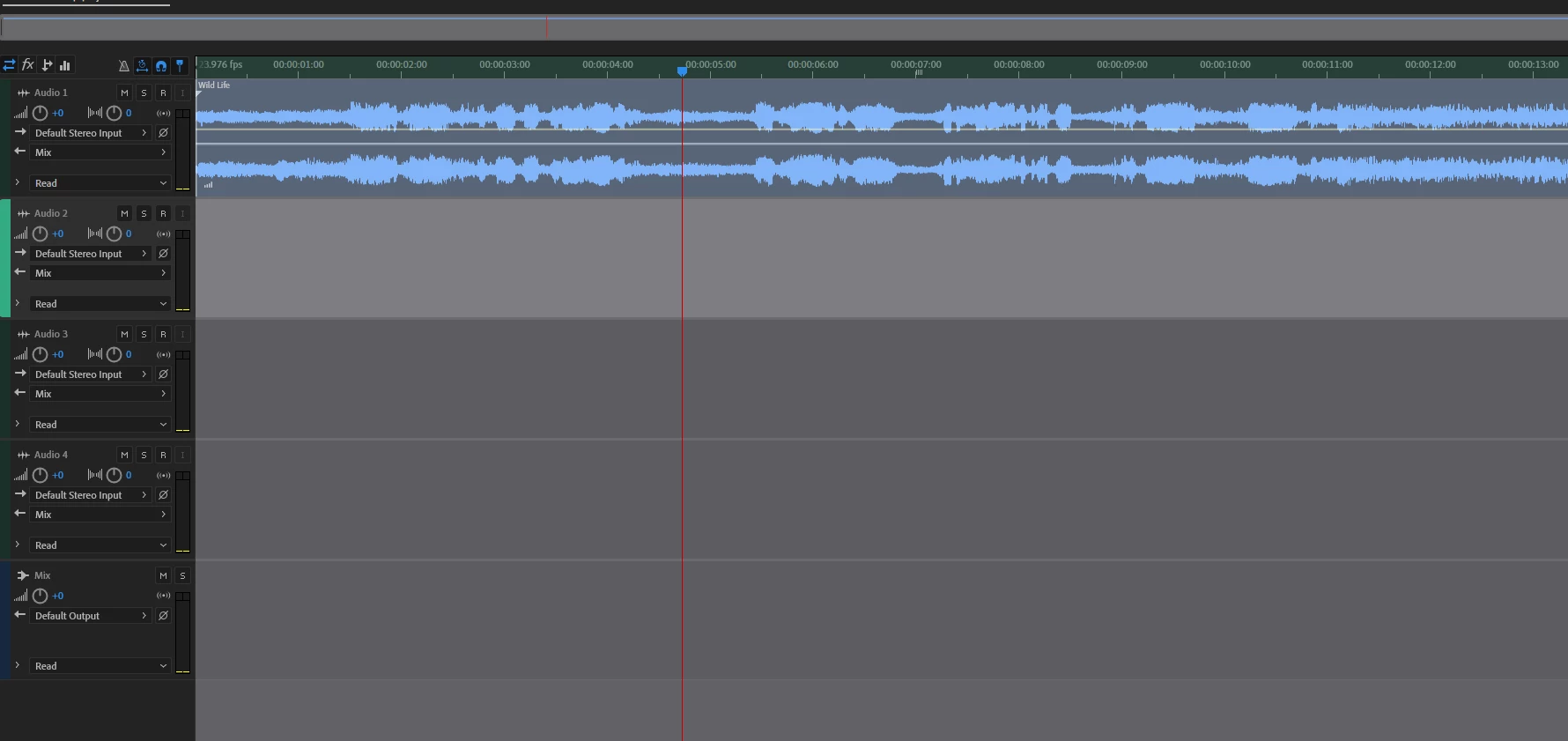
I am working with Multitrack, and Waveform back and forth. Why is my Multitrack panel looks grayed out, has this Faded Look? here is the screenshot

Thanks.
This topic has been closed for replies.

1 reply

Community Expert
August 13, 2022

Not sure how it works in Audition but it looks like you have in/out points set. Pressing keys I/O without moving the playhead seems to clear it.

SteveG_AudioMasters_
Community Expert
Community Expert
August 13, 2022

Audition doesn't set In and Out points the same way that Premiere does. This certainly looks as though a selection has been made, and that it's outside the view gamut - in other words the view is zoomed in so that the selection limits don't show. All you need to do to clear that is click the mouse on a track - that will remove the selection.

Legend
August 15, 2022

Dear Steve.


I don't have that file open anymore, I don't think I had the In/Out selected. Inside the premiere, I use the In/Out Point, and I have this Keyboard shortcut: "X" To deselect all my In and Outs. but if I ran into the issue again, I make sure to check it out.

Thanks Again

UPDATE, UPDATE.

I did some testings, using premiere In/out selected, going to Audition, I did see the Grayed-out, but as you said, once I clicked it did go away. I will let you know if the issue comes back again.

Thanks Again
