

New Participant
November 4, 2021
Question

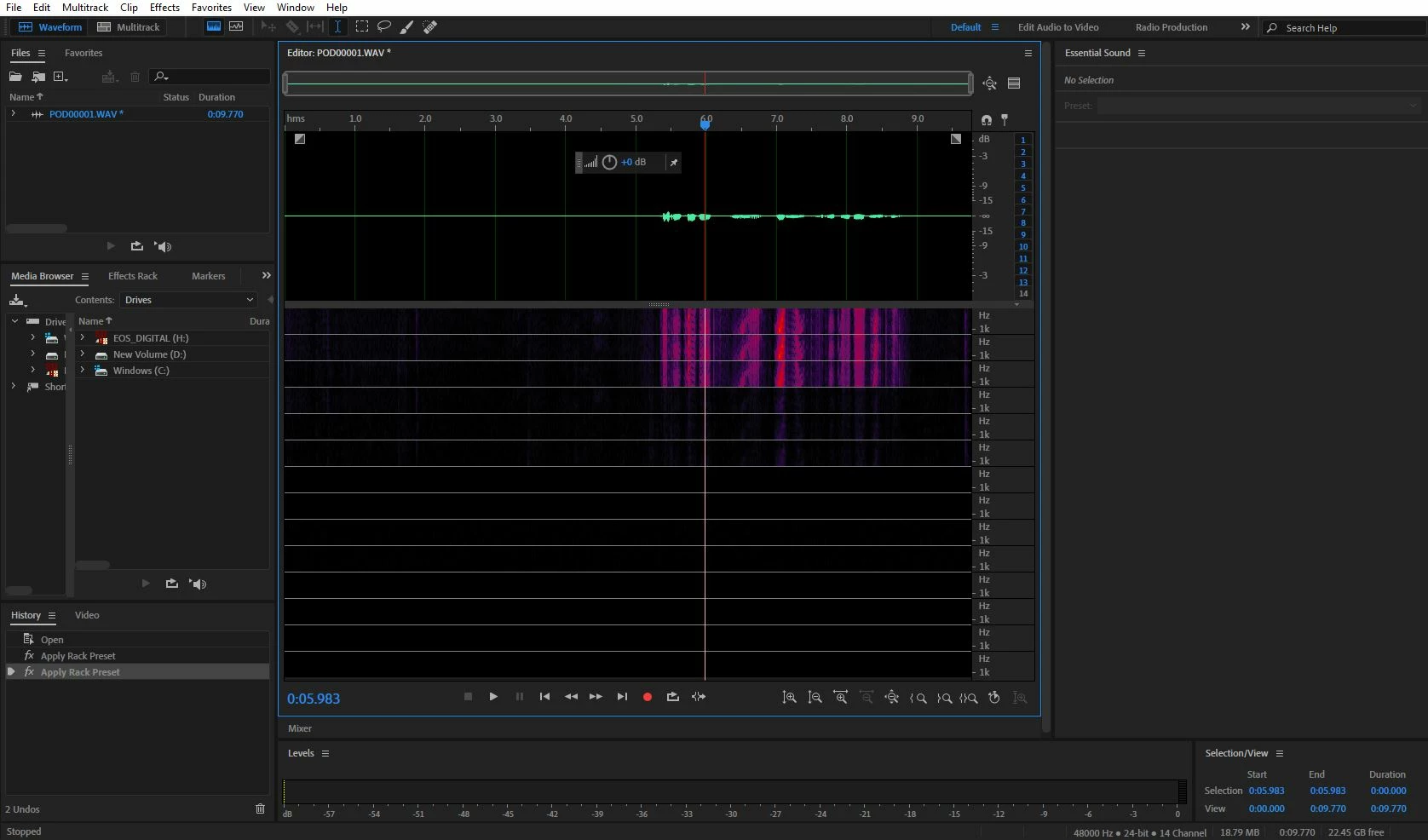
My waveform area has multiple spectral displays

  • November 4, 2021
  • 1 reply
  • 649 views

Usually it just has the waveform on top (which is shown in the picture and isnormal) but there are multiple spectral displays when there's usually just one. How can I fix this?

This topic has been closed for replies.

1 reply

SteveG_AudioMasters_
Community Expert
November 5, 2021

What you have there is a 14-channel wav file with a check in View>Waveform Channels>Layered. If you click on the twirl-down next to the file name, what do you see?

New Participant
November 5, 2021

There are 14 mono files. is there a way to make it only 1? 

SteveG_AudioMasters_
Community Expert
November 5, 2021

Since the content looks identical in the first three channels, the thing to do is to grey out all of the channels except the first one (click on each of the numbers on the RHS of the waveform display so that they go grey) which will leave you with a single active track in the file. Then go to Edit>Copy to New, which will copy just that channel to a new mono file. Save the result.


Next find out what on earth you've done to end up with a 14-channel file and reset it to just mono!