


Participant
January 27, 2017
Answered

"Release ASIO driver in background" option missing

  • January 27, 2017
  • 1 reply
  • 2153 views

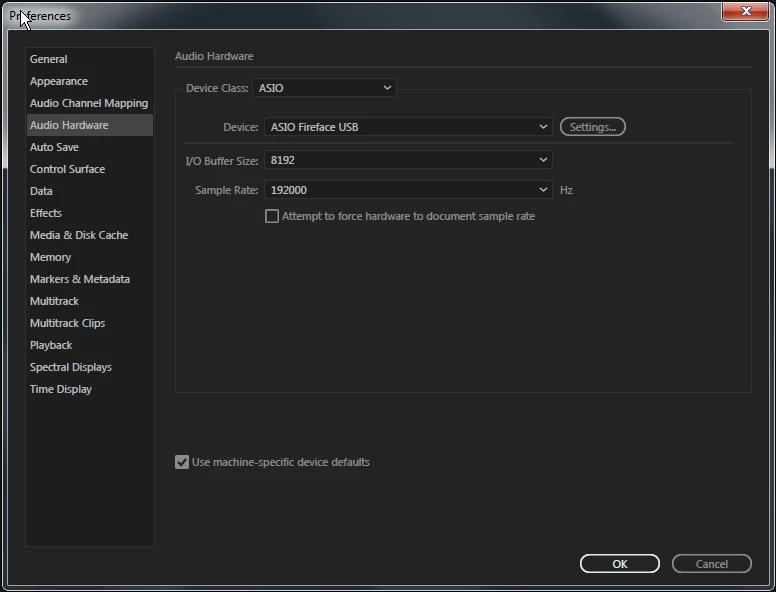
Where is the option to disable the "release ASIO driver in background" functionality? This is a new install, and I haven't used Audition in a couple years. The whole audio engine dropping out and having to reinitialize every time I switch focus to another program is obviously making Audition unusable. Was there a recent change? am I doing something wrong? or is there another reason I'm not seeing this option in the settings window on my computer? (Audition build 10.0.1.8)
Thanks for the help.
    This topic has been closed for replies.
    Correct answer nathanc56769856

    I received a response from a submission to the Adobe bug reports.

    It’s true that this setting was removed from the preferences menu a few years ago, but I do have an open feature request to bring it back.  Fortunately, the option is still available via a debug menu.

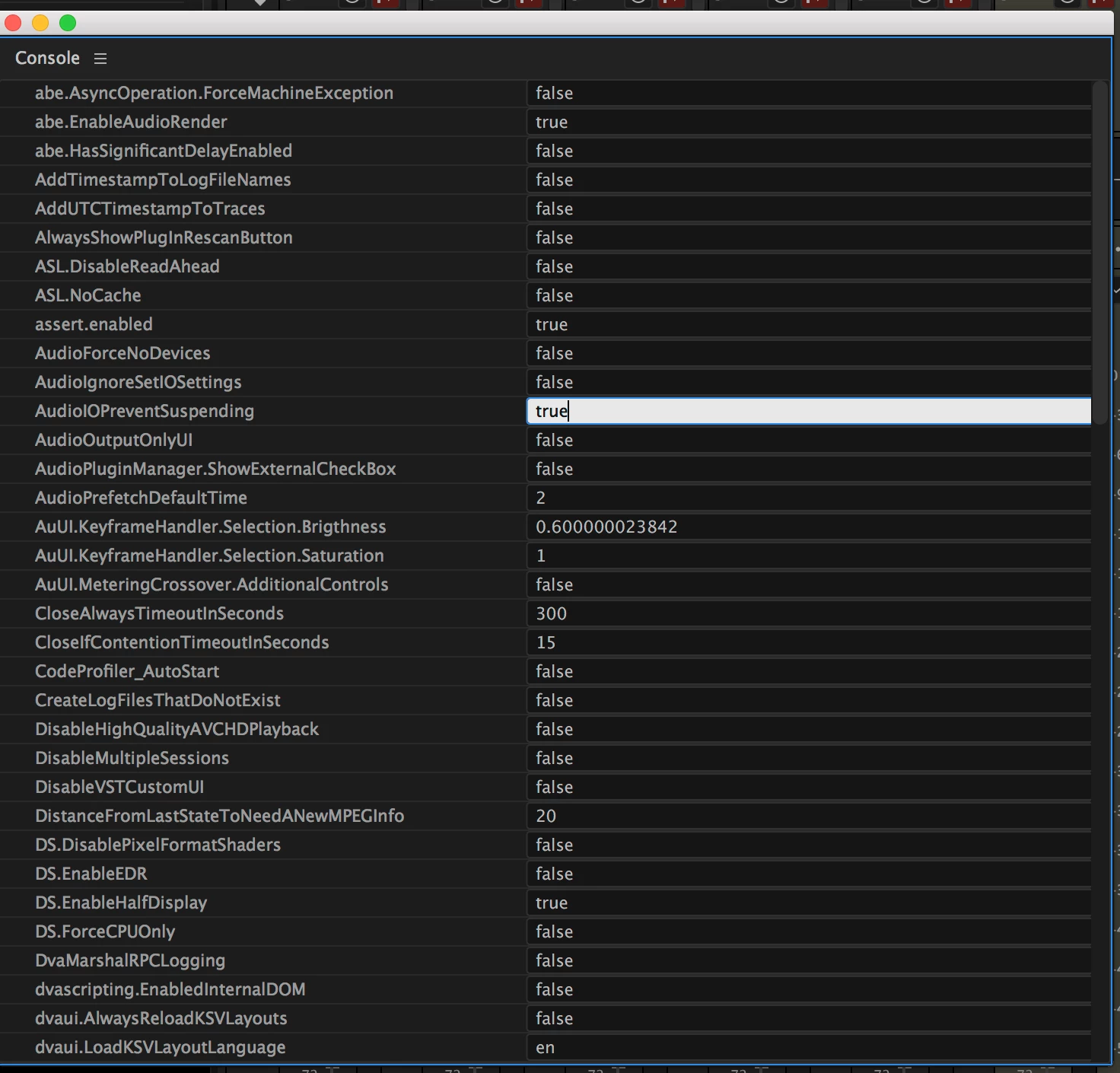
      Pressing CTRL+F12 will open a panel labeled “Console”  If you click on the panel tab menu (the 3-lines next to the word “Console”) and select “Debug Database View” locate the property AudioIOPreventSuspending and change the value to true

    This should change the behavior so that Audition keeps the ASIO driver engaged when switching away, even if it’s not playing or recording at the moment.  I’ll add your notes to the open feature request to re-enable the preference.

    Thanks,

    Durin

    1 reply

    nathanc56769856AuthorCorrect answer
    Participant
    January 28, 2017

    I received a response from a submission to the Adobe bug reports.

    It’s true that this setting was removed from the preferences menu a few years ago, but I do have an open feature request to bring it back.  Fortunately, the option is still available via a debug menu.

      Pressing CTRL+F12 will open a panel labeled “Console”  If you click on the panel tab menu (the 3-lines next to the word “Console”) and select “Debug Database View” locate the property AudioIOPreventSuspending and change the value to true

    This should change the behavior so that Audition keeps the ASIO driver engaged when switching away, even if it’s not playing or recording at the moment.  I’ll add your notes to the open feature request to re-enable the preference.

    Thanks,

    Durin