


Temporary hang every few minutes while editing a session
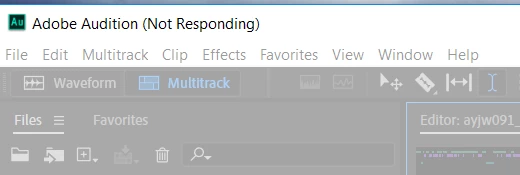
I'm a podcaster, and I've been using Audition to record and edit my podcast for years now. I've never had this issue before. I recorded an episode a week ago and I've been trying to edit it for awhile now. Every few minutes that I'm working on it, the whole application hangs. If I click on anything it grays out and says it's not responding in the app title bar. If I wait it out, it eventually comes back, and I'm able to edit for a few more minutes, and then it will do it again. I have over an hour of podcast to edit and this constant hanging of the application is seriously eating into my time and nerves. I've rebooted, saved a backup of the session files, cleaned off my data and cache space to give the application plenty of room, and checked to make sure everything is up to date. I even reinstalled the previous version of Audition and tried using it. I don't know if I've done something to corrupt the session file, but I'm 18 minutes into my editing (which has taken me a couple hours or more at this point), and would prefer to not have to start all over again. I think I'm losing a minute or 2 every 5 minutes with this application hang. I need to finish the edit and get the episode posted this weekend. I'm out of time and patience. I'm a hobbyist, not a professional, so please forgive me if I'm missing something obvious. I've searched for solutions, but have not found anything matching my problem.
I'm on Windows 10 running the latest Audition.
 AdChoices