
AndrewATR
Participant
February 28, 2023
Question

Transfer Multi-track recording from MixPre-10 to Adobe Audition

  • February 28, 2023
  • 2 replies
  • 1399 views

Hi,

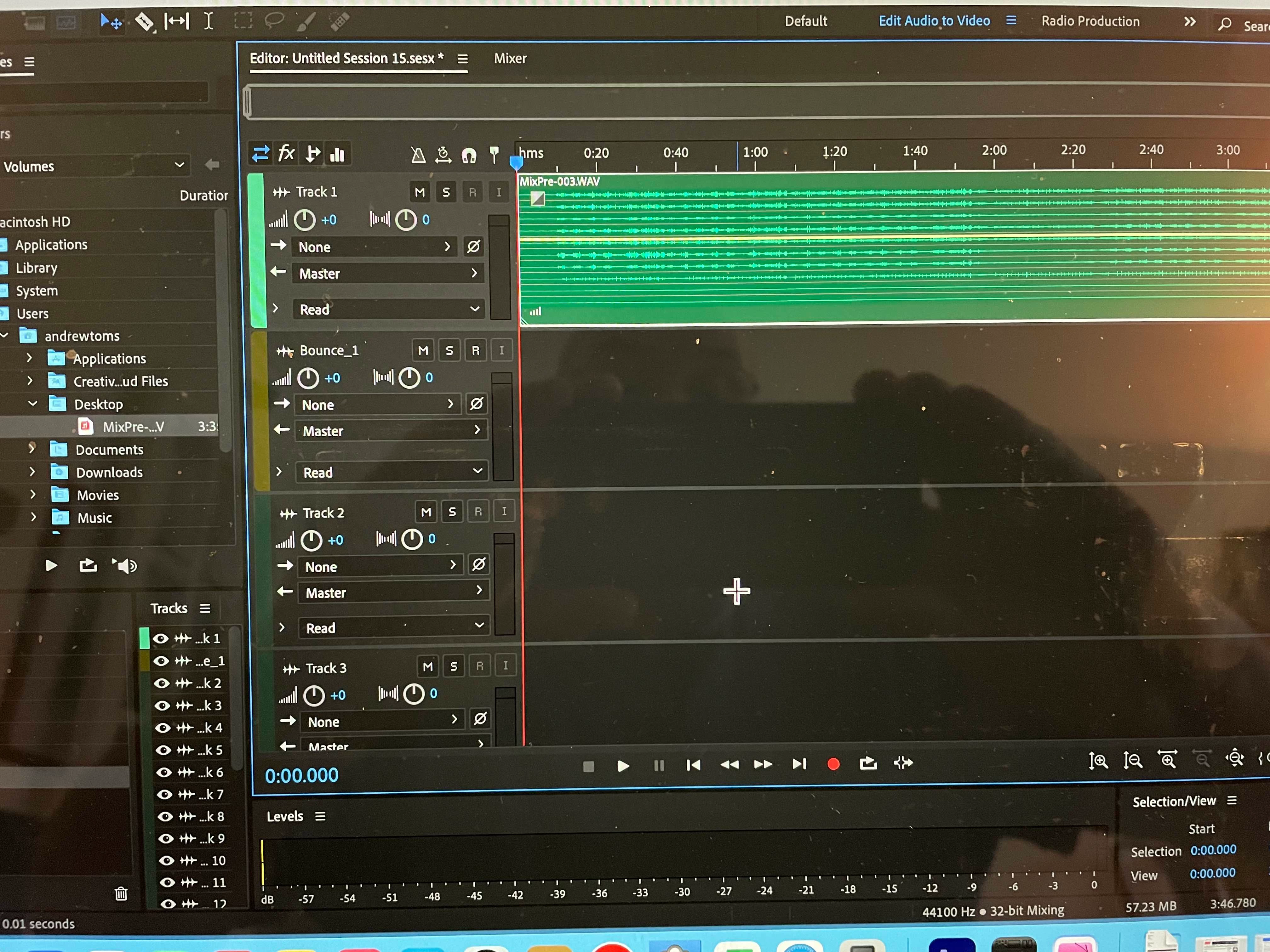
I use Adobe Audition on a MAC. I have an Audio Devices MixPre 10-ii recorder on which I've recorded six tracks. I want to bring those 6 tracks into Audition and perform a remix into Stereo. I've managed to transfer the audio file to Audition Multi-track BUT all 6 tracks appear as one track (photo attached) - can anyone please assist. Thanks Andrew
    This topic has been closed for replies.

    2 replies

    Rag and Bone
    Community Expert
    Community Expert
    February 28, 2023

    Is the Mix-Pre saving out a  6 track wav file?

    See this help page for ways to handle these files, especially this paragraph:

    "To use multichannel audio or video files within a session, you can bring each of the channels of the file into the Multitrack Editor as one single multichannel clip (default behavior). You can also automatically split each channel or groups of channels into different clips by holding Alt (Windows) or Option (Mac) while dragging."


    BTW, if you're using the Mix-Pre's 32 bit float, you might save yourself some time by normalizing the tracks before you add them to the multitrack session.

    SteveG_AudioMasters_
    Community Expert
    Community Expert
    February 28, 2023

    Actually the best way to deal with this is to use the Sound Devices 'Wave Agent' app, before you get anywhere near Audition with the files. Easy to find with a google search, and if you don't want to register with Sound Devices, there are plenty of free downloads of it available elsewhere.

    Rag and Bone
    Community Expert
    Community Expert
    February 28, 2023

    Good point, Steve...unless he's using the Mix-Pre's 32 bit flaot, which isn't supported by Wave Agent.

    Ged_Traynor
    Community Expert
    Community Expert
    February 28, 2023

    Moved to the Audition forum from Using the Community


    Participating Frequently
    February 28, 2023

    Thank you!!