


New Participant
January 30, 2018
Question

Error when exporting files in mp2

  • January 30, 2018
  • 3 replies
  • 2004 views

Hello my friends!

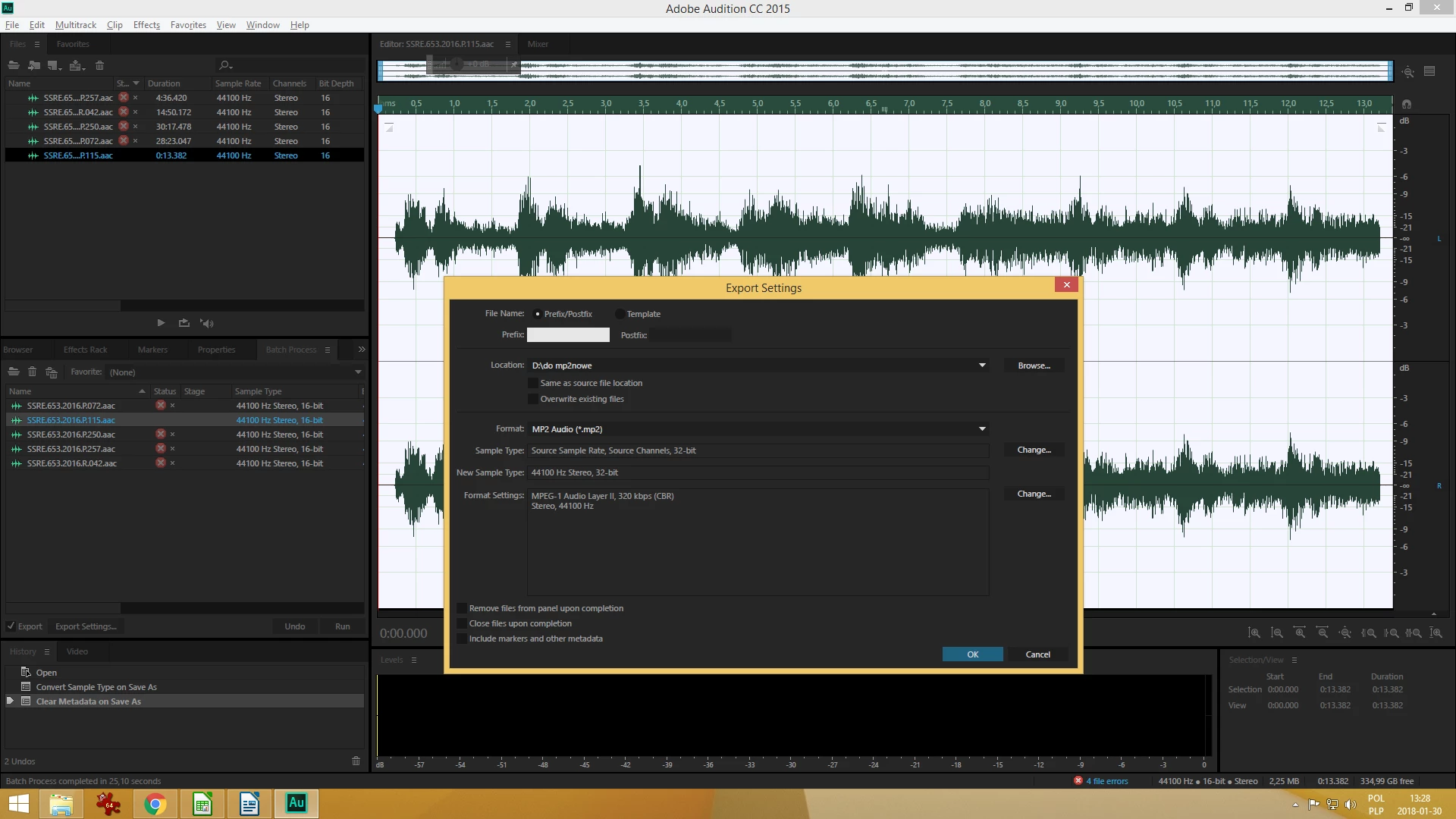
For a long time I have a problem with exporting files in mp2 format. When I put them into the batch process, I setting the output parameters, clicking RUN, and i got the message "an error occurred while saving the file to disk... the destination may be full or no longer avalibe"
I tried to export with many severals mp2 format settings and other format too (like ogg and wav) and nothing -
every time there is an error. The files are saving on physical disk which is a lot of space. Everything is fine with disk.

Is this another program error? My AU version: CC 2015

Please help me
    This topic has been closed for replies.

    3 replies

    Elqalamoshy
    Participating Frequently
    January 28, 2021

    the problem still found even changing the directory of saving

    SteveG_AudioMasters_
    Community Expert
    January 28, 2021

    Try saving it to your desktop. If it saves okay there, then the chances are that the permissions on the folder aren't set correctly for the user that's using Audition. If that turns out to be the case, then when you start the program, right-click and select 'Run as Administrator' and see if it saves okay then...

    Elqalamoshy
    Participating Frequently
    January 30, 2021

    sorry

    error still found even starting application as administrator and saving the product at desktop.

    could you suggest another way to solve it.

    thanks very much.


    FSHD_Victor
    New Participant
    July 17, 2018

    I am having the same problem with audition cc. Build 11.1.1.3. When converting (saving or exporting) from mp3 to mp2 I get the error described by jacekw above.

    ryclark
    Participating Frequently
    July 18, 2018

    Shouldn't be the same error as jace since he was on CC2015 and you are on the latest CC2018. Can you post a screen shot of the Save As or Export dialogue panel so we can see what your settings and destination folder are?

    ryclark
    Participating Frequently
    January 30, 2018

    Have you tried Exporting them to a different folder or setting it to 'Same as source file location' ?

    New Participant
    January 30, 2018

    Yes, I'm tired to different folder, localization on disk and nothing. Is there a dedicated option for saving 'Same as source file location'?

    ryclark
    Participating Frequently
    January 30, 2018

    No it is just the little tick box under the Location box.