


Doowacahdo
Participating Frequently
December 12, 2019
질문

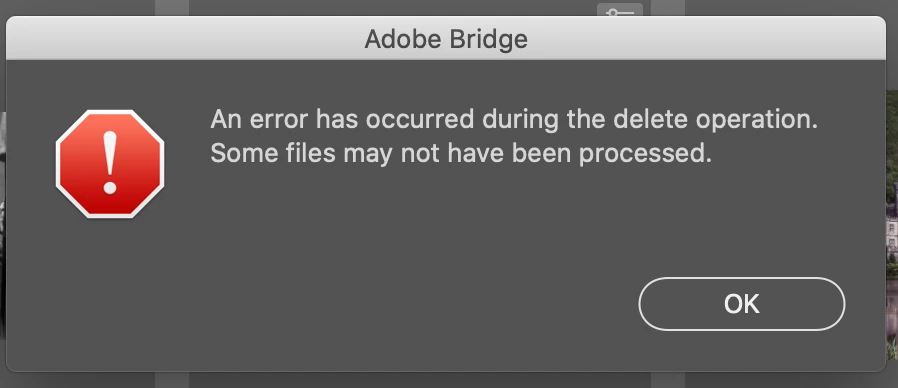
An error has occurred during the delete operation Adobe Bridge macOS Catalina V 10.15.2

  • December 12, 2019
  • 3 답변들
  • 2365 조회

When I try to delete photos, I get this window.   They do disappear out of Adobe Bridge but show as 0 bytes in the trash can.  I didn't see this happening until the latest Photoshop update.


{Thread renamed by moderator}

이 주제는 답변이 닫혔습니다.

3 답변

Pete.Green
Community Manager
January 30, 2020

Hi all,


Yesterday, Apple released Catalina 10.15.3 which should help with resolving this behavior in Bridge. 

Let us know if the 10.15.3 update works for you!


Regards,

Pete

Participant
February 11, 2020

Hi Pete, I'm on 10.15.3 and still get the error message


Mike

Participant
December 31, 2019

FIX - System Preferences > Security & Privacy > Full Disk Access > Unlock > Add Adobe Bride > Boom

Legend
January 17, 2020

This is a fix but a dangerous one- if there were any security problems with Adobe products, you've given them a lot more access than needed.

Known Participant
January 30, 2020

Bridge 10.0.2.131 Catalina 10.15.1

I tried the solution above, but it didn't work. When I try to remove a photo, I get this message and the photo disappears from Bridge, but is still in the finder. Shows as 0 bytes in the trash can.

Along with frequent crashes, this is just one of many problems I'm experiencing in Bridge 10.0.2.131.

Very frustrating as I use Bridge a great deal in my photograph image organization.

Sahil.Chawla
Adobe Employee
Adobe Employee
December 12, 2019

Hi there,


That does not sound good, have you updated Bridge to version 10.0.1 via the Creative Cloud Desktop app and see if it helps?

MacOS Catalina has introuced a lot of permissions and it is likely that the cause of this error is incorrect permissions.


Regards,
Sahil

Doowacahdo
Doowacahdo작성자
Participating Frequently
December 13, 2019

Thanks for the reply.  I have always had the latest revisions of all Adobe software and imacOS on my system did before I noticed this annoying issue.  It's either Catalina or Adobe.  Only Adobe knows and so far, they aren't talking.