


Batch Rename Won't Work

Copy link to clipboard
Copied
Hello,
I am using Adobe Bridge CC 2015 version 6.3.1.186 and I am trying to do a batch rename on a lot of photos (all are JPGs). It was working, then when I opened a new folder of photos, it stopped renaming them. Once I click rename, nothing happens to the original filename. I tried to purge the cache, force quit and restart my computer, but nothing has happened.
Does anyone have any suggestions on how to fix this?
Thanks.


 8
Replies
8
8
Replies
8




Copy link to clipboard
Copied
Did you also reset the prefs?
Copy link to clipboard
Copied
Yes, I reset the preferences, purged the cache, restarted my computer, and nothing is working.
Copy link to clipboard
Copied
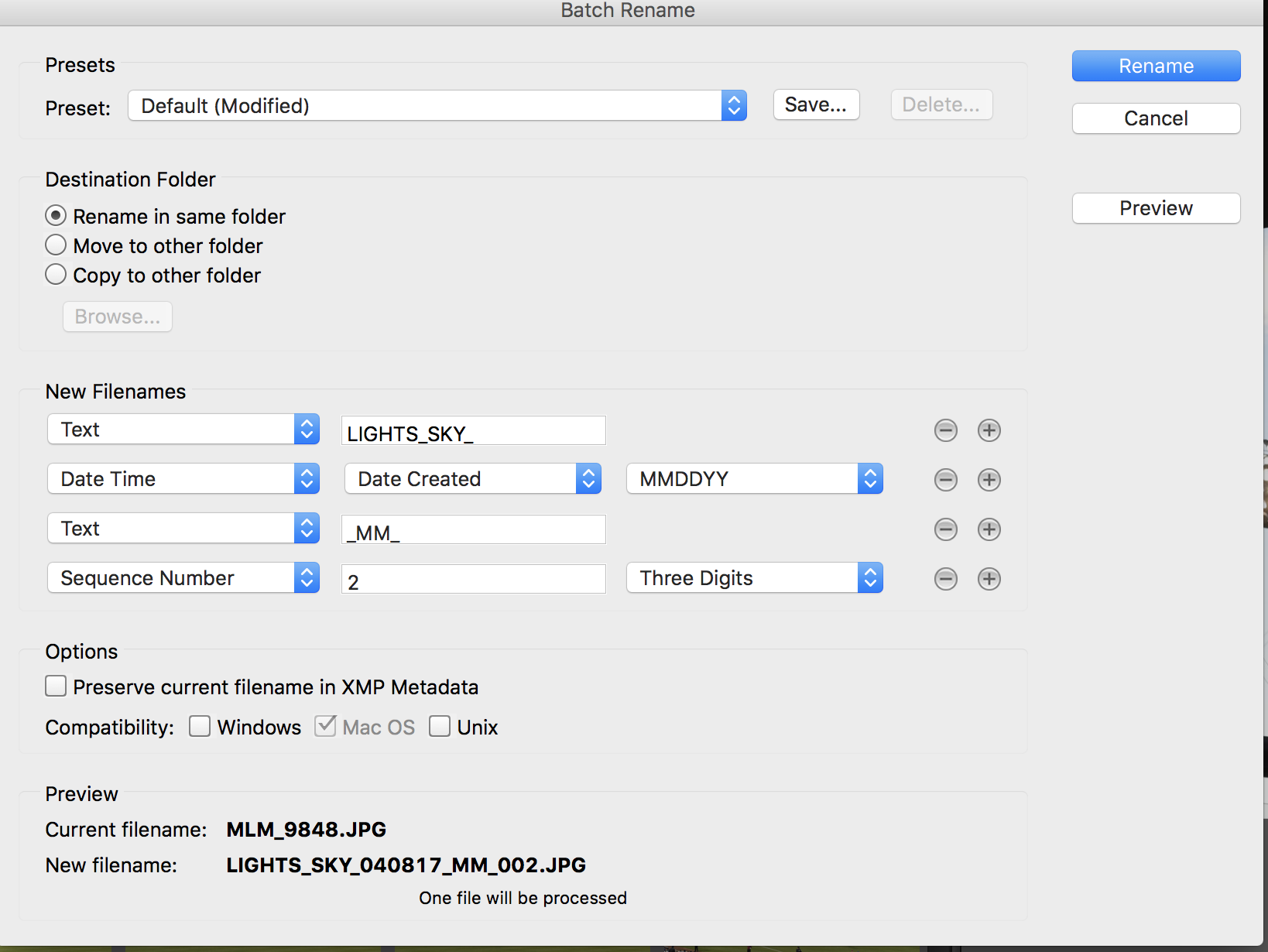
Can you upload a screen capture of the Batch Rename window with the various options that are not working?
Copy link to clipboard
Copied
The original filename is the one that won't be changed. When I click on rename, the folder reloads, but the original filename is still in place, not the new one.


Copy link to clipboard
Copied
Hi meganm,
Could you please try updating to Bridge CC 2017 and let us know if it helps?
Regards,
Sahil

Copy link to clipboard
Copied
I have exactly the same problem and have tried the recommendations here and on other threads but nothing is working. Any ideas? I desparately need these files renamed. Do I have to download off camera again to do that? surely not!
Copy link to clipboard
Copied
You are renaming files on a local drive, yes? Surely not trying to rename on the camera card!
Copy link to clipboard
Copied
No, on a drive, on a usb stick. But the images still are on the card in this case, so I could download them again and name them at that point. That doesn't help with re-naming other existing images. One thing we commonly do is time sync our cameras then combine all the images in one folder, sort by time and reame. Used to be so simple, then batch rename simply stopped working.


Get ready! An upgraded Adobe Community experience is coming in January.
Learn more
 AdChoices