
Participating Frequently
October 15, 2018
Answered

Thumbnails in Bridge went crazy after 2019 update

  • October 15, 2018
  • 69 replies
  • 22362 views

Okay, I installed all of the cc2019 updates and Bridge (worked normally on cc2018) started to behave crazy. I mean all works except preview thumbnails. I get some kind of "static interference" pattern instead of previews.

I completely uninstalled and reinstalled Photoshop and Bridge to solve the issue but no luck.

Computer is iMac Pro 27".

On my old iMac 27" (2011) it works normally after the update.
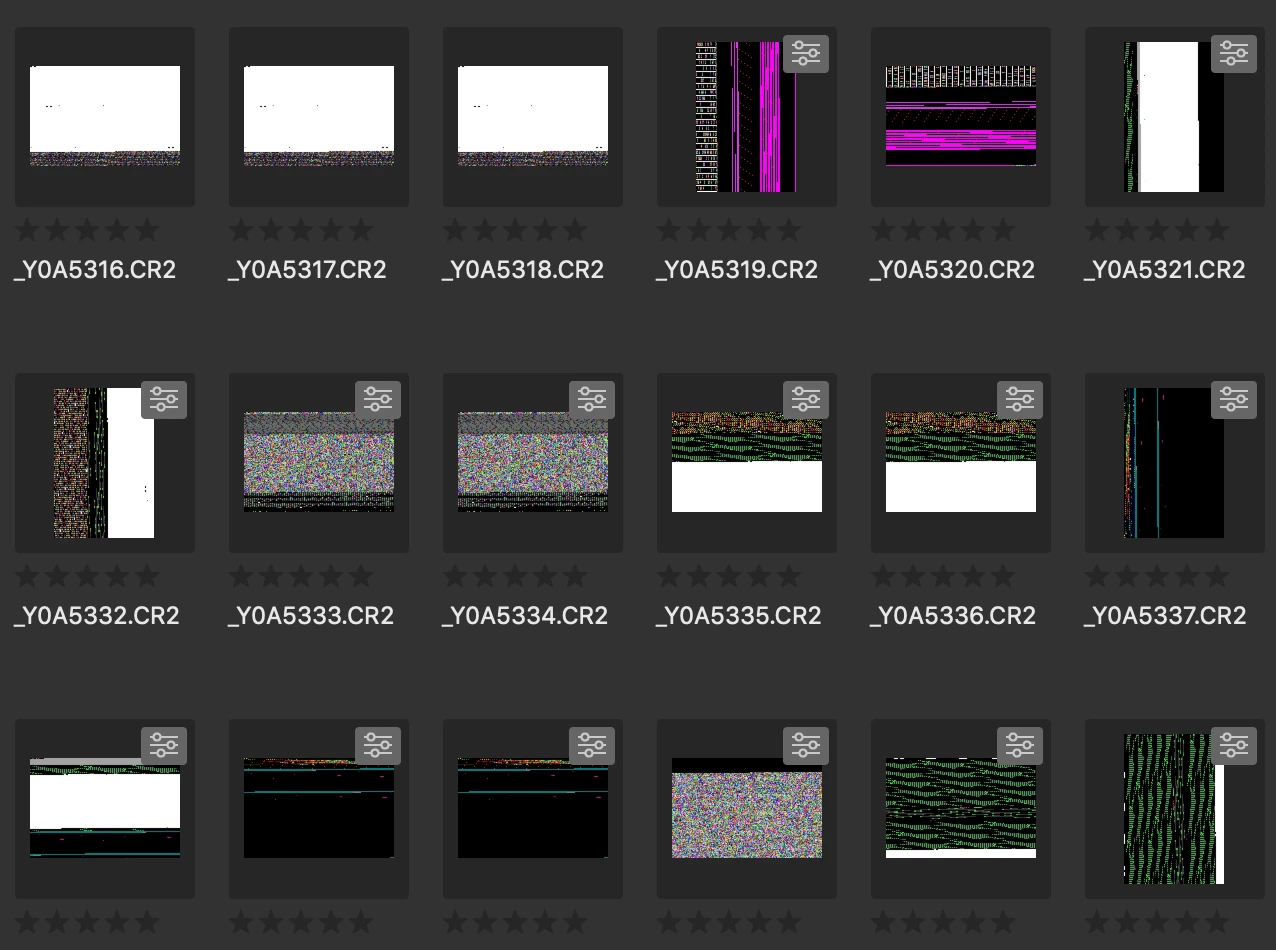
Any idea?

Thanks!

This topic has been closed for replies.
Correct answer siddharthsingh

Dear Users,

We have released a new version of Adobe Bridge (CC 2019) on 2nd November 2018. The new version build number is 9.0.1.216. This version is available to install via Adobe Creative Cloud application.

This Bridge update resolves the thumbnail rendering issue on iMac Pro devices and has few other bug fixes.

Please let us know if you face any issues.

Regards,

Siddharth

69 replies

commsteam100
Participating Frequently
October 31, 2018

Okay....$#it just got real....

Apple is due to issue an update to Mojave any second now and I just got this message from Bridge 2018  "....this app will not work with future versions of macOS and needs to be updated to improve compatibility. Contact the developer for more information."

So....Adobe...your move.

The Pixelian
Participating Frequently
October 31, 2018

I've just run the Mojave 10.14.1 update (too curious not to!) I get no message from Bridge 2018, the issue still stands for Bridge 2019, still getting the thumbnails showing for a second or so then they turn black.

Wholeo
Known Participant
October 31, 2018

So one Mojave user can use Bridge 2018 and another one can't. I don't know which is helpful. Why does the Forum declare this question is "Assumed Answered"? It is even farther from answered than ever for iMac Pro 2017 users at least. I won't update to Mojave until sure Bridge will work. I use it all day, every day.

Follow The Sand, a 5-year movie plan: Wholeo 2024
Known Participant
October 30, 2018

Ditto . . . . same issue

Participant
October 30, 2018

This is insanity. Your pro level customers and you don't even check to see if the video drivers work? Yes i will pile on, there is ZERO excuse for this and i am pissed right off.

Imac pro, same as everybody else.

Fix this. Yesterday.    

Participating Frequently
October 30, 2018

I cannot understand how Adobe can launch such a bad product.

Perhaps it work elswere but on my MacPro nothing works about TIF and CR2 files

They sell there product at a so high price that it is pure robbery to leave such bad checked product

Participating Frequently
October 29, 2018

It's another Monday and Adobe Bridge 2019 on the iMac Pro is still broke. Going back to bed.

Legend
October 25, 2018

This is a known issue and Adobe is working on a fix. For now, you'll have to revert to Bridge 2018.

lsilipo
Participant
October 25, 2018

Hey Adobe, is this a joke? Are you not even providing an estimated date when this will be fixed? Are asking your users to move to a different software provider? Please let us understand...we invest thousands of dollars / euros / pounds and whatever other currency you have in mind in order TO WORK WITH THIS TOOLS!!!! Are you going to reply to us with a date for the FIX?

Thanks, Luigi

Participant
October 24, 2018

I am having the exact same experience. I've been with Adobe since the nineties and this is the worst product introduction they have ever produced. Ugh. Give me back 2018, PLEASE!

tmksr
Inspiring
October 24, 2018

Same Problem here!

iMac Pro (2017), 3,2 GHz Intel Xeon W, Radeon Pro Vega 56 8176 MB

Super frustrating how adobe keeps ignoring the iMac Pro!

Major issue on Premiere exist since the release of the iMac Pro and makes Premiere useless on this machine.

And now the latest version of Bridge is useless too … what's next?

BMGSAuthor
Participating Frequently
October 25, 2018

What is the issue on Premiere?

tmksr
Inspiring
October 25, 2018

Premiere had very weak support for the multicores of an iMac Pro at the release, they changed something and with the latest Update H264 rendering is now supported (wow). The major issue is still unfixed. On the iMac Pro 5K wide gammut display, Premiere shows a heavy oversaturated look that washes out after the export. They now the Problem, but there is no roadmap if, how and when it fill be fixed. We will switch back to FCP as it runs much smoother and can show you the right colors (wow).

Participant
October 24, 2018

haha, sorry to upset you jbm007!!

I'm just amazed how such a big multi-national company can have such a poor customer care response, they should at least recognise the problem and say they are working on it, no?

I'll calm down and give them brake, I know they must be working super hard to fix it, must be very serious to take over a week

maybe they should have tested it better before releasing it, no?

Fingers crossed it'll be soon...!

Any updates Adobe??

commsteam100
Participating Frequently
October 24, 2018

Add me to the list. At least now I know enough not to attempt any of the Adobe prescribed fixes as there doesn't appear to be an actual fix until they clean up this nasty little bug. Also good that I kept CC2018 around and have it to fall back on now.