
Known Participant
October 25, 2019
Answered

Bridge CC 2019 full preview makes photos completely pixelated and un-viewable

  • October 25, 2019
  • 5 replies
  • 1838 views

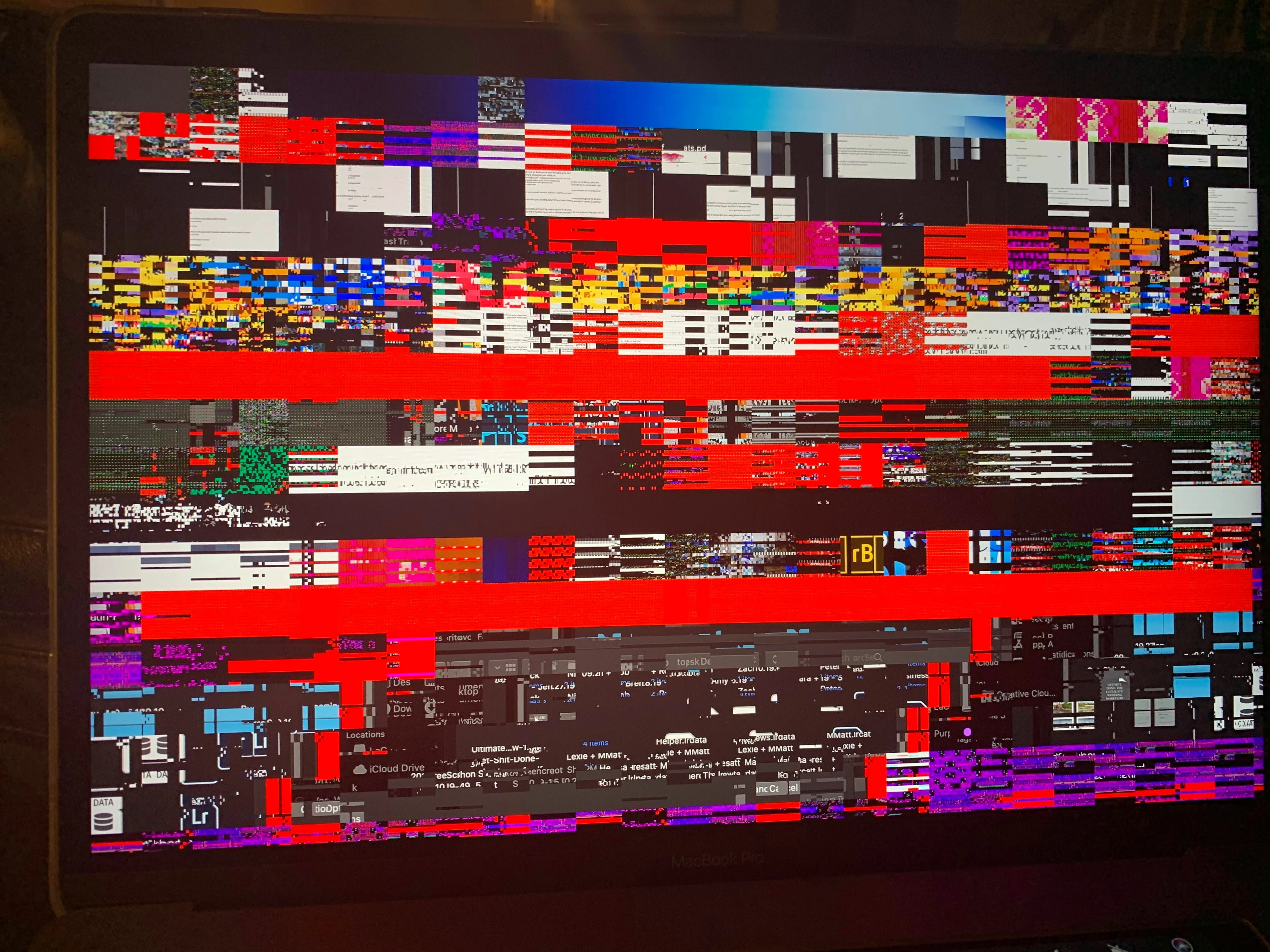
When I'm using Adobe Bridge CC 2019 on a MacBook Pro and press the spacebar to view full preview, the photos are fully pixelated and crazy. What I've done to try and fix it:

- I've un-intsalled the app while keeping my Bridge settings and re-installed the app with no fix.

- I've un-installed the app but removed my Bridge setting and re-installed the app with no fix.

- I've purged the cache and then full preview worked until I clicked the next arrow, and then it pixelated again.

- If I take a screenshot of the screen, the pixealtion goes away but if I click the arrow to go to the next photo, it pixelates again.


I've recently updated my MacBook Pro and iMac to macOS Catalina but this problem is not happening on my iMac, only on my MacBook Pro. Please help!


[Moved from generic Start/Help forum to the specific Program forum... Mod]
[To find a forum for your program please start at https://community.adobe.com/]


    This topic has been closed for replies.
    Correct answer Akash Sharma

    Hi there,


    Sorry that Bridge is showing image previews completely pixelated after the Mac OS Catalina update.


    We have identified this as a known issue and working towards a fix. 


    Reinstalling Bridge has helped several users as discussed here: https://community.adobe.com/t5/Bridge/Preview-Artifacting-in-Bridge-with-NEF-files/m-p/10691787#M15371


    Thanks,

    Akash

    5 replies

    Participant
    March 8, 2024

    I am having this problem for the first time now in 2024. 

    gary_sc
    Community Expert
    Community Expert
    November 22, 2020

    Please, you do not say if these are raw images or not but if they are, first try going into Adobe Camera Raw's Preferences Go to Bridge's Preferences and just above or below them you'll see a link to ACR's Preferences

    and in ACR's Preferences go to Performance and set it to OFF

    Now, IF that doesn't stop the problem, have you given Catalina permission to access an externail drive? If not, do the following:


    Open Your Mac OS Preferences and open Security and Privacy. Then lick on the Privacy setting (last tab). Now click on the lock on the bottom left and provide your Administrator Password. Now select the Full Disk Access option and click on the "+" symbol. This will bring up the standard Mac Open window and let you add any application you want or need to have full access. Look for Bridge, select it, it will now appear in that window and make sure it's checked. Next go to the Files and Folders option and do the same thing as above (although there's nothing to check, just add. Close everything down and see if that makes it all work.

    Please let me know


    Inspiring
    November 23, 2020
    This has resolved itself with updates, although I don’t know if it persists with the 2019 version of photoshop. Thanks!

    Sent from my iPad
    Varun Varshney
    Adobe Employee
    Adobe Employee
    October 30, 2019

    Hi,

    Many of the Bridge Catalina issues have been addressed in v10.0 which will be released early next month.

    If you need early access to this release, you can sign up for the prerelease program from https://adobeprerelease.com under NDA.

    Select Adobe Bridge. Once we approve your request, you will be able to download v10.0 (choose the latest drop).


    Please check this build and report back.


    Thanks,

    Varun Varshney

    Participating Frequently
    October 30, 2019

    very good news indeed Varun! Thank you! Now I keep my fingers crossed and hope that the problems will be resolved!! 

    Akash Sharma
    Akash SharmaCorrect answer
    Legend
    October 25, 2019

    Hi there,


    Sorry that Bridge is showing image previews completely pixelated after the Mac OS Catalina update.


    We have identified this as a known issue and working towards a fix. 


    Reinstalling Bridge has helped several users as discussed here: https://community.adobe.com/t5/Bridge/Preview-Artifacting-in-Bridge-with-NEF-files/m-p/10691787#M15371


    Thanks,

    Akash

    Known Participant
    October 26, 2019

    Hi Akash,


    I stated in my original post that I already tried re-installing Bridge twice. It did not fix the problem. I hope this is resolved soon as I can't do essential work on my laptop while this is happening.


    Thanks,

    Jess

    Participating Frequently
    October 25, 2019

    I have exactly the same problem as above. Tried installing the 2018 Bridge version, but the updated CC of this week does not allow that anymore, at least I cannot see how .... HELP!!!!

    can anybody solve this problem and as I am new to this site .... has anybody answered the above note of Jessica? thanking you in advance greetings Maggie

    Participating Frequently
    October 25, 2019

    for clarity ... this problem started after updating to Catalina and updating photoshop 2019

    xx