


j13ag0
New Participant
November 15, 2025

P: Develop Full Screen Preview is fuzzy when editing with smart previews

  • November 15, 2025
  • 4 replies
  • 174 views

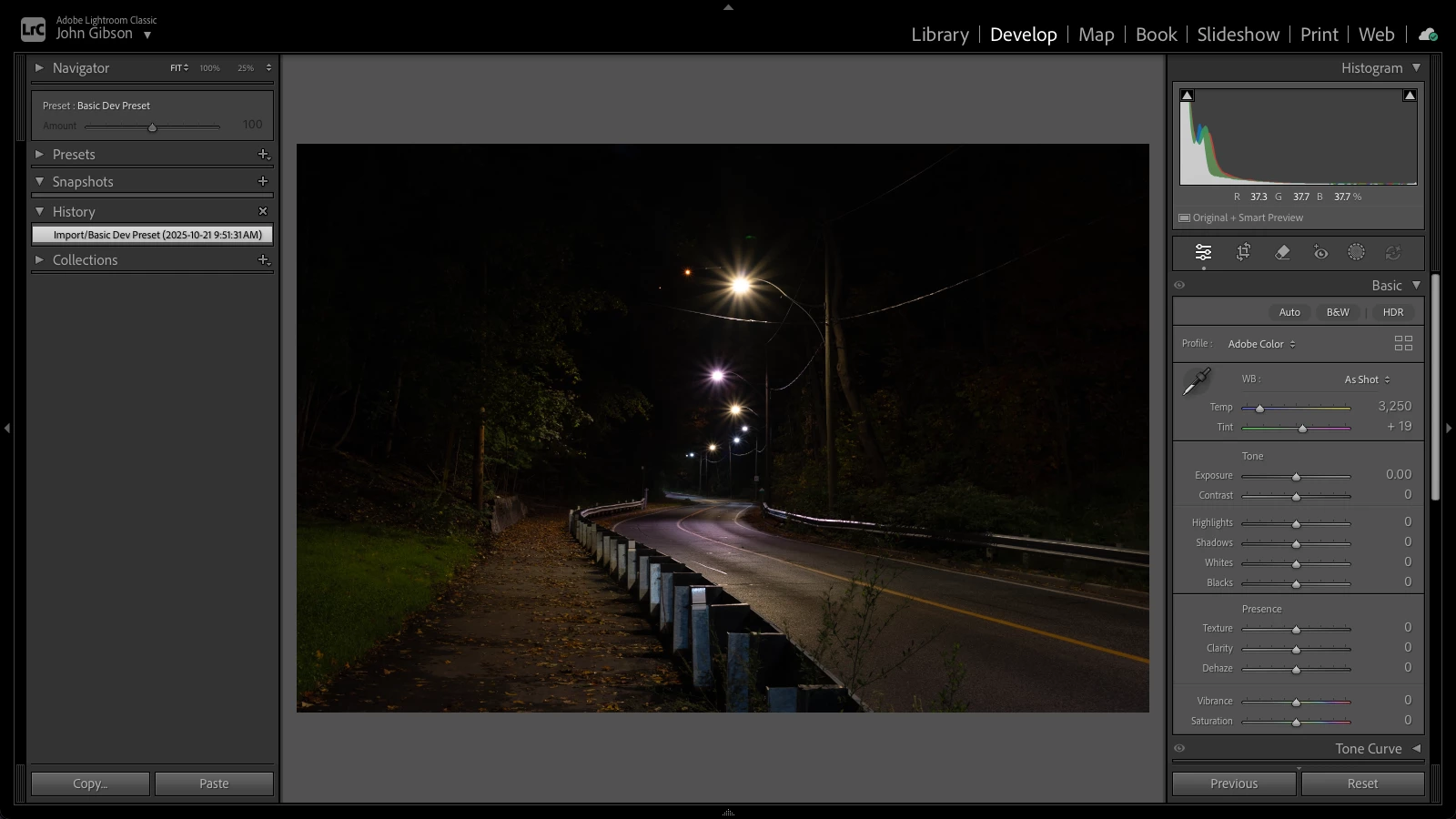
I'm in the Develop module. Screen looks like this:
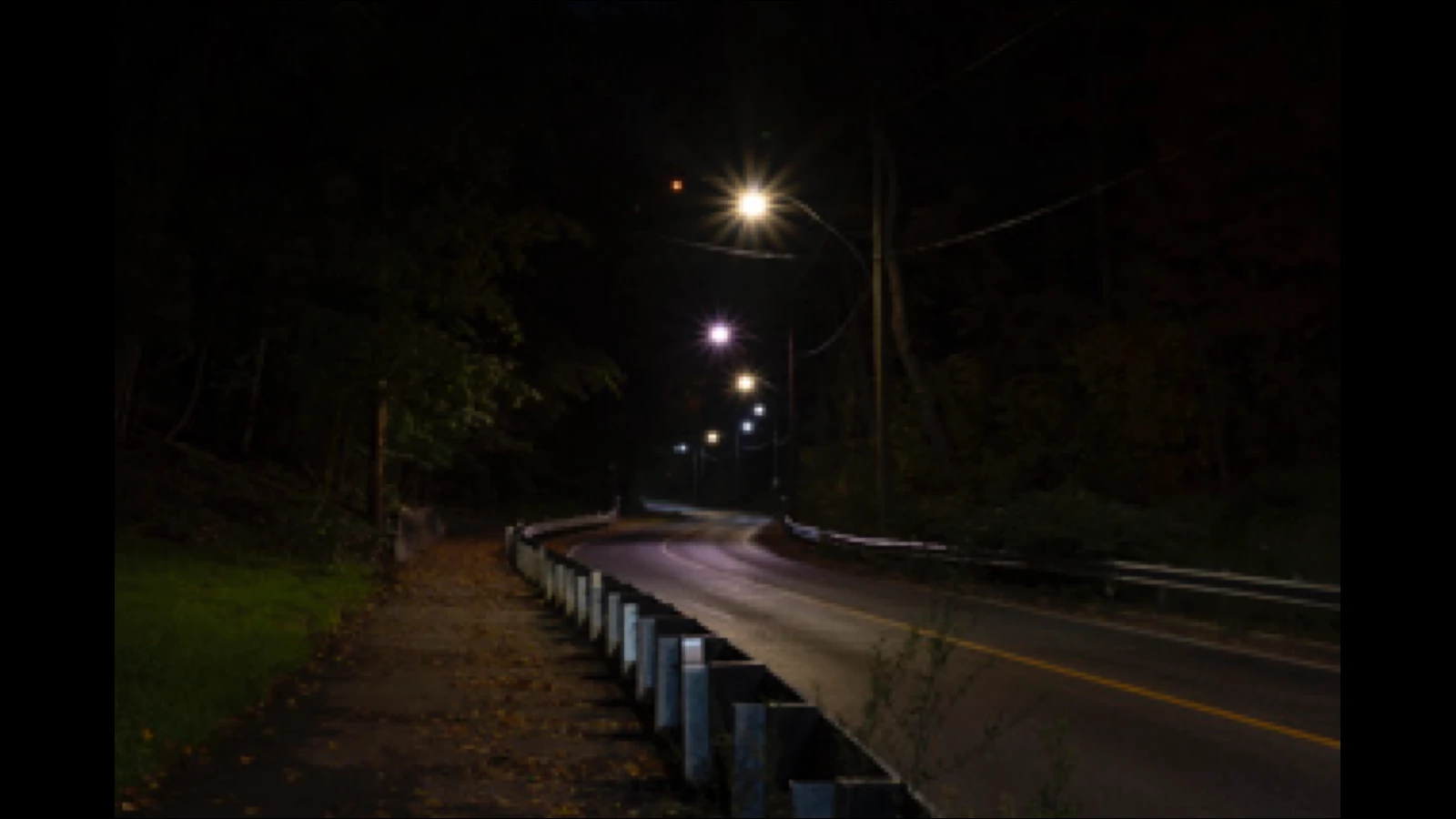
Hit F key to go fullscreen, screen looks like this:
Restarted, same result.

Downloaded latest version, same result.


LrC version:  15.0.1

MacOS:  15.6


Let me know if you have questions.

-jg-


4 replies

Rikk Flohr_Photography
Community Manager
Community Manager
November 17, 2025

It turns out this bug is already filed and should be fixed in the upcoming release. I was able to reproduce it with the steps on the existing bug report. I've linked this report to that bug, so this thread will get notified when the fix is released. 

Rikk Flohr: Adobe Photography Org
johnrellis
Brainiac
November 16, 2025

@Rikk Flohr: Photography: Please consider moving to Bugs and changing the title to "Develop Full Screen Preview is fuzzy when editing with smart previews".  See my previous post for a bug recipe.

Rikk Flohr_Photography
Community Manager
Community Manager
November 16, 2025

@johnrellis 

I have tried with your catalog and with my own catalog, and I cannot replicate this following the instructions provided. 

Rikk Flohr: Adobe Photography Org
johnrellis
Brainiac
November 16, 2025

[This post contains formatting and embedded images that don't appear in email. View the post in your Web browser.]


@Rikk Flohr: Photography, here are screen recordings of the misbehavior, steps 2 and 7 - 11 (I didn't bother with testing LR 14.5.1 this time). One recording is from a virgin LR 15.0.1 / virgin Mac OS 26.1, and the other is from a not-so-virgin LR 15.0.1 / Windows 11.  So that's four installations showing the symptoms: LR 15.0.1 / Mac OS 15.6 (the original poster's), LR 15.0.1 / Mac OS 15.7.1, LR 15.0.1 / Mac OS 26.1, LR 15.0.1 / Windows 11.


Did you remember to set Preferences > Performance > Use Smart Previews Instead Of Originals For Image Editing?


Here are frame grabs of the first and second Develop Full Screen Preview from steps 9 and 11, on Mac:


And here are the corresponding frame grabs from Windows 11:


johnrellis
Brainiac
November 16, 2025

[This post contains formatting and embedded images that don't appear in email. View the post in your Web browser.]


In LR 15.0.1, Develop Full Screen Previews are initially fuzzy when the photo has a smart preview and the option of using smart previews is set. This is a change in behavior from 14.5.1.


To reproduce with LR 14.5.1 and 15.0.1 / Mac OS 15.7.1:


1. Download and open this catalog in LR 14.5.1:

https://www.dropbox.com/scl/fi/t6xxaeqvfu6mh40q1uhse/smart-preview-full-screen-bug.2025-11-15.zip?rlkey=yutcdpjcnswt1bf6j3nxcta8b&dl=0


2. Set the option Preferences > Performance > Use Smart Previews Instead Of Originals For Image Editing.


3. Select the photo and do Library > Previews > Discard Standard and 1:1 Previews.


4. Open the photo in Develop.


5. Go to Full Screen Preview by typing F. Observe the sharpness of the detail:


6. Exit LR, delete the catalog folder, and unzip a fresh copy from the downloaded .zip file.


7. Open that fresh copy in LR 15.0.1, upgrading it and continuing to edit with smart previews.


8. Select the photo and do Library > Previews > Discard Standard and 1:1 Previews.


9. Open the photo in Develop and go to Full Screen Preview. Observe the detail is fuzzy (incorrect):


10. Go to Library, select the photo, and do Full Screen Preview. Observe the detail becomes sharp after a second or so.


11. Go to Develop, do Full Screen Preview, and observe the detail is now sharp:


johnrellis
Brainiac
November 16, 2025

Your screenshot shows the photo has a smart preview. I think you may have enabled the option Preferences > Performance > Use Smart Previews Instead Of Originals For Image Editing.  


When I enable that option and edit an image having a smart preview, then in LR 14.5.1, Develop's Full Screen Preview is sharp. But in LR 15.0.1, it's fuzzy, even after zooming in and back. I think it's a bug.


A clumsy workaround: Go to Library, then Full Screen Preview (F), then go to Develop, and now Develop's Full Screen Preview is sharp.