With the August releases of Camera Raw and the Lightroom Desktop/Classic, this should no longer be an issue. Update these applications as soon as they are available in your Creative Cloud App.
This is actually an LrC bug. Classic should be recognizing (Mac) CR 14.4 as compatible with (Mac) LrC 11.4.1. It isn't so we've logged a bug against LrC for future instances where there is an X.y.z vs X.y mismatch.
Workarounds:
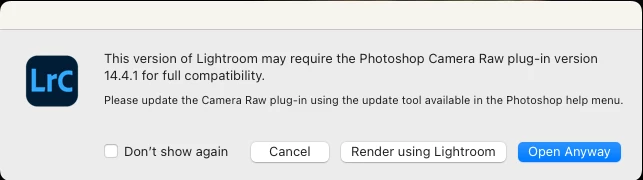
For now, the error message appearing is a mistake. Until the LrC bug is fixed or until the next release when the ACR and LrC versions will be in sync again, you have a few options:
There is no harm in choosing the 'Open Anyway" option as the versions are actually compatible. In the event of large volume processing, it is probably best to check the "Do not show this again" option in the dialog. For Mac customers only, you can choose to revert to the 11.4 version via your Creative Cloud app and this will eliminate the mismatch dialog.

 AdChoices